Our Top Picks
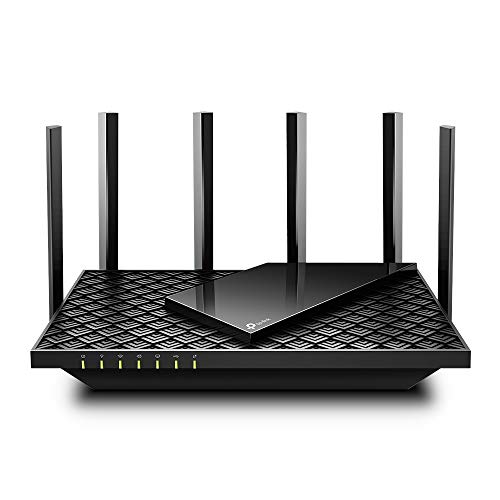
 TP-Link AC1900 Smart WiFi Router Dual Band RouterWi-Fi 5 AC19009.57 x 6.32 x 1.28 inches0.91 poundsCheck on Amazon
 Roam 7 BE3600 Wi-Fi 7 Portable Travel RouterCompact Design4.96 x 3.68 x 1.5 inches0.55 poundsCheck on Amazon
What's inside
- What the processor actually does inside a self-built router
- Choosing between pfSense, OPNsense and OpenWrt shapes the hardware brief
- AES-NI and the real cost of encrypted tunnels
- QuickAssist, vector instructions and other accelerators worth understanding
- Single-core pace for PPPoE versus core counts for services
- Power draw, TDP figures and the arithmetic of running all day
- Pairing the processor with network adapters that behave
- Reading processor families without drowning in model numbers
- Running the router inside a hypervisor changes the calculation
- Fanless operation and passive cooling impose their own ceiling
- Form factor decides the platform as much as the processor does
- How to read routing benchmarks without being misled
- Matching tiers to real connection profiles
- Security support, updates and longevity at the perimeter
- Segmentation, VLAN traffic and why internal rules cost cycles
- IPv6, DNS duties and the small services that accumulate
- Noise, placement and household acceptance are performance factors too
- A practical shortlisting method you can finish this evening
- Check prices on Amazon
- Common mistakes that send builders back to the shops
As an Amazon Associate I earn from qualifying purchases. This post may contain affiliate links at no extra cost to you.
A homemade router lives or dies by decisions that never appear on a gaming benchmark chart. The processor sits at the centre of every packet, every firewall rule, every encrypted tunnel and every late-night firmware update, yet the workload looks nothing like opening applications or rendering video. Packets arrive in a relentless stream, often tiny, often bursty, and the machine must inspect, translate, queue and forward each one without adding jitter to a video call in the next room. Choosing a central processing unit for that job therefore starts with networking behaviour, not raw core counts advertised for desktops.
Transparency matters before any shortlist makes sense, so here is the commercial relationship in plain terms. As an Amazon Associate we earn from qualifying purchases. That single sentence explains how reader purchases may support the work behind this guide, and it changes nothing about the technical thresholds described below, because a chip that drops packets under PPPoE load or cooks itself inside a sealed enclosure fails regardless of where anyone buys it.
Our research rests on manufacturer documentation for processor families, release notes and hardware guidance from firewall and router operating system projects, network adapter datasheets, and standards material covering Ethernet and cryptographic acceleration. Read together, those sources draw a consistent picture. Match the processor to connection speed first, then to encryption demand, then to the services you genuinely intend to run, and only afterwards worry about enclosure style or spare capacity for experiments you may never deploy.
What the processor actually does inside a self-built router
Every packet crossing a home-built router passes through several distinct jobs, and different jobs stress different parts of the silicon. The network stack receives frames from the adapter, the firewall evaluates rules against connection state, network address translation rewrites addresses and ports, and a routing decision sends the packet out through the correct interface. None of that sounds heavy for a single packet. Multiplied by hundreds of thousands of packets per second on a fast fibre line, with small frames dominating real traffic mixes, the arithmetic becomes unforgiving.
Packet size deserves emphasis because headline throughput figures hide it. A link saturated with large file-transfer frames moves far fewer packets per second than the same link carrying voice, gaming and acknowledgement traffic built from small frames. Processors forward packets, not abstract megabits, so a chip that looks comfortable at gigabit speed with large frames may struggle when the household generates the choppier pattern of everyday use. Specifications indicate that per-packet overhead, interrupt handling and cache behaviour matter as much as clock frequency once frame sizes shrink.
Stateful inspection and connection tracking
Modern firewall platforms keep a state table recording every open connection, its timeout, its translation mapping and the interface pair it belongs to. Looking up that table for each arriving packet draws on memory bandwidth and cache locality. A processor with modest clocks but a healthy cache and fast dual-channel memory can feel steadier than a nominally quicker chip starved by a single slow memory stick. Households rarely hit state-table ceilings, yet torrent clients, game launchers and dense smart-home fleets can push concurrent sessions into ranges where lookup efficiency stops being theoretical.
Rule evaluation adds another layer. Simple allow-and-block rules cost little, while large alias lists, geographic filtering, traffic shaping queues and deep inspection plugins each consume cycles per packet. The honest way to size a processor is therefore to list the services you will enable on day one, add the one or two you realistically expect within a year, and ignore the rest. Sizing for every conceivable plugin produces a hot, expensive box that idles through its entire working life.
Choosing between pfSense, OPNsense and OpenWrt shapes the hardware brief
The three platforms most builders consider share a routing heritage but place different demands on silicon. The BSD-based firewall distributions build around a powerful rules engine, mature virtual private network support and extensive package ecosystems covering intrusion detection, reporting and policy routing. Their driver model favours well-supported Intel network adapters, and their installers expect conventional x86 storage, memory and boot firmware. A processor shortlist for those systems should privilege adapter compatibility and single-thread pace alongside acceleration instructions.
OpenWrt, born in the embedded world, runs leaner. It thrives on modest hardware, offers flexible wireless integration, and handles software flow offloading in ways that can reduce processor load for straightforward forwarding. Builders repurposing a small x86 box for OpenWrt often discover that a low-power chip feels ample for routing and basic quality-of-service duties, while heavier add-ons such as encrypted tunnels at full line rate still reward stronger silicon. The platform choice therefore sets the floor; the service list sets the ceiling.
Driver support is a processor decision too
Processor and chipset determine which adapters, storage controllers and power states the operating system sees cleanly. Manufacturer documentation shows that platform maturity matters: chipsets with years of driver history inside BSD and Linux kernels tend to install without workarounds, expose temperature sensors correctly, and resume reliably after updates. Very fresh desktop silicon sometimes arrives before that support settles, leaving builders juggling boot parameters or missing power management. For a machine expected to run unattended in a cupboard, boring and well-documented beats novel and temperamental almost every time.
Boot firmware deserves a quick check for the same reason. A reliable unified extensible firmware interface implementation, a boot menu reachable without drama, and the ability to disable unused onboard devices all simplify installation and recovery. Thin clients and business mini computers usually score well here because corporate fleets demanded manageability, while some consumer boards hide useful settings behind gaming-oriented menus designed for entirely different priorities.
AES-NI and the real cost of encrypted tunnels
Encryption transforms the processor brief more than any other single feature. The Advanced Encryption Standard New Instructions, present across most modern Intel and AMD x86 processors, offload the heaviest rounds of AES arithmetic into dedicated silicon paths. WireGuard, IPsec and OpenVPN all interact with acceleration differently, yet the pattern holds: a chip with AES support sustains encrypted throughput at a fraction of the utilisation seen on silicon forced to compute every round in general-purpose code. Firewall distributions have treated those instructions as a baseline expectation for years, and some releases plan features assuming their presence.
WireGuard deserves separate mention because its design uses ChaCha20 rather than AES for its cipher suite. That choice performs gracefully on processors lacking AES acceleration, which explains why modest chips post respectable WireGuard figures in community reports. OpenVPN, by contrast, historically ran a single tunnel through a limited thread pool, so per-core speed dominated results until data channel offload features began shifting work into the kernel. IPsec sits between those poles, scaling across cores more readily and benefiting directly from AES instructions. Naming your tunnel protocol before shopping prevents the common error of buying for a benchmark built on a different protocol entirely.
How much encrypted throughput do you actually need
Work backwards from the wide area network link, not from a laboratory figure. A household with a few hundred megabits of fibre and a site-to-site tunnel used for backups needs sustained encrypted forwarding comfortably above the tunnel’s share of that link, with headroom for the unencrypted traffic sharing the same silicon. A remote worker whose entire connection rides inside a commercial tunnel service needs the processor to encrypt essentially everything, all day, which raises the bar sharply. Manufacturer documentation shows thermal limits interact here as well, because a chip that boosts briefly for a speed run may settle at lower clocks during an overnight encrypted transfer.
Also separate download ambition from upload reality. Many residential links remain asymmetric, and encryption load follows the traffic actually passing, so the slower direction rarely bottlenecks first. Builders who test only the fast direction sometimes overspend; builders who ignore the fast direction entirely discover the ceiling during the first large cloud restore. Sketch both directions on paper, attach the tunnel’s expected share to each, and the processor tier usually reveals itself without guesswork.
QuickAssist, vector instructions and other accelerators worth understanding
Intel QuickAssist Technology moves compression and cryptographic operations onto a dedicated engine present in certain Atom server, Xeon D and chipset combinations. Where the operating system and tunnel stack can use it, QuickAssist relieves the main cores and keeps latency steadier under mixed load. Its value in a home build is real but narrow: the platform must expose the device, the software must support it, and the workload must match its strengths. Buying a board solely for QuickAssist without confirming software support is a recurring disappointment in build threads.
Vector extensions such as AVX appear further down the relevance list. Some intrusion detection engines and traffic analysis tools exploit wider registers, yet routing, firewalling and tunnelling rarely scale with AVX width, and certain low-power chips omit the widest variants without any practical penalty for this job. Similarly, integrated graphics contribute almost nothing beyond installation convenience; a build that needs a monitor only during setup gains little from a powerful graphics block drawing power inside a sealed case. Spend attention on network-facing features first, and treat exotic instruction sets as tie-breakers rather than headlines.
Random number generation and small features that quietly matter
Routers generate cryptographic keys, negotiate sessions and seed secure connections constantly, so hardware random number support helps entropy-hungry services start cleanly, especially on headless systems with few input devices. Virtualisation extensions matter for reasons covered later, while secure boot and a trusted platform module can support measured, tamper-evident setups for builders who want them. None of these features sells a chip on its own. Together they separate a thoughtfully matched platform from a bargain that nags its owner with small frictions every few months.
Cooling headroom connects directly to these accelerators, because sustained encrypted work keeps cores busy far longer than bursty desktop tasks. Builders comparing compact enclosures often look at guidance written for desktop chips under sustained load, and the lessons in best cpu air coolers ryzen about mounting pressure, airflow direction and thermal paste coverage translate surprisingly well to small router cases where a poorly seated heatsink quietly throttles the whole network.
Single-core pace for PPPoE versus core counts for services
PPPoE remains the sharpest single-thread trap in residential networking. Many internet providers deliver fibre through a PPPoE session, and on several platforms the encapsulation and session handling concentrate work onto a limited number of queues or a single core. A processor with eight slow cores can therefore forward less PPPoE traffic than a quad-core chip whose individual cores boost higher and finish each packet sooner. Builders on direct Ethernet handoff or IPoE connections face a kinder, more parallel workload, which is why identical hardware earns glowing reports from one household and frustration from another.
Ask your provider, or check the existing router’s configuration, before finalising anything. If PPPoE appears, privilege per-core performance, healthy boost clocks within the thermal envelope, and adapters whose queue behaviour the platform handles well. If the handoff is plain Ethernet, core count becomes a fairer currency, and shaping, inspection and tunnels can spread across threads more evenly. This one fact explains more mismatched purchases than any benchmark dispute.
Where extra cores genuinely earn their keep
Services beyond forwarding love cores. Intrusion detection sensors analyse streams in parallel, virtual private network servers juggle many clients, reporting tools crunch logs, and a virtualised setup may dedicate cores to entirely separate guests. Traffic shaping with modern queue management also rewards spare cycles, because calculating fair queues at gigabit rates is arithmetic the processor performs continuously. A sensible middle path for most homes pairs four capable cores with strong per-core pace; builders planning heavy inspection or multiple tunnels step up from there, while a plain routing and firewall job can live happily below that line.
Threads deserve a cooler assessment than marketing suggests. Simultaneous multithreading helps when workloads stall on memory or mix instruction types, yet packet processing often scales less neatly, and some tuning guides recommend experimenting with it disabled for latency consistency. Treat thread count as secondary data. Physical cores, clock behaviour under sustained load, cache size and memory configuration tell a clearer story about how the machine will feel at eight in the evening when the household is busiest.
Power draw, TDP figures and the arithmetic of running all day
A router never sleeps, so its electricity profile matters in a way a desktop’s never does. Thermal design power describes heat the cooling solution must dissipate under defined load; it is not a direct meter reading of wall consumption, and conflating the two leads builders astray in both directions. A chip rated at a modest TDP can still sit inside a system whose chipset, adapters and power supply waste pull the wall figure higher, while an efficient platform built around a higher-rated processor may idle surprisingly low because modern cores park themselves aggressively between packet bursts.
Idle consumption deserves priority because a home router spends most of its life near idle, punctuated by evening peaks. Deep package power states, often discussed as C-states, let large parts of the silicon power down between interrupts. Platform documentation and adapter behaviour decide whether those states are reachable: a misbehaving expansion card or an aggressive polling driver can pin the processor awake and quietly double the annual running cost. When comparing candidate systems, whole-system idle figures from reliable measurements outweigh headline TDP for predicting the electricity bill.
Translating watts into ownership cost and heat
The arithmetic is simple enough to do before buying. Multiply the expected average wall draw by the hours in a year, divide by a thousand for kilowatt-hours, and compare that figure across candidates using your own tariff. The gap between a lean thin-client platform and an elderly tower server can pay for the newer hardware over its service life, before counting the benefit of less heat dumped into a hallway cupboard. Heat is the second currency: every watt consumed becomes warmth the enclosure must shed, which links the power decision directly to fan noise and component longevity.
Power supplies hide another inefficiency. A large desktop supply loafing at a tiny fraction of its rating often converts poorly, wasting several watts before the board receives anything. Compact systems with right-sized internal supplies or efficient external bricks avoid that penalty, one reason purpose-built mini computers frequently beat improvised towers on measured idle draw despite similar processors. Builders repurposing old desktops should factor the supply, not just the chip, into their expectations.
Pairing the processor with network adapters that behave
No processor choice survives a bad adapter pairing. Intel’s i210 family earned its router reputation through stable drivers, dependable queue handling and years of uneventful service in firewall builds. The newer i225 2.5-gigabit controllers offer faster links and widespread adoption on mini computers, though early silicon revisions carried errata that produced link drops for some users, and community guidance still recommends confirming the revision and keeping firmware and drivers current. Later i226 parts refined that lineage further. The lesson generalises: adapter revision and driver maturity matter as much as the logo on the chip.
Certain inexpensive adapters built around other controllers have historically caused grief on BSD platforms, from missing features to unstable behaviour under load, even when the same card works acceptably under Linux. That asymmetry surprises builders who test with one operating system and deploy another. Check the target platform’s hardware notes for the exact controller, not merely the port count or the product photograph, because visually identical cards ship with different silicon across production runs.
Queues, offloads and the settings people argue about
Modern adapters spread receive traffic across multiple queues matched to processor cores, a feature called receive side scaling, and its correct operation underpins parallel forwarding. Offload engines that segment large transmissions or verify checksums can reduce processor load, yet firewall communities sometimes advise disabling particular offloads on interfaces performing routing, because reshaped or inspected packets interact awkwardly with hardware shortcuts. There is no universal toggle list. Start with platform defaults, measure, and change one setting at a time while watching throughput and latency rather than copying a forum post wholesale.
Multi-gigabit ambitions raise the adapter stakes further. A 2.5-gigabit wide area link, a fast network-attached storage box and a wired workstation together justify looking beyond gigabit hardware, and the survey of options in best 10g routers shows how quickly switch ports, cabling categories and adapter thermals enter the conversation once ten-gigabit enters a home. Even builders staying at gigabit benefit from that perspective, because buying a platform with one faster port today can postpone a full replacement when the provider upgrades the street.
Reading processor families without drowning in model numbers
Several families recur in successful builds, each with a distinct personality. Intel’s N-series chips, exemplified by quad-core parts with very low thermal ratings, dominate fanless mini computers and handle gigabit routing, shaping and moderate tunnel duties with little heat. Earlier Celeron generations common in appliance-style boxes remain serviceable for plainer links, though their per-core pace shows its age under PPPoE plus inspection. Atom server silicon under the C3000 lineage brought server-style features, multiple adapter options and acceleration to compact boards aimed squarely at network appliances.
Mainstream Core i3 processors, and laptop-derived chips inside business mini computers, bring stronger single-core pace and generous headroom for services, at the cost of more elaborate cooling. Ryzen embedded families offer competitive core counts and graphics that routers rarely need, paired with growing but historically patchier platform support in the BSD world. Xeon D and similar embedded server parts serve builders consolidating several network functions, though their idle draw and platform cost overshoot most single-router briefs. None of these families is universally correct; each maps to a service list and a link speed.
Used enterprise hardware and the thin-client bargain
Retired thin clients and off-lease corporate desktops attract builders for good reason. They arrive with documented firmware, socketed or upgradeable memory in many models, quiet cooling, and processors whose efficiency reflected fleet electricity concerns. A thin client with a modest quad-core chip and a free expansion slot or a second adapter option can become an elegant router, provided its storage is replaceable and its firmware allows booting the chosen platform. Inspect before committing: some units solder memory, whitelist wireless cards, or use storage formats that complicate installation.
Age cuts both ways. Older silicon lacks newer instructions, draws more power per packet, and may fall outside the support window for microcode updates addressing security flaws. A bargain that saves money at purchase can cost more in electricity and expose the household to unpatched vulnerabilities at the exact boundary device meant to protect it. Weigh remaining support life as seriously as purchase price, especially for a machine whose entire purpose is perimeter security.
Running the router inside a hypervisor changes the calculation
Virtualising the router on Proxmox, ESXi or a similar hypervisor appeals to builders consolidating a homelab onto one machine. The processor brief shifts immediately: virtualisation extensions become mandatory, core allocation becomes a design act, and the network adapter strategy may matter more than the chip itself. Passing an entire adapter through to the firewall guest gives it near-native driver behaviour and isolates its traffic from the hypervisor’s virtual switches, at the cost of reserving that hardware exclusively. Virtual adapters keep flexibility and simplify snapshots, while adding a layer whose performance and offload quirks must be understood.
An input-output memory management unit enables that passthrough, so confirm the processor and chipset expose it properly and that firmware does not undermine it with broken grouping of devices. Builders also need a management plan for the moment the router guest stops: the hypervisor’s own interface should sit on a separate adapter or remain reachable locally, otherwise a failed update locks you out of the very console needed to fix it. Households where other people depend on connectivity should treat that recovery path as a requirement, not a refinement.
Allocating cores, memory and latency inside a virtual setup
Reserve sensibly rather than generously. A firewall guest given every core on the host often performs worse than one pinned to a modest allocation, because the hypervisor and neighbouring guests contend for the same silicon and caches thrash. Start with a couple of capable virtual cores and enough memory for the state table and chosen packages, then measure under evening load. Pinning, processor type exposure and exposing AES instructions to the guest all influence tunnel throughput, and each change should be verified rather than assumed, since a host-type setting that hides acceleration features can silently halve encrypted performance.
There is also an honest argument against virtualising the perimeter. A dedicated appliance keeps working while the homelab host reboots for maintenance, fails independently, and presents a smaller attack surface. Many experienced builders run the router bare-metal for exactly those reasons and virtualise everything else behind it. Neither answer is doctrinaire; the deciding factors are household tolerance for downtime, the builder’s recovery skill at midnight, and whether spare hardware exists when something breaks.
Fanless operation and passive cooling impose their own ceiling
Silence seduces router builders because the machine often lives in a bedroom-adjacent cupboard, a hallway cabinet or open shelving. Fanless designs replace moving air with finned aluminium enclosures acting as heatsinks, coupling the processor through thermal pads or heat pipes to the chassis itself. Done well, the result is silent, dust-tolerant and mechanically durable. Done poorly, it is a slow cooker that throttles during summer backups. The processor’s sustained thermal output, not its burst rating, decides which outcome a given enclosure delivers.
Evaluate fanless candidates by sustained behaviour. A low thermal rating, a chassis with generous fin area and metal-to-metal contact, and placement that allows warm air to rise away all matter more than a dramatic boost clock printed on the box. Ambient temperature in a closed cabinet can exceed room temperature by a wide margin, shrinking the margin further. Builders in warm climates or cramped flats should favour the leanest processor that meets the brief, and may still choose a slow, large, nearly silent fan over absolute silence for the sake of longevity.
Active cooling lessons borrowed from desktop practice
Where a fan is acceptable, small-form-factor cooling becomes an exercise in fit and noise curves. Low-profile coolers must clear memory and adapter cards, intake air often arrives through perforated panels rather than open space, and a fan curve tuned for gentle ramping avoids the pulsing whine that annoys more than steady airflow. The broader principles catalogued in best aftermarket cpu coolers concerning fin density, heat pipe layout and mounting hardware help builders judge whether a compact cooler can sustain a given chip quietly, even though router loads differ from gaming loads in rhythm and duration.
Dust and placement finish the thermal story. A router on a carpeted floor ingests fibres; a router stacked beneath a hot modem bakes in borrowed warmth; a router sealed inside a media console with a games console shares heat with a much hungrier neighbour. Leave clearance, elevate the unit, and check temperatures after the first warm week rather than the first cool evening. Thermal problems in network appliances rarely announce themselves dramatically; they surface as intermittent reboots and mysterious evening slowdowns that erode trust in the whole build.
Form factor decides the platform as much as the processor does
Mini computers dominate current builds because they bundle an efficient processor, dual or quad adapters, fast storage and a compact supply into a footprint smaller than a paperback novel. Their limitations are expansion and repairability: adapters are fixed at purchase, memory ceilings vary, and a failed port cannot be swapped like a card. That makes the initial port count and speed a long-term commitment. Buy the adapter configuration the household will need in three years, not merely the one it needs this month.
One-unit rack enclosures suit builders with a cabinet and structured cabling, offering tidy installation, front-facing ports and sometimes redundant or internal supplies. They also concentrate heat in a shallow depth and often rely on small fans whose pitch carries. Thin clients occupy the middle ground, trading ultimate compactness for serviceable internals and proven firmware. Towers and improvised desktops remain the flexible option, accepting full-height adapter cards and generous cooling, while consuming space and usually more idle power than any purpose-built alternative.
Storage and memory choices that support the processor
Routing itself asks little of storage, yet logging, reporting packages, intrusion detection rules and frequent configuration snapshots reward a proper solid-state drive over a bargain flash card. Endurance ratings matter because firewall platforms write logs continuously; a drive with modest capacity but sound endurance outlasts an oversized consumer card never designed for that duty. Power-loss behaviour also counts, since an appliance that corrupts its filesystem during every outage becomes a liability in areas with unreliable mains.
Memory sizing follows services rather than routing. A plain firewall runs comfortably in a few gigabytes, while detection engines, large blocklists, virtual guests and extensive reporting multiply the requirement. Dual-channel configuration can lift memory bandwidth for state lookups and inspection, so two matched sticks frequently serve the processor better than a single larger one, provided the platform supports it. Error-correcting memory appears on some server-style boards and adds resilience for builders consolidating critical services, though for a single home router its absence is rarely the weakest link.
How to read routing benchmarks without being misled
Synthetic processor benchmarks measure integer arithmetic, compression or rendering under conditions nothing like packet forwarding. They rank chips for other jobs. A processor that tops a multi-core chart may forward modestly if its per-core pace is ordinary, its platform pairs with awkward adapters, or its boost behaviour collapses inside a fanless shell. Conversely, an unremarkable chip on those charts can route superbly because the workload fits its strengths. Use synthetic scores only as a rough proxy for per-core speed within the same generation, never as a buying verdict.
Routing-specific evidence looks different. Look for throughput measured with small frames, latency under load rather than idle ping, encrypted throughput stated with its protocol and packet size, and PPPoE results separated from plain Ethernet results. Tools such as iperf3 generate useful local comparisons, while traffic generators that vary frame size reveal the per-packet ceiling. A single headline gigabit figure, achieved with large frames and no services enabled, tells you almost nothing about the shaped, inspected, tunnelled reality of a working household network.
Latency under load is the figure households feel
Bufferbloat separates satisfying builds from disappointing ones more than peak speed does. When a connection saturates, queues swell and interactive traffic waits behind bulk transfers unless the router shapes traffic with modern queue management such as fq_codel or CAKE. Running those algorithms at line rate costs processor cycles, rising steeply as link speed climbs, and it is precisely the cost that makes a connection feel responsive during cloud backups and game downloads. A processor shortlist should therefore include shaping at your full link rate as a stated requirement, then verify candidate reports mention it explicitly.
Builders upgrading from an internet provider gateway often notice this responsiveness before any speed change, because the gateway may post similar headline rates while handling queues poorly. The comparison material in best 1gbps fiber routers covering ready-made gigabit fibre hardware underlines the same point from the appliance side: headline compatibility with a fast line and grace under load are different achievements, and a self-built machine should be judged by the second as ruthlessly as by the first.
Matching tiers to real connection profiles
Consider a modest profile first: a sub-gigabit line, plain Ethernet handoff, a handful of firewall rules, one occasional tunnel and basic queue management. Lean quad-core low-power silicon handles that brief with room to spare, idles frugally, and suits a fanless enclosure on a shelf. Spending beyond that tier buys little the household will perceive, and the savings fund better cabling, a decent switch or a spare unit configured and waiting.
Now raise the stakes: gigabit fibre over PPPoE, shaping at full rate, a persistent tunnel carrying most traffic, and detection tooling watching the perimeter. Per-core pace becomes the priority, the processor steps into a stronger class, cooling needs active thought, and adapter quality stops being negotiable. Reports from other PPPoE households using the same platform outweigh generic praise, because their bottleneck matches yours. This is also the profile where buying one tier higher genuinely protects the build’s lifespan, since providers keep nudging residential speeds upward.
Multi-gigabit and homelab profiles stretch further
Once internal traffic enters the picture — a storage server feeding wired workstations, virtual machines migrating, backups crossing subnets through the firewall — the router stops being a perimeter-only device. Inter-network forwarding at multi-gigabit rates with rules between segments demands adapter bandwidth, processor headroom and memory throughput simultaneously. Some builders answer by keeping fast local traffic off the firewall entirely with layer-three switching; others accept a beefier processor and faster ports. Either is defensible, but decide consciously, because accidentally routing the fast path through an undersized chip is a classic homelab own goal.
Future-proofing deserves restraint. A platform with a 2.5-gigabit port or two offers a graceful step when the provider upgrades, and spare service headroom absorbs new packages gracefully. Beyond that, pursuing hypothetical five-year demands usually means paying today for heat and idle draw you will enjoy nightly, in exchange for capacity that cheaper future hardware will deliver better. Routers are inexpensive to replace relative to the disruption of an undersized perimeter, yet stable enough that a well-matched one earns a long, quiet tenure.
Security support, updates and longevity at the perimeter
The router is the household’s front door, so its processor’s security servicing matters beyond performance. Microcode updates, firmware patches and platform support windows determine how long vulnerabilities in the silicon and its surrounding firmware receive fixes. Manufacturer documentation shows support horizons vary widely between consumer, embedded and server lines, with embedded parts often enjoying longer availability that suits appliance builds. A chip nearing the end of its servicing life at purchase is a poor foundation for a device expected to guard the network for years.
Good update hygiene completes what silicon starts. Enable notifications for platform releases, keep a known-good configuration backup stored off the device, and maintain a recovery image on separate media. Builders who document their own setup — which interfaces map to which networks, which packages are installed, which tunings were changed from defaults — recover from failures in minutes rather than weekends. That documentation habit, dull as it sounds, distinguishes a resilient home network from a fragile science project that only its builder dares to touch.
Redundancy and the spare-parts question
Households dependent on connectivity for work should think about failure before it happens. A cold spare can be as humble as the provider gateway retained and preconfigured, ready to bridge the gap while a failed appliance is repaired. Some builders keep a second identical mini computer with a mirrored configuration; others rely on configuration exports that restore onto replacement hardware quickly. The processor choice influences that plan, because restoring onto a different platform with different adapters requires interface remapping, while an identical spare accepts the backup almost blindly.
Reliability data for specific models accumulates in community forums and vendor records, and patterns emerge: certain fanless units with particular adapter revisions run for years untouched, while others develop thermal or port faults. Weight those patterns over individual anecdotes. A single dramatic failure story proves little, but a recurring complaint about the same revision across many owners is evidence worth steering around, particularly when the device will sit somewhere physically awkward to reach.
Segmentation, VLAN traffic and why internal rules cost cycles
Splitting a home network into segments for trusted computers, guests, cameras and unreliable smart gadgets has become ordinary practice, and every boundary between those segments is enforced by the router. Traffic that once travelled inside a single switch now climbs to the firewall, gets checked against rules, and returns down the same trunk. That hairpin pattern doubles the work for local flows and surprises builders who sized the processor only for internet traffic. A camera uploading to a recorder on another segment, or a workstation reaching a storage pool through a routed path, can consume more forwarding capacity than the wide area link ever will.
Rule design influences that cost. Short, well-ordered rule sets with broad allowances between trusted segments evaluate quickly, while sprawling per-device policies, logging on every pass rule and large overlapping alias tables add lookups to each packet. None of this argues against segmentation; the security benefit is genuine, especially for isolating chatty gadgets with poor update habits. It argues for counting internal flows in the original brief, alongside internet speed, and for reviewing rule order with the same care given to hardware selection.
Wireless belongs on access points, not on the router processor
New builders sometimes expect the homemade router to provide Wi-Fi directly, then discover that x86 platforms make poor wireless hosts. Adapter support for access point mode is patchy, antenna arrangements in mini computers suit client duty, and the firewall distributions focus their wireless features on management rather than performance. The established pattern separates duties: the router routes, while dedicated access points, positioned around the home and wired back to a switch, handle radios. That separation also frees the processor brief, because encrypting and forwarding for dozens of wireless clients still passes through the router, but the radio scheduling burden lives elsewhere.
Placement of those access points interacts with processor load in one subtle way. Roaming clients, mesh backhaul carried over the wired network and guest traffic tunnelled to the router all create flows the firewall must handle. A household planning several access points and a busy guest network should include that aggregate local traffic when judging whether a lean chip still fits, rather than counting only the subscription speed printed on the provider contract.
IPv6, DNS duties and the small services that accumulate
IPv6 changes forwarding behaviour in quieter ways than marketing suggests. The header structure differs, extension headers can complicate fast paths, and some providers deliver IPv6 through tunnels or prefix delegation quirks that lean on particular cores. Dual-stack households effectively run two networks through the same silicon, and features such as router advertisements, DHCPv6 and prefix tracking add background work. None of it overwhelms a sensibly chosen chip, yet builders migrating from an IPv4-only setup should verify that their shaping and detection tools behave equivalently on both stacks before declaring the build finished.
Resolver duties accumulate similarly. Many home routers answer DNS for the whole household, filter advertising domains, enforce safe-search policies for children, and forward encrypted queries upstream. Each request is tiny, but thousands of chatty devices generate a constant patter of lookups, and large filter lists consume memory while adding lookup time. Adding local services such as a small file share, a media index or a home automation controller onto the same box is tempting when spare cycles appear, though experienced builders resist: every extra role widens the failure blast radius of the one machine the household cannot afford to lose casually.
Logging, graphs and the cost of watching everything
Visibility is a major reason people build their own router. Flow graphs, per-client usage histories, latency monitoring against upstream targets and alerts when a tunnel drops all make networks legible in ways provider gateways rarely attempt. Those features write data, draw charts and run scheduled summaries, and on modest hardware the reporting hour can coincide with evening demand. Builders who value deep history should budget memory and storage endurance for it, and may prefer exporting logs to a separate system so the perimeter box stays focused on forwarding, inspection and encryption.
Time synchronisation, certificate renewal for the administrative interface and dynamic DNS updates round out the invisible workload. Individually trivial, collectively they explain why a router that benchmarks beautifully in a ten-minute forwarding run can still feel busy in real service. The remedy is not a dramatically larger processor; it is an honest inventory of enabled features, reviewed twice a year, with unused packages removed instead of merely ignored.
Noise, placement and household acceptance are performance factors too
A router that performs flawlessly yet whines beside the television will be unplugged, moved or replaced, so acoustic and placement realities belong in any serious evaluation. Small fans in shallow enclosures produce a higher pitch than larger, slower fans in roomier boxes, and pitch carries through cupboard doors more stubbornly than a soft broadband hush. Builders sensitive to sound should favour either a genuinely fanless design matched to a lean processor or a larger enclosure where a slow fan can move adequate air without urgency. The middle ground, a compact box with a tiny fan working hard, satisfies nobody for long.
Placement also governs reliability in ways specifications never capture. A unit perched on top of a warm amplifier, wedged behind curtains, or sharing a sealed cabinet with a games console lives in a thermal environment far harsher than the room thermometer suggests. Cable strain matters as well: heavy Ethernet leads tugging on shallow ports, power bricks dangling from sockets, and enclosures balanced on modem vents all produce intermittent faults that masquerade as software instability. Give the machine a boring, ventilated, mechanically calm home, label its cables, and photograph the final arrangement before closing the cabinet door.
Household acceptance extends to maintenance habits. Announce updates, schedule them outside working hours for anyone employed from home, and keep the previous gateway ready during the first fortnight. A technically superior network that surprises its users with unexplained outages loses goodwill quickly, while a modest build introduced carefully, measured openly and documented clearly becomes part of the furniture. That social reliability is not separate from engineering quality; for a shared home, it is engineering quality, expressed in the only terms most occupants will ever judge.
Finally, remember that the processor is the one component you cannot upgrade in most appliance-style systems, because it arrives soldered to the board. Memory can grow, storage can be replaced, adapters can sometimes be added, but the silicon ceiling is fixed on the day of purchase. That permanence justifies a little extra headroom above today’s measured needs, balanced against the heat and idle draw discussed earlier. It also justifies patience: waiting for a platform with the right adapter revision or a better-documented firmware history usually serves a perimeter device better than seizing the first discounted unit that roughly resembles the brief. That is also why experienced builders keep a dated copy of the original brief beside the configuration backup, so later upgrades can be judged against stated needs instead of vague memory.
Keep that permanence in mind when comparing two otherwise similar systems whose processors differ by one generation, because driver maturity, idle behaviour and adapter pairing often separate them more clearly than any headline clock figure, and those everyday qualities decide whether the finished router earns trust quietly over years of unattended service in a real household rather than merely impressing during its first afternoon of setup and measurement.
A practical shortlisting method you can finish this evening
Start with a one-page brief written in plain language. Record the provider, the handoff type, both speed directions, the tunnel protocol and its expected share, the services you will enable, the number of internal networks, and where the machine will physically live. That page eliminates most of the catalogue immediately: wrong handoff strengths, inadequate port counts, enclosures unsuited to the location, platforms whose adapters the operating system treats poorly. What survives is a shortlist small enough to research properly.
Next, verify each survivor against primary sources. Confirm AES support and virtualisation extensions in the manufacturer’s own specification database, confirm adapter controllers and revisions in the board or system documentation, and confirm platform quirks in the operating system’s hardware notes. Then look for owner reports matching your brief’s hardest element — PPPoE at full rate, shaping at line speed, tunnel throughput with your protocol — rather than generic satisfaction. Two or three corroborating reports for the exact hard case outweigh dozens of cheerful unboxings.
Checks to run during the first week of ownership
Once hardware arrives, validate before trusting it with the household. Update firmware first, then install the platform, restore nothing, and configure the minimum needed to route. Measure plain forwarding, then enable shaping and measure latency under load, then bring up the tunnel and measure again, changing one variable at a time so any disappointment has an identifiable cause. Watch temperatures through an evening peak and a long backup. Leave the old gateway within reach for a week; confidence earned gradually is confidence that lasts.
Keep notes on what you measured and which settings you altered. If a later update changes behaviour, that record turns troubleshooting from archaeology into comparison. It also makes helping others easier, because the community knowledge this field runs on exists only when builders publish their conditions alongside their numbers. A throughput claim without its protocol, frame size, service list and handoff type is folklore; the same claim with those details becomes evidence the next builder can actually use.
Check prices on Amazon
Live listings for the shortlist in this guide are pulled from Amazon below, so prices and availability are always current at the moment you look.

Common mistakes that send builders back to the shops
The most frequent error is buying a processor for a benchmark the router will never run, then discovering the adapter, handoff or thermal reality that actually governs performance. The second is ignoring PPPoE until the new machine underperforms the provider gateway it replaced. The third is sealing a warm chip inside an unventilated cabinet and diagnosing the resulting throttling as a software fault. Each of these is avoidable with the brief-first method above, and each appears in support threads weekly wearing a different model number.
Another quiet mistake is oversizing storage and memory while undersizing the network side — lavish capacity that routing never touches, paired with a single adapter where the design needed two, or with controllers the platform barely supports. Balance the build. The network interfaces, the processor’s per-core pace and its thermal solution form the triangle that decides satisfaction; memory and storage merely need to clear a sensible threshold and then get out of the way.
When the honest answer is not to build at all
Sometimes the research concludes that a capable ready-made router serves the household better: when nobody wants maintenance duties, when the provider’s requirements are exotic, or when downtime tolerance is zero and support contracts matter. Building is a means to control, performance and learning, not a moral obligation. The builders who enjoy their homemade routers most are those who chose the project deliberately, sized the processor honestly, and kept the recovery plan simple enough to execute while the household asks when the internet is coming back.
For everyone proceeding, the reward is a network whose behaviour you understand because you specified every part of it. The processor at its heart will not be the fastest chip you could have bought, nor the cheapest; it will be the one whose acceleration, per-core pace, power profile and platform support line up with the brief on that single page. Get that alignment right and the machine fades into the background, forwarding, shaping and encrypting without drama, which is the highest compliment a router can earn.
Choose the chip that matches your handoff, tunnel and shaping load on paper first, because a router sized from its hardest hour will stay invisible during all the ordinary ones.