What's inside
- Key Takeaways
- Quick Picks
- How We Chose These Picks
- Six Color Engines, One Table
- Duplex Printing Versus Duplex Scanning: Why the Difference Matters
- How Should a Small Team Keep Color Toner Spending Sane?
- Where Do Color Laser Documents Beat Every Alternative?
- How Do Two-Sided Color Documents Change Client-Facing Work?
- What Setup Rituals Should a Team Perform in Week One?
- Errors That Shrink a Color Laser Purchase
- Why Do Warranties and Duty Signals Matter More on Team Machines?
- What Paper Stock Makes Two-Sided Color Look Intentional?
- How Should a Team Route Jobs Between Color and Monochrome?
- Final Recommendation
- Frequently Asked Questions
- Related Guides
As an Amazon Associate I earn from qualifying purchases. This post may contain affiliate links at no extra cost to you.
widgetverdict.com is reader-supported. When you buy through links on our site, we may earn an affiliate commission.
Color changes a document’s authority. A two-sided report with charts that survive the flip, headings in a house color, and pages that can be handed over the second they land carries a weight that monochrome paperwork rarely achieves, and the best color laser printers with duplex exist to produce exactly that effect on demand. This guide gathers six contenders for small teams and serious home offices: four genuine multifunction machines, one print-only exception, and a compact Xerox — the one pick whose title states no duplex capability — that treats smallness as a feature rather than an apology.
Canon fields two imageCLASS models with stated speeds — the MF753Cdw II at 35 PPM with a full print, scanner, copier, and fax suite plus an auto document feeder, and the MF662Cdw at 26 PPM with copying and scanning. Brother answers with the MFC-L3720CDW, naming a 250-sheet capacity beside its scanner, copier, and fax, and the MFC-L3780CDW, which states 31 ppm and the rare gift of single-pass duplex copy and scan. HP’s Color LaserJet Pro 3201dw stands apart as the lone print-only machine, and the Xerox C245 closes the set as a compact 26 ppm three-in-one for hybrid offices and small businesses.
Notice how much of this category is about originals, not just output. Five of the six machines scan and copy, because color offices live in both directions: paper comes in through the feeder to be digitized, corrected, and sent back out as polished two-sided color. The duplex story therefore doubles here. There is duplex printing, which five of the six titles state, and — on the Brother MFC-L3780CDW, by its title — duplex copying and scanning in a single pass, which changes how double-sided originals move through an office. Keeping those two meanings separate is the first skill this category teaches.
Running color laser honestly means respecting its economics without fearing them. Four toner cartridges serve these machines, color coverage spends them at project pace, and monochrome discipline for drafts keeps the budget sane. No static prices or fixed ratings appear in this guide; positioning is done by stated speeds, stated capacities, warranty terms named in titles, and function lists — the evidence a listing title can actually support.
Small teams are the natural audience. A three-person practice, a tutoring center, a design studio’s administrative desk, a real-estate office: each needs documents that look like the firm they represent, produced two-sided without a trip to a copy shop. Read the six picks against that stage and their differences sharpen quickly.
Geography has reshaped this category in recent years, and the bench below reflects it. The classic layout — one substantial machine in a central office — survives in the Canon flagship and the Brother pair, but the hybrid pattern of partners working from separate homes now asks for capable color duplex in rooms never designed as offices. That is the pressure behind the Xerox’s compact brief and that keeps the print-only HP relevant for the partner whose home desk cannot host a multifunction. A team shopping today should therefore decide not only which machine, but how many locations the machine’s talents must cover — a question that never appeared in this category a decade ago and now decides real purchases every week.
Key Takeaways
- Canon states the pace at both ends of its range: 35 PPM for the MF753Cdw II with fax and feeder, 26 PPM for the MF662Cdw.
- The Brother MFC-L3780CDW uniquely names single-pass duplex copy and scan, at a stated 31 ppm, with NFC reader and Gigabit Ethernet.
- Its sibling, the MFC-L3720CDW, is the only pick in this entire guide stating a paper capacity: 250 sheets.
- HP’s 3201dw is the sole print-only machine here — every other pick scans and copies as part of its daily brief.
- Both Canon models carry a 3 year limited warranty in their titles, a longevity signal worth weighing for team duty where downtime is a shared cost.
- The Xerox C245 is the compact entrant at a stated 26 ppm, positioned squarely for hybrid offices and small businesses.
Quick Picks
| Pick | Badge | Why it is here |
|---|---|---|
| Canon imageCLASS MF753Cdw II | Team Flagship | Thirty-five stated PPM with scanner, copier, fax, and feeder in one color engine. |
| Canon Color imageCLASS MF662Cdw | Mid-Range Canon | Twenty-six stated PPM with copier and scanner under a 3 year limited warranty. |
| Brother MFC-L3720CDW | Capacity-Minded MFP | Print, scan, copy, and fax with auto duplex and a stated 250-sheet capacity. |
| Brother MFC-L3780CDW | Two-Sided Originals | Single-pass duplex copy and scan at a stated 31 ppm, with NFC and Ethernet. |
| HP Color LaserJet Pro 3201dw | Print-Only Purist | Color laser duplex with no scanner at all, for offices that digitize elsewhere. |
| Xerox C245 | Compact Contender | A 26 ppm three-in-one color machine sized for hybrid offices and small teams. |
How We Chose These Picks
If you are shopping for a small team, start with three questions: do you print in color often enough to justify laser toner, does the listing title actually state two-sided printing — one pick below, the Xerox C245, does not, so check its documentation before assuming it — and will the machine serve several people rather than one casual desk? Asking those questions first explains why most of these picks also scan and copy in color: teams usually handle originals as well as output. One print-only model stays in the six for offices that already scan on a separate device and would rather not pay for a second scanner.
Claims discipline follows the same rule as our other printer guides: only what a title states. Speeds are credited to the two Canons, the faster Brother, and the Xerox because their titles print the numbers. The MFC-L3720CDW receives no speed claim here because its title offers capacity instead. Warranty terms appear because Canon chose to print them; connectivity extras like NFC appear because Brother chose to print them. Anything else a buyer needs — exact tray configurations, rated yields — belongs to the manufacturer’s specification sheet, and the spec boxes below mark unstated items as not stated in the listing title.
We also considered the sociology of a shared color machine: how a team routes drafts away from color, how the feeder handles a mixed stack of originals, and whether the machine’s talents cover the documents a small firm actually produces — proposals, invoices with color branding, training packets, signage, and the occasional two-sided booklet that makes a client pause.
One further consideration shaped the bench’s order without dictating it: the direction of growth. Small teams rarely shrink, so a machine that fits the firm at five people but strains at eight carries a hidden replacement date. The ladder below is arranged so that each rung can plausibly serve the next stage of the firm standing on it — the compact Xerox graduating into a mid-range Canon, the mid-range into the flagship — and buyers who suspect their team is mid-growth should weight that ladder logic heavily, because replacing a printer mid-expansion is exactly the errand a growing firm has no time to run.

Canon imageCLASS MF753Cdw II — Team Flagship
The flagship of this set announces itself with completeness: an all-in-one color duplex laser with scanner, copier, fax, an auto document feeder, mobile readiness, a 3 year limited warranty, and a stated 35 PPM for home and office. Thirty-five pages a minute is genuine team pace. A twenty-page two-sided proposal run for a morning meeting is an errand measured in moments, and the feeder above the engine means the originals feeding that workflow — signed pages, marked-up drafts, supplier forms — move through the same machine without a second device.
Fax in a color flagship deserves its defense, since it is the function younger buyers question first. Legal, medical, and property workflows still route documents by fax because their compliance habits were built around it, and a small firm serving those worlds cannot opt out unilaterally. Housing fax inside the flagship means the one machine already trusted with the firm’s documents also speaks the stubborn protocol, no separate line of aging hardware required.
The 3 year limited warranty in the title functions as a statement of intent. Team machines accumulate pages at a rate household printers never meet, and a maker willing to print a three-year term in the headline is signaling the duty class the engine was built for. Warranty length never replaces reading the terms, but as a positioning signal inside a listing title it is unusually candid, and buyers comparing flagships should register it.
Color quality expectations should be set in document terms. This engine exists to make charts legible, branding consistent, and two-sided packets feel designed — not to print gallery photographs, a job no laser in this guide claims. Teams whose color is photographic should keep a photo inkjet in the building for that narrow duty and let the Canon carry the ninety percent of color that is actually paperwork.
Scale the purchase honestly: a flagship wants a team. One person working alone will use a fraction of its feeder, fax, and pace, and the smaller Canon below exists for exactly that reader. For the office of three to a dozen, though, the MF753Cdw II is the machine in this guide around which a document workflow can be organized without apology.
Deployment of the flagship rewards a central location. Put it where the team’s paper already converges — beside the meeting room, not inside one partner’s office — and its feeder, fax, and pace become shared infrastructure rather than one desk’s privilege. Teams that centralize a machine like this also centralize its supply shelf and its defaults, which is how the monochrome-draft discipline described later in this guide actually survives contact with a busy office.
- Print technology: Color laser
- Functions: Print, scan, copy, fax
- Duplex: Automatic, stated in listing title
- Print speed: 35 PPM, stated in listing title
- Document feeder: Auto document feeder, stated in title
- Warranty: 3 year limited warranty, stated in title
Strengths
- The fastest stated pace in this guide, with a feeder to match it.
- Every office function a small team routinely needs, in one cabinet.
- A three-year warranty term printed right in the listing title.
Trade-offs
- Flagship scale exceeds a solo worker’s genuine requirements.
- Four-cartridge color supply at team consumption rates.
- Document color strengths, not photographic ones.
Best for: small teams producing client-facing color documents daily.
Not suited for: solo desks with light, occasional color needs.
Canon Color imageCLASS MF662Cdw — Mid-Range Canon
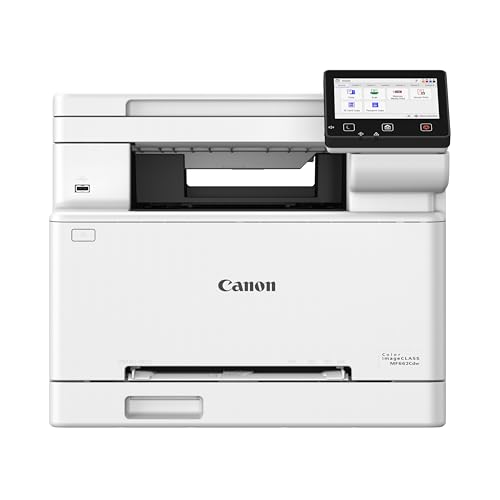
Not every office needs the flagship’s full armory, and the MF662Cdw is Canon’s own acknowledgment of that fact: a wireless duplex color laser with copier and scanner, a 3 year limited warranty, and a stated 26 PPM. The omissions define it as much as the inclusions. No fax is named, and no document feeder is named, so the originals workflow here is flatbed-paced — entirely adequate for offices whose scanning arrives one or two pages at a time, and honest about not chasing the packet-heavy firms the flagship serves.
Twenty-six pages per minute keeps this machine respectable in the only comparison that matters to its buyers: against the clock of an ordinary office day. Two-sided color handouts for a training session, a dozen branded invoices, the weekly report with its charts — all clear the engine without queue drama. Speed snobbery is a trap in this category; a machine that finishes the office’s actual jobs promptly is fast enough by definition, and 26 stated PPM clears that bar with room to spare.
The shared warranty term with the flagship is the detail to underline. Canon prints the same 3 year limited warranty in this title, suggesting the mid-range model is not built as a disposable step toward the real machine. For a small practice buying one printer to serve for years, that signal may outweigh the flagship’s extra pace and fax line entirely.
Wireless-only connectivity in the title fits the likely setting: the two-to-five-person office where the printer sits within sight of the router and nobody maintains a wiring closet. Placement stays flexible, laptops join without ceremony, and the machine’s color duplex becomes a shared utility within the hour of its arrival.
Choose between the two Canons by originals, not by output. If your office scans stacks, faxes institutions, or prints at genuine team volume, the flagship earns its premium in workflow. If your office prints color beautifully but scans occasionally and faxes never, the MF662Cdw keeps the same warranty promise and the same color engine philosophy at a calmer scale — and check price on Amazon to see how the two sit against each other on the day you buy.
There is a quiet confidence in buying the model below the flagship when the flagship exists. It says the office measured its own workflow rather than purchasing the largest available reassurance. The MF662Cdw supports that confidence with its shared warranty term and its stated pace, and offices that choose it rarely revisit the decision — the machine simply covers the color work, week after week, without ever becoming the office’s loudest personality.
- Print technology: Color laser
- Functions: Print, copy, scan (per listing title)
- Duplex: Automatic, stated in listing title
- Print speed: 26 PPM, stated in listing title
- Warranty: 3 year limited warranty, stated in title
- Fax: Not stated in listing title
Strengths
- The flagship’s three-year warranty promise at a mid-range scale.
- Stated 26 PPM covers an ordinary office day’s color work comfortably.
- Flatbed workflow suits offices whose scanning arrives a page at a time.
Trade-offs
- No fax or document feeder named in the title.
- Stack scanning will be a lid-lifting exercise.
- Wireless is the only connectivity the title claims.
Best for: small practices printing color regularly and scanning lightly.
Not suited for: fax-dependent or packet-scanning offices.

Brother MFC-L3720CDW — Capacity-Minded MFP
Brother’s first entrant leads with a different virtue: a 250-sheet capacity printed in its title alongside wireless color laser printing, scanning, copying, fax, and auto duplex. Capacity is a workflow feature disguised as a number. A tray holding a quarter of a ream means the color machine does not empty mid-packet during the week’s biggest job, and in a shared office that reliability quietly becomes trust — people send jobs to the printer that has never stranded page nineteen.
The function set is the complete office quartet, so this Brother competes directly with the Canon flagship on breadth while arguing from supply rather than speed. Its title states no PPM figure, and this guide claims none for it; buyers for whom stated pace is decisive have Canon’s numbers to plan around, while buyers who have been burned by empty trays will recognize the 250-sheet figure as the specification that describes their actual pain.
Fax presence matters to the same institutional workflows described earlier, and its inclusion here keeps this machine eligible for medical, legal, and agency-facing small offices that cannot treat fax as nostalgia. Scanning and copying in color complete the two-way street: originals enter in color, get corrected, and leave as two-sided color documents through the same cabinet.
Brother’s color laser line has built its reputation on unglamorous dependability, and the title’s emphasis reflects that heritage — capacity and functions, plainly listed, without a speed boast. Offices replacing an aging machine will also appreciate that nothing in the proposition requires retraining: it prints, scans, copies, and faxes, two-sided, over the wireless network, which is the entire job description of an office appliance.
Position it as the steady middle of this guide: broader than the print-only HP, calmer than the Canon flagship, and specified around the supply rhythm that shared machines live by. If your team’s printer complaints historically begin with the words “it ran out of paper during…”, this is the title written for you.
Capacity thinking extends beyond the tray itself. A 250-sheet supply changes ordering habits too: paper gets bought by the case and stored once, rather than by the emergency ream. It changes job design as well, because staff stop splitting long two-sided runs into anxious batches. Small behavioral shifts like these are where multifunction machines quietly repay their cost, long after the specification that enabled them has been forgotten.
- Print technology: Color laser
- Functions: Print, scan, copy, fax
- Duplex: Auto duplex, stated in listing title
- Paper capacity: 250-sheet, stated in listing title
- Print speed: Not stated in listing title
- Connectivity: Wireless
Strengths
- A stated 250-sheet capacity keeps shared jobs from stranding mid-run.
- The complete four-function suite including fax.
- Auto duplex across the office’s two-sided document flow.
Trade-offs
- No speed figure in the title for pace planning.
- No feeder detail stated, so originals handling needs verification.
- Four-cartridge color economics at shared-office volume.
Best for: shared offices tired of mid-job paper interruptions.
Not suited for: buyers who plan purchases around stated speeds.

Brother MFC-L3780CDW — Two-Sided Originals
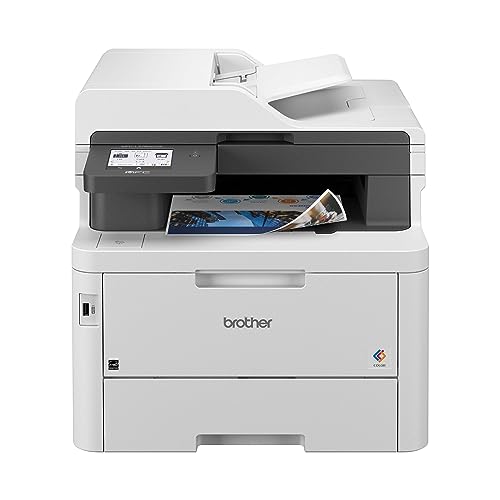
One phrase in this Brother’s title separates it from everything else in the guide: single-pass duplex copy and scan. Ordinary feeders scan one side of an original, flip it mechanically, and scan again — slow, and occasionally unkind to fragile paper. Single-pass designs read both sides in one journey through the feeder, so a stack of two-sided contracts digitizes at something approaching the speed of the stack itself. At a stated 31 ppm for color printing, with dual-band Wi-Fi, Gigabit Ethernet, and an NFC reader also in the title, this is the most connectivity- and originals-rich machine in the set.
Think about which offices feel that difference daily. Insurance and property offices ingest signed two-sided documents constantly; tutoring centers copy double-sided workbooks; clinics and law practices archive files that were born duplex. For those desks, scanning speed on two-sided originals is not a footnote — it is the difference between digitizing as a background task and digitizing as a scheduled chore with its own time slot.
NFC earns its sentence here as well. Tap-to-print from a phone removes the small frictions — network selection, driver hunting — that make shared printers mysteriously unusable for visitors and new staff. Paired with Gigabit Ethernet anchoring the machine to the office backbone, the connection story covers the permanent and the transient with equal grace: the wired regulars and the tapping guests all reach the same color duplex engine.
Fax is not named in this title, and the distinction from its sibling is worth respecting: the MFC-L3720CDW lists fax and capacity; this model lists single-pass duplex originals handling, Ethernet, and NFC. Brother is effectively asking offices to choose their superpower — supply depth or originals speed — and honest buyers should answer by auditing which stack, paper-in or paper-out, causes their office more grief.
At 31 stated ppm the printing side needs no apology either. Two-sided color documents leave at a pace that keeps a small team’s day moving, and the duplex copy function means a two-sided original can become a two-sided copy in one instruction, preserving the original’s format without a manual flip ritual. For offices whose paper arrives already printed on both sides, no other pick in this guide speaks so directly to the workflow.
Consider the copy function specifically, because single-pass duplex transforms it from a convenience into a production tool. A two-sided workbook, a double-printed newsletter, a contract with exhibits on both faces — each becomes a faithful two-sided copy in a single pass of the originals, with no operator flipping and no collation errors creeping in at page forty. Offices that copy duplex originals even monthly will rank this Brother’s feeder above every other specification in this guide.
- Print technology: Color laser (digital color all-in-one)
- Functions: Print, scan, copy (fax not stated in title)
- Duplex: Auto duplex print; single-pass duplex copy and scan
- Print speed: 31 ppm, stated in listing title
- Connectivity: Dual-band Wi-Fi, Gigabit Ethernet, NFC reader
- Voice: Works with Alexa, stated in title
Strengths
- Single-pass duplex scanning transforms two-sided originals into a quick task.
- The richest connection menu here: dual-band wireless, Ethernet, and NFC.
- Stated 31 ppm keeps color output at team pace.
Trade-offs
- Fax is not named in the title, unlike its sibling model.
- No paper capacity figure stated for supply planning.
- Originals talents exceed what print-only offices will ever use.
Best for: offices digitizing stacks of two-sided originals every week.
Not suited for: fax-led workflows or print-only environments.

HP Color LaserJet Pro 3201dw — Print-Only Purist
In a guide dominated by multifunction machines, the HP earns its place by refusing the premise. Its title insists — twice — that this is a printer only, a single-function color laser with wireless, duplex, and mobile compatibility, made for home office color documents. Read it as the control group of the category: everything the other five spend on scanners, feeders, and fax circuitry, this machine spends on being a printer, and for a certain kind of office that trade is not a compromise but a correction.
That office is easy to recognize. Its scanning already happens on a dedicated device or a phone; its copying needs are nil because its documents are born digital; its paper flows in one direction only, outward, as proposals, invoices, handouts, and letters. For that office, a multifunction’s lid is dead weight and its feeder a dust shelf. The 3201dw’s cabinet contains exactly the machinery its documents require, and its two-sided color output carries the same fused, immediately handleable finish as any laser in this guide.
Simpler hardware tends to age more gracefully, and this machine is the guide’s clearest example. Nothing above the print engine has to travel, light up, or feed originals, so the list of parts that can wear out stays short: no scanner carriage, no feeder rollers, no separation pads quietly reaching the end of their working life. Teams that already digitize paper somewhere else often keep a basic laser like this running for years after a multifunction model would have been retired over a scanning fault, and choosing the plainer box for that reason is entirely sensible.
Mobile compatibility, named in the title, suits the modern pattern of color work: a chart reviewed on a tablet, a one-page color brief spotted in an email thread, sent straight to the printer and collected two-sided minutes later. Nothing about print-only design diminishes that flow; if anything, the machine’s single-mindedness makes it the most predictable node on the office network.
Judge it against your originals honestly. The day a stack of paper documents needs digitizing, this HP has nothing to say, and no accessory will teach it. But if your office’s paper truly flows one way, the 3201dw is the most honest machine in this guide — check price on Amazon beside the multifunction models and let the difference represent exactly the functions you have decided not to buy.
Print-only purity also simplifies the network conversation. There is no scan-to-email to configure, no address book to maintain, no feeder firmware of features to govern — the machine presents one service to the office and performs it. IT-minded buyers underestimate how much ongoing administration a multifunction’s extra talents quietly demand, and how pleasant a shared device becomes when there is almost nothing about it left to administer.
- Print technology: Laser, color
- Functions: Printing only — single function
- Two-sided printing: Automatic duplex, per listing title
- Connections: Wireless with mobile compatibility
- Rated pace: No figure printed in the title
- Scanning: None — this cabinet prints only
Strengths
- No scanner mechanism to age, fail, or gather dust.
- Two-sided color documents with a professional toner finish.
- The simplest ownership story of any machine in this guide.
Trade-offs
- Digitizing paper is impossible on this machine, forever.
- No copy function for the occasional quick duplicate.
- No speed figure stated in the title.
Best for: digital-born offices printing color documents one-way.
Not suited for: any workflow that scans or copies paper originals.

Xerox C245 — Compact Contender
Xerox built its name on copying, and the C245 brings that heritage down to a compact scale: a wireless color all-in-one, three-in-one with print, scan, and copy, at a stated 26 ppm, positioned for hybrid offices and small businesses, and described in its title as replacing the C235. Compactness is the headline virtue. Hybrid work has scattered teams across spare rooms and kitchen-table desks, and a color laser multifunction that fits those spaces answers a genuinely new geography of work.
Three-in-one means fax is the omitted function, and for the hybrid audience that omission is a feature. The distributed small business rarely maintains a fax line; its institutions are emailed PDFs and shared drives. What it needs is the daily trio — print the color packet, scan the signed page, copy the form — delivered from a cabinet that does not dominate a spare room. The C245’s title reads like it was written from that exact requirements list.
The stated 26 ppm matches the mid-range Canon’s figure, which puts the compact machine in respectable company on pace: smallness here costs functions, not speed. Wireless setup is also named in the title, a small phrase with real weight for hybrid workers who are their own IT department — a printer that joins the network without a wrestling match respects the solo operator’s scarcest resource, which is uninterrupted time.
Being an Amazon Exclusive, per the title, shapes the buying route rather than the machine: this model is found through that channel, which suits buyers already comparing the rest of this guide in the same storefront. Check price on Amazon for the C245 alongside the others, noting that its proposition is the footprint — the familiar color multifunction idea, compressed for the rooms hybrid work actually happens in.
Growth is the question to ask it. A two-person operation that becomes six may eventually want a feeder-focused flagship or a fax for a stubborn client. As the machine for the business as it exists today — distributed, compact, color-document-driven — the C245 is the most geographically honest pick in this guide.
The hybrid audience should also notice what compactness does to placement psychology. A machine that fits a spare room gets placed where work happens; an oversized flagship gets exiled to a hallway or a closet, and every print job becomes a walk. The C245’s smaller frame keeps the printer inside the worker’s room and inside the workflow, which for distributed teams is worth more than a specification several rows higher in somebody else’s table.
- Print technology: Color laser
- Functions: Print, scan, copy (3 in 1)
- Duplex: Not stated in the listing title — verify with Xerox documentation before relying on it
- Print speed: 26 ppm, stated in listing title
- Connectivity: Wireless, wireless setup stated in title
- Positioning: Compact, for hybrid offices and small businesses
Strengths
- Full three-function color printing in a compact cabinet.
- Stated 26 ppm matches mid-range rivals despite the smaller frame.
- Hybrid-office positioning matches distributed small teams precisely.
Trade-offs
- No fax function in its three-in-one suite.
- No document feeder claimed in the title.
- Fast-growing teams may eventually outscale its compact brief.
Best for: hybrid workers and micro-businesses short on space.
Not suited for: fax users or high-volume centralized offices.
Six Color Engines, One Table
| Pick | Functions | Stated speed | Signature detail from its title |
|---|---|---|---|
| Canon imageCLASS MF753Cdw II | Print, scan, copy, fax | 35 PPM | Auto document feeder and 3 year limited warranty |
| Canon Color imageCLASS MF662Cdw | Print, copy, scan | 26 PPM | 3 year limited warranty at mid-range scale |
| Brother MFC-L3720CDW | Print, scan, copy, fax | Not stated in listing title | 250-sheet paper capacity |
| Brother MFC-L3780CDW | Print, scan, copy | 31 ppm | Single-pass duplex copy and scan, NFC reader |
| HP Color LaserJet Pro 3201dw | Print only | Not stated in listing title | Single-function design for color documents |
| Xerox C245 | Print, scan, copy | 26 ppm | Compact frame replacing the C235 model |
The table sorts the category by workflow rather than by brand loyalty. Originals-heavy offices read down the Brother L3780 row; supply-anxious offices read the L3720 row; pace planners read the Canon flagship’s 35; footprint planners finish at the Xerox. Five rows share that foundation — color toner, automatic two-sided printing — and the Xerox row is the exception, resting on compact color alone, which is why the deciding details are about paper’s journey through your office, not about print quality, where the whole class is strong.
Two absences in the table deserve a sentence each. No row lists a photo capability, because no title in this set claims one, and any buying decision that depends on photographic output should leave this category entirely. And only one row lacks a scanner, which is a deliberate inclusion rather than an oversight: the print-only HP exists in this guide to price the multifunction premium honestly, so that teams choosing a scanner-equipped machine do so knowing exactly what that equipment costs and exactly what it returns in workflow.
Duplex Printing Versus Duplex Scanning: Why the Difference Matters
These two phrases are confused constantly, and the confusion costs offices real money. Duplex printing means the machine prints on both sides of a blank sheet — five picks here state it in their titles, and the Xerox C245 is not among them. Duplex scanning means the machine reads both sides of an existing original, and duplex copying combines the two: a two-sided original becomes a two-sided copy in one instruction. Only the Brother MFC-L3780CDW claims the scanning version in its title, and it specifies the premium form, single-pass, where both sides are captured in one journey through the feeder.
Audit your own paper to learn which duplex you actually need. If your documents are born digital and merely leave as paper, printing duplex is the whole requirement and even the print-only HP qualifies. If your office ingests signed, printed, two-sided originals — contracts, applications, medical forms — scanning duplex decides whether that ingestion takes minutes or an afternoon. Buyers who conflate the two either overspend on originals machinery they never use or, worse, discover the missing function during the first archive project.
Feeders add a third variable. A flatbed-only machine can still copy a two-sided original, one side at a time, with the operator flipping pages like a short-order cook. That workflow is survivable for occasional pages and corrosive for weekly stacks. The Canon flagship’s named auto document feeder and the Brother L3780’s single-pass feeder represent two altitudes of the same answer: automate the stack, then automate the flip inside the stack.
How Should a Small Team Keep Color Toner Spending Sane?
Governance, not willpower, is what works. Set the shared driver default to monochrome and let color be a chosen act rather than an accident; most office documents — drafts, internal memos, agendas — lose nothing in black and white, and the team will find that deliberate color, reserved for client-facing pages, actually looks more considered. The duplex default rides in the same policy: two-sided and monochrome as the standing order, with color and single-sided as conscious exceptions.
Project rhythm shapes the cartridge shelf. Color cartridges deplete around campaigns, terms, and reporting seasons rather than evenly across the year, so a small team’s sensible stock is one spare black and a calendar note to check color levels before the known busy seasons. Subscription and replenishment programs exist across this category; judge any of them against counted pages from your own busiest quarter, not from a quiet month that flatters the arithmetic.
Finally, respect coverage. A page carrying a full-bleed background spends color toner at a rate a chart page never approaches, and design habits — white backgrounds, color as accent — are the cheapest toner policy ever invented. Teams that adopt them discover their color laser’s running story is entirely civilized; teams that print dark slide backgrounds by the hundred will meet a different story regardless of which machine in this guide they choose.
Where Do Color Laser Documents Beat Every Alternative?
Three arenas justify the whole category. The first is the hand-delivered document: the proposal carried into a meeting, the estimate left with a homeowner, the program handed to a parent. Toner’s fused finish, duplex’s designed feel, and color’s quiet branding combine into paper that behaves like a representative of the firm. The second arena is durability — toner does not run when a page meets a wet counter or a rainy walk to the car, and it does not fade in a sunny file the way some inks do, so color laser records stay legible across the years offices must keep them.
The third arena is immediacy. A two-sided color packet can be printed, stapled, and carried into the next room in one motion, with no drying pause and no smudge anxiety. Copy shops and inkjets both interrupt that motion in their own ways. For a small team whose documents move at the speed of conversation, the color duplex laser is less a printer than a publishing desk, and that is the standard against which the six picks above should be judged.
How Do Two-Sided Color Documents Change Client-Facing Work?
Start with the humble estimate. A tradesperson, tutor, or consultant who prints an estimate two-sided in color — logo crisp, chart legible, terms on the reverse — hands over an object that feels considered before a word of it is read. The duplex format signals that the document was designed as a whole, not spilled out of a printer by accident. Clients may never articulate the impression, but firms that make the switch rarely switch back, because the paper has joined the sales team.
Training and teaching materials show the effect at scale. A two-sided color workbook lies flat, reads like a booklet, and survives a course in a way a stapled stack of single-sided sheets does not. Instructors printing through a machine like the Canon flagship or the single-pass Brother discover that materials preparation stops being a copy-shop errand with a deadline and becomes an in-house act performed the same morning it is needed.
Internal documents gain a subtler benefit: version dignity. When the office’s color duplex output looks finished, staff treat drafts and finals as different species, and the habit of printing internal work in monochrome — reserving color for the finished species — becomes self-enforcing. The machine’s economics and the office’s professionalism end up pulling in the same direction, which is the hallmark of a well-chosen tool.
What Setup Rituals Should a Team Perform in Week One?
Begin with the network and the name. Give the printer a recognizable identity on the office network — the name staff will look for in print dialogs — and connect it by the most stable route the room allows, whether that is the Brother L3780’s Ethernet or a wireless link placed sensibly near the router. Then walk each team member’s computer through one supervised color duplex job, because the first success teaches more than any emailed instruction sheet.
Next, install the governance physically: set the shared defaults to monochrome and two-sided, save a named color preset for client work, and place the paper and spare black cartridge where the whole team can find them without asking. Label the supply shelf. These are clerical acts, and they are also the difference between a machine that serves a team and a machine that generates a season of small confusions.
Close the week with the originals test. Run one genuine stack through the feeder — the real contracts, the real forms — and file the results where the team can compare them against the old workflow. A team that has watched its worst stack digitize cleanly stops routing work around the new machine, and adoption, which is the true installation, completes itself.
Errors That Shrink a Color Laser Purchase
Expecting photographs is the classic disappointment. Color laser renders documents, charts, and graphics with polish; skin tones and glossy photo paper belong to inkjet. Buyers who need both should plan a two-machine building rather than blaming one engine for the other’s craft. A related error is assuming every multifunction here faxes: the titles say otherwise for the MF662Cdw, the MFC-L3780CDW, and the Xerox, and institutional workflows must check that line before ordering.
Ignoring the originals audit runs second. Offices buy by output habit and discover their scanning reality afterward — the archive boxes, the two-sided contracts, the feeder they did not purchase. The fix costs ten minutes with the in-tray before the order, not a second machine after it. Third comes footprint optimism: multifunction color lasers are substantial furniture with lids and feeders that move, and the Xerox exists precisely because some rooms cannot host the flagships.
Finally, leaving the shared defaults unset squanders the machine. A color duplex laser installed without monochrome-draft discipline and a two-sided default will consume color toner on internal drafts and single-sided paper on everything, delivering the costs of the category without its savings. Installation day decisions echo for years.
Why Do Warranties and Duty Signals Matter More on Team Machines?
A household printer’s failure is an inconvenience; a team printer’s failure is a schedule event, because other people’s deadlines are queued inside it. That asymmetry is why the warranty terms printed in the Canon titles deserve more weight here than they would in a home guide. A three-year limited term does not merely promise repairs — it tells the buyer the manufacturer expects the engine to survive team accumulation, and it gives the office a planning horizon for eventual replacement rather than a surprise.
Duty thinking extends to the unglamorous components: feeder rollers, separation pads, and the duplex path’s own rollers all wear with page count, and on a shared machine that count climbs in months rather than years. Teams should treat the first deep-clean and roller inspection as calendar maintenance, not as a response to failure. The offices that do this are the ones whose flagship still behaves like one in its fourth year.
There is a buying corollary. When a team’s volume is honestly high, the cheapest adequate machine is often the most expensive choice, because downtime and early replacement tax the whole staff. The ladder in this guide — from compact Xerox through the mid-range Canon to the flagship — exists so a team can buy its true altitude the first time.
What Paper Stock Makes Two-Sided Color Look Intentional?
Stock choice is where good color lasers are separated from great-looking output. Ordinary copier paper serves internal work, but client-facing two-sided color deserves a slightly heavier, brighter sheet: show-through drops, color sits more vividly on a brighter base, and the finished packet gains the faint heft that readers register as quality without knowing why. Keep two stocks in the building — everyday paper for the internal stream, presentation stock for the outward stream — and the duplex machine’s output sorts itself by audience almost automatically.
Heavier stock and the duplex path have a negotiated relationship. Every engine has a weight range its flip loop handles gracefully, and presentation paper should be tested through the duplex path with a short job before a hundred-page commitment discovers a limit at page sixty. Where a stock proves too ambitious for the loop, print it single-sided through the straightest available path and reserve duplex for the stocks it loves — a compromise that preserves both the document’s finish and the machine’s temper.
Envelopes, labels, and letterhead belong to the same conversation. Route them deliberately, one media type per job, with the driver told the truth about what is loaded. Color lasers reward that honesty with clean fusion; they punish the mixed-stack gamble with the occasional spectacular jam. A team that builds these small habits finds its color output looking intentional on ordinary Tuesdays, not only on presentation days.
How Should a Team Route Jobs Between Color and Monochrome?
Routing is a daily micro-decision that becomes policy through defaults. The mature pattern looks like this: anything leaving the building in final form earns color; anything staying inside earns monochrome unless color carries information, as in a chart whose series are distinguished by hue. Duplex applies to both streams almost without exception, because paper savings do not care about the document’s audience.
Exceptions deserve naming so they stay exceptional. Certificates and anything destined for a frame print single-sided. Photographic material leaves the laser entirely. Legal filings follow the receiving institution’s stated preferences, which occasionally still specify single-sided originals — a five-second check that saves an embarrassing reprint at a clerk’s counter.
Teams with both a color machine from this guide and an older monochrome laser can formalize the split by device: drafts to the mono engine, finals to the color engine, duplex everywhere. Teams with one machine achieve the same discipline through presets. Either way, the routing habit — not the hardware — is what keeps color toner spending proportional to color’s actual contribution.
Final Recommendation
Match the machine to the paper’s journey. Teams whose documents flow both ways at volume — out as color proposals, in as signed originals — belong with the Canon MF753Cdw II for pace and completeness, or the Brother MFC-L3780CDW when those incoming originals are two-sided and constant. Offices whose anxiety is supply rather than speed should take the MFC-L3720CDW’s stated capacity and fax. Smaller practices with light scanning fit the MF662Cdw and its flagship-grade warranty, distributed hybrid workers fit the Xerox C245’s compact frame, and the digital-born office that never scans should honor that truth with the print-only HP 3201dw.
Almost every route ends at the same foundation: color toner, automatic two-sided printing, and documents that look like the organization means them; the Xerox route ends at color toner and compactness, with duplex still to be confirmed. Choose the workflow honestly and the machine will disappear into the firm’s daily competence, which is what office equipment is for.
A closing test for any team still torn between two rows of the table: print your firm’s most representative document — the proposal, the packet, the report your clients actually judge you by — in your mind’s eye on each candidate, and then print your most representative chore — the archive stack, the form flood, the training run — the same way. One machine will keep winning both imaginings, because most offices are, at heart, either an output studio with an intake problem or an intake office with an output studio attached. Name which one yours is, and the color laser that belongs in it has effectively already been chosen.
Frequently Asked Questions
Does duplex color printing cost more toner than single-sided?
No — toner spend follows coverage, not sheet count. The same content printed two-sided uses the same toner across half the paper. Duplex actually improves the economics of color documents, because the sheet savings arrive free while the color impact stays identical.
Which pick handles two-sided originals fastest?
The Brother MFC-L3780CDW, by its title: single-pass duplex copy and scan reads both sides of an original in one feeder journey, at a machine whose color printing is stated at 31 ppm. Offices drowning in two-sided contracts and forms will feel that advantage on the first archive afternoon.
Is fax worth insisting on in a color laser?
Only if your institutions demand it. The Canon MF753Cdw II and Brother MFC-L3720CDW list fax in their titles; the other multifunction picks omit it. Clinics, law practices, and agency-facing firms usually know immediately whether fax belongs on their requirements list — everyone else can safely let it go.
Can these machines print on glossy photo paper?
That is not their craft. Laser color is engineered for documents and graphics on plain and laser-rated stocks; glossy photographic printing belongs to inkjets designed for it. Forcing photo media through a color laser invites poor fusion and worse disappointment.
What does a 3 year limited warranty actually signal?
On the two Canon models, it signals the duty class Canon built and will stand behind — relevant because team machines accumulate pages quickly. Read the terms for coverage specifics, but treat the printed term in a title as a positioning statement: this engine expects years of shared work.
Should a team keep its old monochrome printer after buying a color laser?
Often, yes. A surviving monochrome laser makes an ideal draft and internal-document engine, absorbing the high-volume black-and-white work while the color machine stays reserved for audience-facing pages. The pair together usually outlast and out-economize either machine alone, provided desk space allows the arrangement and both are set to duplex by default. The arrangement has a social benefit as well: staff stop queuing behind one another’s jobs, the color machine’s supply shelf stops subsidizing internal paperwork, and each engine ages at the pace of the work it was actually built to perform — a small, durable peace treaty between a team’s ambitions and its arithmetic.
How big are these machines, really?
Titles rarely state dimensions, and none of the six here does, so measure from the manufacturer’s specification before committing a shelf. As a class, multifunction color lasers are desk-scale furniture needing lid and feeder clearance; the Xerox C245’s compact positioning makes it the natural first check for tight rooms.
Related Guides
Teams weighing color against pure economy, or still deciding how much machine their paper flow honestly requires, can step sideways into best monochrome laser printers with duplex to see what the same money buys in black and white, then into best compact printers with duplex when the chosen machine also has to fit a small room, and finally into best inexpensive duplex printers for the budget end of two-sided printing across both technologies.

[…] shoppers ready to split the field by output type can continue with best color laser printers with duplex for the two-sided color analysis in depth, then best monochrome laser printers with duplex where […]