What's inside
- Key Takeaways
- Quick Picks
- How We Chose These Picks
- How Does FreeSync Actually Work, and What Should Your Monitor’s Range Be?
- How Do You Match a Card to a FreeSync Monitor You Already Own?
- The Six FreeSync Cards Compared
- Which FreeSync Buying Mistakes Waste the Technology?
- How Do You Set Up FreeSync Correctly the First Time?
- How Did FreeSync Change Who Gets to Have Smooth Gaming?
- What Happens at the Edges: Ranges, Compensation and Crossfire of Standards
- Living With a FreeSync Desk Over Years
- A Note on Televisions, Sofas and the Widening of the Standard
- Final Recommendation
- Frequently Asked Questions
- Related Guides
As an Amazon Associate I earn from qualifying purchases. This post may contain affiliate links at no extra cost to you.
[widgetverdict.com] is reader-supported. When you buy through links on our site, we may earn an affiliate commission.
Where to buy: five cards below link to checked Amazon listings, and the sixth is covered without a link for a reason stated in its own review, because a guide about honest synchronisation should practise honest linking.
The best freesync graphics cards are, by the technology’s nature, AMD graphics cards, and this guide says so in its first paragraph rather than apologising for it later. FreeSync is AMD’s adaptive-sync standard: the monitor adjusts its refresh rate to match the frames the card delivers, eliminating the tearing that appears when the two fall out of step and the stutter that older fixed-sync methods used to impose instead. NVIDIA’s competing approach is a different standard with its own name, so an all-AMD shortlist is not a bias in this category. It is the definition of the category, and every card below speaks FreeSync as its native language.
What varies across the six is everything else: generation, memory, size and intended screen. The Yeston Sakura RX 9060 XT brings current silicon and 16GB of memory to high-refresh FreeSync monitors. The MOUGOL RX 580 is the veteran workhorse whose enormous installed base made FreeSync gaming ordinary. The PowerColor RX 6500 XT ITX and the two MAXSUN RX 550 cards carry the technology into small cases and modest budgets, and the RX 6600 XT is discussed without a purchase link because the clean listings for it could not be verified as new. Read the guide by your monitor’s refresh range as much as by the cards, because FreeSync is a partnership and the screen is half of it.
Key Takeaways
- FreeSync is AMD’s standard, so every genuine FreeSync card is a Radeon; that is the technology, not a preference.
- The Yeston Sakura RX 9060 XT 16GB is the current-performance choice for high-refresh FreeSync monitors.
- The MOUGOL RX 580 8GB remains the veteran value route into tear-free 1080p gaming.
- The PowerColor RX 6500 XT ITX brings FreeSync gaming into strict Mini-ITX cases.
- The two MAXSUN RX 550 cards extend adaptive sync to small, modest and multi-monitor machines.
- The RX 6600 XT is covered without a link because its verifiable listings were renewed rather than new.
Quick Picks
| Pick | Badge | Why it earns its place |
|---|---|---|
| Yeston Sakura RX 9060 XT 16GB | Current FreeSync flagship here | 16GB of GDDR6 and current Radeon silicon for high-refresh adaptive-sync play. |
| MOUGOL RX 580 8GB | Veteran tear-free value | 8GB GDDR5 and three outputs from the card that popularised FreeSync gaming. |
| PowerColor RX 6500 XT ITX | FreeSync in an ITX case | A short RDNA 2 card bringing adaptive sync to strict small enclosures. |
| MAXSUN RX 550 4GB | Three-output sync on a budget | DVI, HDMI and DisplayPort with FreeSync for mixed monitor desks. |
| MAXSUN RX 550 4GB Low Profile | Half-height adaptive sync | Low-profile FreeSync for HTPC and small-form-factor machines. |
| AMD Radeon RX 6600 XT | The one that got away | An excellent FreeSync card covered without a link, for reasons its review explains. |
How We Chose These Picks
FreeSync support was the entry requirement, and it was verified as a property of the Radeon hardware rather than assumed from a listing’s decoration. Beyond that threshold, cards were ranked by how well they serve the refresh ranges real FreeSync monitors offer: a card that can hold a high-refresh panel inside its adaptive range delivers a different experience from one that merely lights the same screen, and this guide’s order reflects that difference honestly.
Form factor earned unusual weight because FreeSync’s audience is unusually broad. Adaptive sync transformed budget and small-form-factor gaming more than it transformed flagships, since tearing is most visible on the modest hardware that cannot brute-force its way to a locked frame rate. A shortlist that served only large towers would miss the technology’s heartland, so the ITX and low-profile cards below are present as first-class citizens rather than as novelties.
Listing integrity decided the sixth place. The RX 6600 XT belongs in any FreeSync conversation on merit, but the listings that could be verified for it were renewed units rather than new ones, and this guide does not attach purchase links it cannot stand behind. It is therefore covered in full — performance, role, caveats — without a link, so readers who find a verified new listing elsewhere can still use this guide’s judgement of the card itself.

Yeston Sakura RX 9060 XT 16GB — Current FreeSync flagship here
Yeston’s Sakura RX 9060 XT leads this guide because it pairs the newest Radeon silicon here with the specification FreeSync gaming grows into: 16GB of GDDR6 memory. At the refresh rates current FreeSync monitors advertise, memory is the quiet constraint — textures at high settings, frame buffers turning over well past a hundred times a second — and sixteen gigabytes removes that constraint from the conversation for the foreseeable life of the card. The Sakura line’s distinctive styling is a matter of taste; the specification underneath it is a matter of fact.
In FreeSync terms, this is the card that keeps a high-refresh panel inside its adaptive range in the largest share of the library. That phrase deserves unpacking, because it is the whole experience: when a card delivers frames within the monitor’s FreeSync range, the screen follows the game’s rhythm exactly, and motion reads as continuous rather than corrected. Cards that fall below the range lean on low-framerate compensation where the monitor supports it; cards that exceed it waste frames the screen cannot show. The 9060 XT’s tier spends most of its time in the range itself, which is the smoothest place a gaming PC can live.
Its 1080p and 1440p settlement is generous. Current games at high settings are its home ground, competitive titles reach the rates high-refresh FreeSync panels are bought for, and upscaling through AMD’s current FSR family extends the demanding end without leaving the adaptive range behind. Owners pairing it with a 240Hz-class FreeSync monitor are buying a partnership in which neither side embarrasses the other.
Yeston is a smaller name in Western markets than the giants of this category, and buyers should weigh that in support terms rather than in performance ones. The silicon and memory are the specification; the badge decides whose warranty process answers the telephone. Readers comfortable with that trade gain the guide’s most future-proof FreeSync card; readers who are not should look at the tier below and accept its narrower horizon knowingly.
- Memory: 16GB GDDR6
- Line: Yeston Sakura Radeon
- GPU class: RX 9060 XT
- Role: high-refresh FreeSync gaming
Strengths
- 16GB removes memory from the FreeSync conversation
- Current silicon holds high-refresh panels in range
- Strong at both 1080p and 1440p settlements
Trade-offs
- Smaller brand presence in some markets
- Styling will not suit every build
- High-refresh value depends on owning the monitor to match
Best for: high-refresh FreeSync owners who want current performance and memory headroom
Skip it if: your monitor is a basic 60Hz panel that cannot use the headroom
MOUGOL RX 580 8GB — Veteran tear-free value
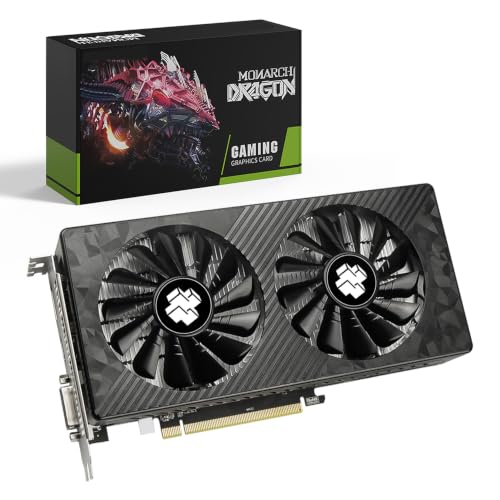
The RX 580 is the card that taught a generation of gamers what FreeSync felt like, and MOUGOL’s edition — 8GB of GDDR5 on a 256-bit interface, dual fans, and HDMI, DisplayPort and DVI outputs — keeps that education available. Few GPUs in history have been manufactured in such numbers for so long, and the reason is visible in the specification: enough memory, enough bandwidth and enough outputs to serve an ordinary gaming desk completely, at a tier almost anyone could reach.
Its FreeSync behaviour is its legacy. The RX 580’s natural habitat is 1080p at the frame rates where tearing used to be a way of life — the forties through seventies, where a fixed-refresh screen tears or stutters and a FreeSync panel simply follows. Paired with the modest FreeSync monitors of its era, many of which remain in service, it delivers the smoothness that sold the standard. Competitive players in light titles can push beyond that band; demanding modern games sit at its upper edge with settings managed.
Honesty about age applies as it did to every veteran in this programme. The architecture is old, its efficiency belongs to its period, power draw is hearty by current standards, and features like modern upscaling arrive in their earlier forms. A buyer choosing it today is choosing a known quantity at a veteran’s tier, ideally for a machine and monitor of a similar vintage, where its manners are proven and its appetite is already accommodated.
As the guide’s value anchor it earns its place without nostalgia doing any work. Eight gigabytes remains a workable memory figure at 1080p, three outputs cover the desks these cards actually serve, and the FreeSync experience it delivers is the genuine article — the same tear-free motion, at the same resolutions, that the flagship above delivers at higher rates and settings.
- Memory: 8GB GDDR5, 256-bit
- Shaders stated: 2048SP
- Outputs: HDMI, DisplayPort, DVI
- Cooling: dual fan
Strengths
- The classic FreeSync experience at 1080p
- 8GB and a wide memory interface age gracefully
- Three outputs for ordinary gaming desks
Trade-offs
- Old architecture with hearty power draw
- Modern features arrive in earlier forms
- Demanding new games need managed settings
Best for: 1080p FreeSync owners with veteran monitors and libraries
Skip it if: you want high-refresh play or current-generation efficiency
PowerColor RX 6500 XT ITX — FreeSync in an ITX case
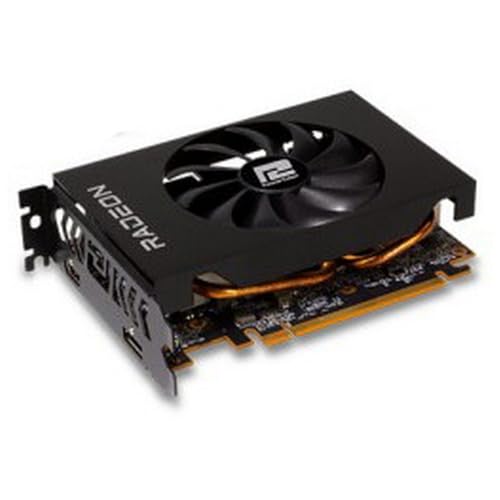
PowerColor’s RX 6500 XT ITX has appeared elsewhere in this programme as a fitting solution, and it returns here wearing its synchronisation credentials, because in a small case FreeSync is not a luxury feature but the difference between a modest card feeling smooth and feeling broken. Its RDNA 2 silicon and 4GB of GDDR6 target 1080p gaming, and at that resolution its frame rates live exactly in the band where adaptive sync does its finest work — variable, honest rates that a FreeSync panel can follow frame by frame.
That pairing deserves emphasis. Small gaming PCs rarely hold a locked sixty in modern titles; they breathe between the forties and the eighties as scenes change. On a fixed-refresh screen that breathing is visible as tearing and judder, the two artefacts that make modest hardware feel cheaper than it is. On a FreeSync screen the same variation becomes nearly invisible, which is why this guide regards the ITX card and the FreeSync monitor as a single purchase decision rather than two.
The card’s own limits, stated in its earlier review and repeated here because they shape the sync story, are its 4GB of memory and its lean media features. Texture discipline in recent games keeps it in range; streaming ambitions belong to other hardware. Within those lines it is a complete small-system gaming card, and its FreeSync support is full rather than token, which cannot be said of every compact card that lights a screen.
Buy the pairing deliberately: this card, a FreeSync monitor whose range starts low, and a DisplayPort cable between them. That trio, at a combined cost below many single flagship cards, delivers the specific smoothness that this entire guide exists to describe, in a case that fits on a shelf.
- Memory: 4GB GDDR6
- Form: ITX short board, single fan
- Architecture: AMD RDNA 2
- Target: 1080p FreeSync gaming
Strengths
- Full FreeSync in a strict ITX shape
- Variable rates become smooth on the right panel
- Modern GDDR6 memory for its tier
Trade-offs
- 4GB requires texture discipline
- Encoding features are lean
- Needs a FreeSync monitor to show its best
Best for: Mini-ITX gamers pairing a small card with a FreeSync panel
Skip it if: your monitor lacks adaptive sync or your games are texture-heavy new releases

MAXSUN RX 550 4GB — Three-output sync on a budget
MAXSUN’s RX 550 brings FreeSync to the guide’s most practical desk: the mixed-monitor small PC. Its three outputs — DVI-D dual link, HDMI and DisplayPort — cover the screens such desks accumulate, and its 4GB of GDDR5 memory gives its modest GPU the bandwidth to run light games at the variable rates where adaptive sync earns its keep. A card like this is rarely bought for a single purpose, and its FreeSync support should be understood as one strand in a general usefulness that includes office work, media and family gaming.
The sync story at this tier is about the low end of the range. Light games on an RX 550 live in the thirties through sixties, a band where tearing is at its most distracting and where a FreeSync monitor with a wide, low-starting range transforms the experience. Buyers pairing this card with a panel should check that range in the monitor’s specifications with the same care they give the card’s, because a narrow range that starts high will abandon the card exactly where it needs help most.
Everyday behaviour is the rest of its case. Desktop work across several screens is smooth, video playback is comfortable, and the card’s maturity means drivers and operating systems treat it as a known friend. For a household machine that games lightly in the evening and works across three screens all day, FreeSync is the feature that makes the evening feel like the same computer rather than a lesser one struggling after hours.
Against its low-profile sibling below, the choice is the familiar dimensional one: this standard compact card for ordinary small desktops, the half-height card for slim cases. The silicon, the memory and the sync support are shared; the silhouette is the decision, and either silhouette delivers the same tear-free light gaming to the desk it fits.
- Memory: 4GB GDDR5, 128-bit
- Outputs: DVI-D dual link, HDMI, DisplayPort
- Interface: PCI Express x16 3.0
- GPU class: Radeon RX 550
Strengths
- FreeSync across a three-output desk
- GDDR5 keeps light gaming credible
- Suits the mixed monitors real desks own
Trade-offs
- Light gaming is the ceiling
- Needs a wide-range FreeSync panel to shine
- A tier below the ITX 6500 XT for play
Best for: mixed-monitor small PCs wanting tear-free light gaming
Skip it if: gaming ambition extends to current demanding titles

MAXSUN RX 550 4GB Low Profile — Half-height adaptive sync
The low-profile MAXSUN RX 550 carries FreeSync into the machines least likely to be offered it: half-height small-form-factor PCs and home-theatre boxes. Its HDMI and DisplayPort outputs serve a television and a monitor respectively, its 4GB of GDDR5 memory is the real specification rather than the DDR3 that fills much of this size class, and its adaptive-sync support means the light gaming such a machine does in the evening can be as smooth as its video playback is calm.
The HTPC angle is this card’s distinctive contribution to the guide. A living-room PC’s screen is usually a television, and televisions with FreeSync over HDMI have become common enough that a small card like this can sync with the largest screen in the house. Variable-rate light gaming from the couch, at the television’s own rhythm, is an experience that was flagship territory not long ago; a half-height card delivering it into a media cabinet is the standard’s quiet triumph.
Performance expectations remain the RX 550’s, and this guide repeats them without dilution: light and older games, esports at moderated settings, flawless desktop and video duties. The sync support does not add frames; it dignifies the frames that exist, which at this tier is the more valuable service. A locked-looking forty-five on a FreeSync panel is a better evening than a tearing sixty on a fixed one, and owners of small machines learn that arithmetic quickly.
Choose it when the case is half-height, the screens are a television and a desk monitor in some combination, and the machine’s life is media first with gaming as its evening pleasure. In that life, this is the most complete small card in the guide’s lower half, and its FreeSync badge is earned rather than decorative.
- Memory: 4GB GDDR5, 128-bit
- Form: low profile, SFF and HTPC oriented
- Outputs: HDMI and DisplayPort
- Interface: PCI Express x16 3.0
Strengths
- FreeSync in a half-height shape
- Can sync with modern televisions over HDMI
- GDDR5 substance in a small silhouette
Trade-offs
- RX 550 pace caps gaming ambition
- Television sync support varies by model
- Bracket fit must be verified per case
Best for: HTPC and slim SFF owners wanting smooth light gaming
Skip it if: the machine is a dedicated gaming build in a full-size case
AMD Radeon RX 6600 XT — The one that got away
The RX 6600 XT is, on merit, one of the finest FreeSync cards of its generation: an RDNA 2 design that made 1080p high-refresh gaming its personal territory, delivered frame rates that kept premium FreeSync panels in the heart of their ranges, and did so with an efficiency its predecessors could not approach. In a guide organised by synchronisation, it would sit naturally between the RX 580’s veteran value and the 9060 XT’s current performance, and its absence from the linked picks requires the explanation this review exists to give.
The explanation is about listings, not about the card. When this guide’s picks were verified, the RX 6600 XT listings that could be checked were renewed units rather than new stock, and this programme’s rule is that purchase links are attached only to listings verified as what they claim to be. Rather than link a renewed card inside a guide whose other links are new, or omit a deserving card from the conversation entirely, the guide covers it here in full and links nothing. The reasoning is stated on the page because readers are entitled to it.
As a card to seek out through a verified new listing elsewhere — or to buy renewed knowingly, from a seller whose refurbishment the buyer trusts — its FreeSync case is superb. High-refresh 1080p is its home, 1440p is within reach with settings and FSR, and its generation’s adaptive-sync support is complete. A reader who finds one through a channel they trust can buy it on this guide’s judgement of the hardware with confidence.
What this guide will not do is blur the distinction that kept it unlinked. Renewed hardware can be excellent value and is often the sensible purchase; it is simply a different purchase from new, with a different warranty story, and a buying guide that mixes the two silently has failed at the one job — accurate description — on which all its other judgements depend. The empty space where this card’s link would sit is therefore not an omission. It is the guide keeping its own standard, visibly.
- Memory class: 8GB GDDR6 generation
- Architecture: AMD RDNA 2
- Target: high-refresh 1080p FreeSync
- Listing status in this guide: covered without a link
Strengths
- Superb FreeSync performance on its merits
- Efficiency its predecessors could not match
- High-refresh 1080p is its natural home
Trade-offs
- No verified new listing available to this guide
- Renewed units carry a different warranty story
- Buyers must source it through channels they trust
Best for: readers who find a verified new listing, or who buy renewed knowingly from a trusted seller
Skip it if: you need a purchase this guide has verified as new
How Does FreeSync Actually Work, and What Should Your Monitor’s Range Be?
A fixed-refresh monitor shows a new image on a metronome, whether the graphics card has finished drawing it or not; the mismatches become torn frames, where two images share one screen, or stutter, where a frame is held past its moment. FreeSync hands the metronome to the card. The panel refreshes when a frame is ready, within a stated range of rates, so the game’s variable rhythm becomes the display’s rhythm and the artefacts of disagreement largely vanish. It is a simple idea whose effect — motion that feels continuous rather than corrected — has to be seen to be believed, which is why its converts are so consistent.
The range is the specification that decides how much of that magic a given pairing delivers. A monitor whose FreeSync range runs from the forties to its maximum will follow a modest card through most of its life; a range starting higher abandons the card in exactly the demanding scenes where help matters. Below the range, low-framerate compensation on capable monitors repeats frames to re-enter the adaptive window, which is why the pairing of card and panel should be chosen together, with the card’s typical rates and the panel’s floor read side by side.
Connection details govern the rest. DisplayPort carries FreeSync in its most universal form, while HDMI support depends on the standards both the card and the screen implement, a distinction that matters to the HTPC pairing described in the low-profile review above. Use the cable the monitor’s maker specifies, enable the feature in the panel’s menu and the driver, and cap in-game frame rates a few frames below the panel’s maximum: that small ritual is the difference between owning FreeSync and merely owning its logo.
How Do You Match a Card to a FreeSync Monitor You Already Own?
Start with the panel’s two numbers, its maximum refresh rate and its range floor, because they describe the partnership’s ceiling and its safety net. A 240Hz panel asks for the 9060 XT’s tier if its rate is to be more than a screensaver specification; a 75Hz or 100Hz panel — the quiet majority of FreeSync monitors in homes — is served completely by the RX 580 or the RX 6500 XT, and overspending above them buys rates the screen cannot show. The monitor, unusually in computing, is the honest specification; the card should be bought to meet it, not to exceed it on paper.
Resolution is the second match. FreeSync panels exist at every size, and the same card that keeps a 1080p panel in range will fall below a 1440p panel’s floor in the same games. This guide’s reviews state each card’s resolution settlement in those terms deliberately, so a reader can lay their own panel’s figures beside them. Where the settlement is borderline, prefer the card whose typical rates sit inside the range rather than astride its floor, because the borderline is where adaptive sync’s benefits flicker in and out of existence.
Finally, consider the second screen, because FreeSync desks are rarely single-screen for long. The multi-output cards in this guide let a gaming panel run adaptively beside an ordinary reference screen, and that arrangement — the game synced, the guide or chat unsynced and unbothered — is how most owners actually live with the technology. A card chosen for the main panel alone can strand that ordinary pleasure; the RX 550s and the RX 580 carry their extra outputs for exactly this reason.
The Six FreeSync Cards Compared
| Card | Memory | Form | FreeSync role |
|---|---|---|---|
| Yeston Sakura RX 9060 XT | 16GB GDDR6 | Full size | High-refresh panels, in range broadly |
| MOUGOL RX 580 | 8GB GDDR5 | Dual fan | 1080p panels, the classic pairing |
| PowerColor RX 6500 XT ITX | 4GB GDDR6 | ITX short | Small-case 1080p sync |
| MAXSUN RX 550 | 4GB GDDR5 | Compact | Mixed desks, light gaming sync |
| MAXSUN RX 550 Low Profile | 4GB GDDR5 | Half height | HTPC and television sync |
| AMD Radeon RX 6600 XT | 8GB GDDR6 class | Full size | Covered without a link; see its review |
The role column is the one to shop by, because FreeSync cards are bought for a panel and a room as much as for a frame rate. Match the role to the screen you own and the case the card must enter, and the table’s order becomes a personal order rather than a league table.
Which FreeSync Buying Mistakes Waste the Technology?
Buying the card and never enabling the feature is the first, and it is more common than the industry admits: panels ship with adaptive sync off, drivers need the setting confirmed, and owners game for months beside a menu they never opened. The second is the cable — an elderly or incorrect cable quietly limiting the connection to rates or modes the panel never agreed to — followed closely by the frame-rate cap left unset, which lets a strong card overshoot the range’s ceiling and tear at the top instead of the bottom.
Mismatching the range is the purchasing version of the same error. A modest card under a narrow, high-floored range spends its hardest scenes outside the technology’s protection, and its owner concludes the standard is overrated when the pairing was simply illiterate. The fourth mistake is buying a renewed card unknowingly at a new card’s expectation, which is why this guide treats listing status as a first-class specification and leaves a deserving card unlinked rather than misdescribe how it is sold.
The final mistake is expecting FreeSync to manufacture frames. It synchronises; it does not accelerate. A game running at twenty frames per second is a slow game on any panel, and buyers whose libraries demand more than their card’s tier should climb this guide’s ladder rather than blame the standard. Judged as synchronisation, FreeSync is flawless at its job. Judged as a substitute for performance, it will be blamed for arithmetic it never claimed to change.
How Do You Set Up FreeSync Correctly the First Time?
Connect the gaming panel with the cable its maker specifies, over DisplayPort where the choice exists, and open the monitor’s own menu before touching the computer: adaptive sync is a panel feature with a switch, and the switch’s location varies by maker. Enable it there, then enable FreeSync in the Radeon driver, confirming the panel is reported as adaptive-sync capable, because that report is the moment the partnership actually exists.
In each game, choose fullscreen behaviour as the title prefers, disable any fixed vertical-sync setting that would fight the panel’s rhythm, and cap the frame rate a few frames below the monitor’s maximum so the card lives inside the range rather than bouncing off its ceiling. Where a game offers an internal limiter, prefer it; where it does not, the driver’s limiter serves. Then play the most variable scene you own — the open world, the busy city — and watch the edges of moving objects, because that is where tearing used to live.
Keep a note of the working configuration, as this programme’s guides keep recommending, because a driver update or a new monitor can reset any link in the chain. When smoothness mysteriously vanishes months later, the note converts a weekend of suspicion into a five-minute audit of three switches and a cable. FreeSync’s reliability is high; its visibility when absent should be equally high, and the note is what makes it so.
How Did FreeSync Change Who Gets to Have Smooth Gaming?
Before adaptive sync became ordinary, smoothness was a rich gamer’s property. The traditional defences against tearing were brute force — a card powerful enough to hold a locked rate far above the screen’s — or compromise, accepting vertical sync’s input lag and stutter as the price of an untorn image. Both defences priced out exactly the players this guide’s lower half serves: the small-case builder, the budget desk, the household machine. FreeSync’s arrival, riding on an open standard that monitor makers could adopt without a licence toll, moved the smoothness frontier down the price ladder further in a few years than raw GPU progress had in a decade.
That history explains the shape of this shortlist better than any benchmark could. The technology’s natural citizens are the RX 550s and RX 580 of the world, cards whose variable rates were once a source of visible artefacts and are now, on the right panel, a source of genuine fluidity. The flagship at the top of the guide benefits too, but it benefits least, because a card that can nearly lock a high rate needs synchronisation as insurance rather than as transformation. When readers ask why a FreeSync guide lavishes attention on modest hardware, the answer is that modest hardware is where the technology performs its miracle.
It also explains the monitor market’s transformation. FreeSync panels exist now at every size and price because the standard asked nothing of their makers but implementation, and that abundance feeds back into the cards: a technology is only as useful as the screens that speak it. A buyer assembling a FreeSync pairing today is the beneficiary of that whole history, and can reasonably expect the pairing’s smoothness to outlast several generations of the games played on it.
What Happens at the Edges: Ranges, Compensation and Crossfire of Standards
Adaptive sync’s edges are where its behaviour is least understood, and a thorough guide should walk its readers to them. At the range’s ceiling, frames delivered faster than the panel can follow simply wait or tear unless capped, which is why this guide repeats its advice about limiters until it becomes reflexive. At the floor, the picture divides by monitor generation: panels with low-framerate compensation multiply slow frames to re-enter the adaptive window and remain smooth far below their stated floor, while simpler panels step out of synchronisation and remind their owners what the technology had been hiding.
Knowing which kind of panel you own is therefore a purchasing fact about the card as well. A compensation-equipped monitor forgives a modest card’s dips so completely that the RX 550 tier becomes viable in games its raw rates would disqualify, while a basic panel rewards the card whose typical rates sit comfortably inside the window. This is the technical core of the matching advice in this guide’s earlier sections, and it is worth the reader’s five minutes with their monitor’s manual before any card is ordered.
The standards landscape adds one more edge. FreeSync panels and the cards in this guide are native partners, but the wider market contains monitors and GPUs from the other ecosystem, mixed pairings and compatibility modes whose behaviour varies by implementation. This guide’s scope is the native pairing, where results are guaranteed by design rather than negotiated by firmware, and readers assembling mixed setups should verify their specific combination rather than extrapolate from these pages. Within the native pairing, what is promised is what occurs — which is, in the end, the entire appeal.
Living With a FreeSync Desk Over Years
The first week with a correctly configured FreeSync pairing is a small revelation; the following years are a study in not noticing. That is the technology’s success state. Owners stop thinking about tearing the way they stopped thinking about dial tones, and the panel and card settle into the background of the room’s life. The habits that preserve that state are the ones this guide has scattered through its sections: a driver kept current, a settings note kept safe, a cable left undisturbed once it has proven itself, and a frame cap that survives game installations because it lives in the driver rather than in each title.
Upgrades within a FreeSync household follow a pleasing logic. Because the standard spans generations, a new card inherits the household’s panel without negotiation, and an old card descends to a second machine and syncs with a second, cheaper panel there. The RX 580 that anchored a main desk in its era anchors a spare-room desk in this one, still doing the only trick it was ever asked to do, and the household’s total smoothness compounds with each rearrangement. Few technologies reward their owners so reliably for keeping hardware in circulation.
When the smoothness eventually falters, the diagnosis order matters: switches before cables, cables before drivers, drivers before hardware. The chain has few links and each is cheap to check, and the note this guide keeps recommending — card, driver, panel settings, cap — is the map of that chain. Owners who keep it rarely shop for a replacement card in anger, because they rarely need to; the pairing they already own was usually one setting away from itself all along.
A Note on Televisions, Sofas and the Widening of the Standard
The most quietly radical development in adaptive sync’s recent life is its migration to the television. Lounge screens with FreeSync support turned the home-theatre PC from a video appliance that could game a little into a genuine gaming seat whose display follows the card’s rhythm across a room-sized image. The low-profile RX 550 in this guide is the citizen of that migration at its modest end, and the current cards serve its demanding end, but the principle belongs to both: the largest screen in the house is now a legitimate FreeSync panel, and the small machine beneath it is a legitimate gaming PC.
That migration changes purchasing in one practical way worth stating. A household choosing between a monitor and a television for its next screen is no longer choosing between sync and size; both are available together, and the card decision can be made on the room rather than on the technology. Check the television’s supported range and its behaviour over HDMI with the same care this guide applies to monitors, because implementations vary more widely on lounge screens, and a verified pairing on the sofa is worth as much as one at the desk.
It also completes the standard’s original promise in a way its inventors could reasonably be proud of. Smoothness began as a flagship’s luxury, became a monitor’s feature, and now lives in the furniture. The six cards in this guide, from a 16GB current flagship to a half-height card in a media cabinet, are one technology at six scales of life — and a buyer who understands that is buying the standard itself, with the card as merely its current instrument.
One final test separates a pairing that merely functions from one that sings, and it can be performed in the first evening. Choose the game whose frame rate wanders most in your library, stand close to the screen, and pan the view slowly across a detailed scene — a city street, a forest edge, a crowded harbour. On a fixed panel that pan stutters and tears in ways the eye catches even when the mind forgives. On a working FreeSync pairing it simply moves, continuous as a camera, and the machinery behind it vanishes. If the pan moves, the switches, the cable and the range are all correct, and no further tuning is owed to anyone.
If it does not move, the fault is almost never the card, and this guide’s diagnosis order — panel switch, driver switch, cable, cap — will find the broken link within minutes. That confidence is the practical dividend of buying a native pairing from a guide that describes its listings honestly: when something is wrong, the list of suspects is short, and none of them is the standard itself.
There is a temptation, having achieved that smoothness, to chase it upward indefinitely — a faster card for a faster panel, a faster panel for the faster card — and households should recognise the chase for what it is. FreeSync’s gift was never the highest rate but the honest one: whatever rate your games actually run at, presented without artefacts. A pairing that delivers that gift at the library’s own pace has completed the technology’s promise, and further spending buys numbers rather than smoothness. The contented FreeSync owner is not the one with the fastest panel in the street, but the one who has stopped being able to see the join between card and screen.
Buy toward that invisibility, then, and measure success by the evenings in which the synchronisation is never thought about at all. By that measure every card in this guide, correctly paired, is capable of a perfect score — the flagship across a wider library, the veterans across theirs, the small cards across the rooms only they can enter. The standard does not ask which rung you stand on. It asks only that card and panel be allowed to keep time together.
Keeping time together is, in the end, a modest-sounding achievement with an immodest effect on a household’s evenings. Games feel fairer when motion is honest; modest machines feel richer than their specifications; old cards retire into second rooms still performing their one essential courtesy. A buyer who has followed this guide’s reasoning — standard first, range second, card third, listing honesty throughout — owns not just a graphics card but an understanding of why the picture on their screen moves the way it does, and that understanding will outlast every component named on this page.
Components will be replaced; the understanding compounds. The next panel, the next card and the next standard will all be easier to judge for having judged this pairing carefully, because the questions generalise: what does the display promise, what does the card deliver, where do their ranges overlap, and is the listing describing the thing it is actually selling? A household that asks those four questions in that order will shop well in categories this guide has never heard of.
Ask them once more, then, with your own monitor’s manual open and your case’s dimensions in hand, and let the answers select among the six cards above. The selection will feel less like a gamble than like a recognition — the right card tends to announce itself once the panel has been properly consulted.
Recognition is a good place for a buying guide to end its argument. The panel has a range, the library has a pace, the case has a shape, and somewhere among the six cards above is the one whose specification reads like a description of those three facts. Choose that one, enable everything, cap the rate, and then forget the whole subject in the way this technology intends — completely, and for years at a time.
Forgetting, here, is the highest compliment a synchronisation standard can be paid. Nobody forgets a technology that tears, stutters or demands weekly attention; they forget the one that quietly keeps its promise in the background of every game, every film and every working day the screen is lit. Aim the purchase at that forgetting, and the card — whichever of the six it is — will have been bought correctly.
Correctly bought, correctly cabled and correctly switched on: three small adverbs that contain the whole difference between owning FreeSync and merely owning its components. This guide has spent its length on them because the components themselves, across all six reviews, were never really in doubt. The cards are known quantities. The pairing is the purchase.
Make the pairing, then, with the seriousness usually reserved for the components themselves: read the panel’s range aloud, check the case’s shape against the card’s silhouette, and confirm the listing’s nature before the order is placed. Three readings, one minute each, standing between the reader and years of motion without a visible seam.
Years of motion without a visible seam is not a bad summary of what any of us is buying when we buy a graphics card at all; the rest — the memory figures, the architectures, the badges — is bookkeeping in service of that single sensation. FreeSync simply made the sensation available to everyone with a Radeon and a willing screen, and this guide’s six cards are its current instruments at every scale of case and means.
Choose the instrument whose scale matches the room, and the sensation follows as reliably as anything in computing can be said to follow. That reliability — earned by an open standard, a matched range and an honest listing — is the closest thing this market offers to a guarantee, and it is available at every rung of the ladder above.
Stand on the rung your panel describes, switch everything on in the right order, and let the screen and the card keep time together from the first evening onward. The rest of the household will simply notice that the games look calm.
Calm, in a medium built from dozens of images a second, is no small achievement — and it is the one this standard was invented to deliver.
Deliver it, then, with the card your panel has been describing all along, and let the first smooth pan across a busy scene stand as the receipt for every decision this guide asked you to make deliberately: the standard understood, the range respected, the listing read to its last honest line.
The receipt rarely needs framing. It plays.
Final Recommendation
Pair the card to the panel and the case in one decision. High-refresh FreeSync owners should buy the Yeston Sakura RX 9060 XT and enjoy the top of their monitors’ ranges; 1080p households are served with complete honesty by the RX 580’s veteran pairing or the RX 6500 XT’s small-case modernity; and the two RX 550 cards carry tear-free light gaming into the desks and media cabinets nothing else in this guide can enter. Seek the RX 6600 XT through a channel you trust if its tier is yours, knowing exactly why it carries no link here. FreeSync’s promise was always that modest hardware could feel smooth; matched properly, every card on this page keeps it.
Frequently Asked Questions
Why are there no NVIDIA cards in a FreeSync guide?
Because FreeSync is AMD’s adaptive-sync standard, built into Radeon hardware and FreeSync monitors. NVIDIA cards use their own ecosystem of compatibility with such panels, which is a separate conversation; a guide to FreeSync cards themselves is, by definition, a guide to AMD cards, and this one says so openly.
Why is the RX 6600 XT not linked?
Because the listings that could be verified for it when this guide was prepared were renewed units rather than new stock, and purchase links here are reserved for listings verified as new. The card is reviewed in full on its merits, and readers who find a verified new listing elsewhere can buy it on that judgement.
Does FreeSync work over HDMI as well as DisplayPort?
It can, where both the card and the display implement the necessary HDMI standards, which is increasingly common among televisions and modern monitors. DisplayPort remains the most universal route, and the cable and the panel’s menu settings decide the result in either case.
What refresh range should I look for in a FreeSync monitor?
The widest you can, with a floor as low as possible, because the floor decides whether modest cards stay protected in demanding scenes. Pair the range with your card’s typical rates in your own games rather than with its best-case figures, and prefer panels whose low-framerate compensation extends the effective window further.
Can FreeSync fix a game that runs badly?
It fixes the display artefacts of variable performance — tearing and judder — and that transformation makes modest frame rates feel dramatically better. It does not raise the frame rate itself, so a game below a playable floor needs settings changes or a stronger card from this ladder, not a different sync mode.
Is the RX 580 still a sensible FreeSync purchase?
For a 1080p FreeSync panel and a library of its era and lighter current titles, yes: its 8GB of memory and wide interface have aged gracefully, and its pairing with modest FreeSync monitors is the classic form of this technology. Buyers with high-refresh panels or current demanding games should climb to the 9060 XT instead.
Related Guides
Small FreeSync builds live under the fitting rules of best graphics cards for mini itx, where two of this guide’s cards also serve. The broader short-card family, including the non-AMD alternatives for other sync ecosystems, is surveyed in best mini graphics cards. And design desks that pair Radeon hardware with several displays will find the professional end of that world in best cad cam graphics cards.


