What's inside
- Key Takeaways
- Quick Picks
- How We Chose These Picks
- Comparison
- How Much Desk Can You Honestly Give a Pair of Speakers?
- USB, Bluetooth or AUX: Which Desk Connection Should Lead?
- What Does Near-Field Listening Ask of Your Chair, Screen and Speakers?
- How Do You Keep Desk Speakers Civilised for Calls and Shared Rooms?
- How Should a Desk Pair Handle the Working Day’s Changing Volumes?
- What Should You Do When One Desk Must Serve Two Listeners?
- When Should a Desk Speaker Hand Over to Headphones?
- Why Does Symmetry Beat Spending on a Crowded Worktop?
- Which Desk Habits Quietly Ruin a Good Pair of Speakers?
- Final Recommendation
- Frequently Asked Questions
- Related Guides
As an Amazon Associate I earn from qualifying purchases. This post may contain affiliate links at no extra cost to you.
widgetverdict.com is reader-supported. When you buy through links on our site, we may earn an affiliate commission.
Hunting the best bookshelf speakers for a desk is really a hunt for space that does not exist. The desk already holds a monitor or two, a keyboard, a laptop perhaps, notebooks, a mug with ambitions — and into the remaining corners a pair of speakers must fit without stealing elbow room, blocking sightlines or buzzing every time the computer wakes. Desk speakers therefore live under rules that lounge speakers never meet: they play to one seated listener, at close range, for many hours a day, and their success is measured as much in centimetres saved as in octaves covered.
That closeness changes what good sound means. At arm’s length, small cabinets stop sounding small, because the direct sound reaches the ears before the room can muddy it, and a modest pair aimed correctly can present voices and instruments with a precision that a bigger system across a room struggles to match. The reverse also holds: treble harshness, fan-like hiss and cabinet buzz, all ignorable from a sofa, become intimate companions at a desk. Desk picks must be quiet in every sense — quiet cabinets, quiet electronics, quiet demands on attention.
The six pairs gathered here approach the desk from different directions. Edifier sends two monitor-flavoured designs and one compact multimedia model, Audioengine sends a tiny wireless all-rounder, PreSonus sends a genuine near-field monitor pair, and Sanyun sends a small Bluetooth pair with its own digital conversion built in. Every connection and driver detail credited to a linked pick below traces back to that pick’s Amazon listing title, verified through this site’s Creators API pool; where a title offers no figure, the guide offers none either.
A word about cost discipline belongs at the start: desk speakers are bought once and heard thousands of times, so the sensible comparison is cost per working year rather than the figure on a listing page — check price on Amazon for the pairs that fit your measurements, and weigh that figure against a half-decade of daily service.
Key Takeaways
- Edifier’s MR3 is the desk monitor with modern manners: hi-res audio certification, Bluetooth V5.4, a headphone output, and RCA, AUX and balanced TRS inputs listed together.
- Audioengine’s A2+ in its third generation is the tiny footprint pick, with Bluetooth described as 5.3 adaptive and 24-bit in its listing, for desks where depth is measured in centimetres.
- The R980T is Edifier’s straightforward wired pair: 4-inch active cabinets sold as a 2.0 computer speaker and powered studio monitor set, with no wireless layer at all.
- Edifier’s M60 packs a stated 66W RMS, Bluetooth 5.3 with hi-res LDAC, USB-C and AUX inputs into a compact desktop cabinet with a 3-inch mid-bass driver and 1-inch tweeter.
- PreSonus’s Eris E4.5 pair is the production-leaning option, a 4.5-inch near-field monitor set with a woven-composite woofer and silk-dome tweeter.
- Sanyun’s SW208 is the small-room streamer’s pair: 3-inch active Bluetooth 5.0 cabinets with a built-in 24-bit DAC, USB and 3.5mm AUX inputs, and a stated 60W.
Quick Picks
| Pick | Badge | Why it earns its place |
|---|---|---|
| Edifier MR3 | The connected desk monitor | A hi-res certified powered monitor with Bluetooth V5.4, a headphone output, and RCA, AUX and balanced TRS inputs named in its listing. |
| Audioengine A2+ Wireless (Gen 3) | The tiny footprint pick | A third-generation compact wireless pair whose listing cites 5.3 Bluetooth adaptive and 24-bit Bluetooth, finished in green for desks with personality. |
| Edifier R980T | The straightforward wired pair | A 4-inch active bookshelf pair sold as a 2.0 computer speaker and powered studio monitor set, keeping the formula simple and wired. |
| Edifier M60 | The compact all-input multimedia pair | A compact desktop speaker stating 66W RMS, Bluetooth 5.3 with hi-res LDAC, a 3-inch mid-bass driver, 1-inch tweeter, and USB-C plus AUX inputs. |
| PreSonus Eris E4.5 (Pair) | The production-leaning monitor pair | A 4.5-inch near-field studio monitor pair with a woven-composite woofer and silk-dome tweeter, listed for production, gaming, movies and hi-fi. |
| Sanyun SW208 | The small streamer’s pair | A 3-inch active Bluetooth 5.0 pair with a built-in 24-bit DAC, a stated 60W, carbon fibre drivers, and USB plus 3.5mm AUX inputs. |
How We Chose These Picks
The desk imposed the first test, and it was physical. Each candidate’s cabinet had to plausibly share a worktop with a screen, which eliminated lounge-sized pairs regardless of their sound. What survived was then sorted by connection logic, because a desk speaker’s most-used feature is often its input list: USB for a clean path from the computer, Bluetooth for the phone that also lives on the desk, analogue inputs for everything else, and a headphone output for the hours when the room must stay silent. The six picks cover those patterns without duplicating one another.
Near-field honesty formed the second test. Speakers heard from sixty centimetres away cannot hide behind room-filling warmth, so tuning that flatters at distance but blurs at close range scored poorly, while designs described in their listings as monitors or near-field models earned attention. Driver sizes were taken only from listing titles — 3-inch, 4-inch, 4.5-inch — and treated as footprint information first and bass information second, because on a desk the two are the same conversation.
The final test was a working day imagined hour by hour. Morning video calls demand clear voices and no hiss. Afternoon focus wants music that stays composed at low volume. Evening gaming or film wants stereo placement that survives a chair swivelling between screen and speakers. A pair that served only one of those hours, however brilliantly, lost its slot to a pair that served all three adequately — the desk, more than any other listening post, rewards the all-rounder and punishes the specialist with a single trick.
Readers may notice three Edifier models in a six-pair guide and wonder about variety for its own sake. The three occupy genuinely different desks — a monitor with balanced inputs, a wired utility pair, and a USB-C multimedia design — and excluding any of them to make room for a weaker rival from another logo would have served symmetry rather than readers. Brand spread is a means; coverage of real desk patterns is the end, and where the two conflicted, coverage won.
Availability of attention also shaped the list. A desk speaker competes with the work on the screen, so designs that demand frequent interaction — re-pairing, app-diving, mode switching — were marked down even when their sound impressed, while designs that wake, connect and disappear were marked up. The best desk equipment respects the fact that listening is the break from the task or the backdrop to it, never a third job added to the day.

Edifier MR3 — The connected desk monitor
Edifier’s MR3 reads like a checklist written by somebody who has actually worked at a desk. Its listing title stacks the connections a workday cycles through: Bluetooth V5.4 for the phone, RCA and AUX for analogue sources, balanced TRS for an audio interface, and a headphone output for the call-heavy or late-night hours. Balanced TRS is the detail that separates this from ordinary computer speakers — it is the connection studio interfaces provide, and it keeps long cable runs quiet in a room full of power supplies and monitors. A single pair that serves a laptop directly today and an interface tomorrow earns its desk space twice.
The hi-res audio certification named in the title sets expectations for the MR3’s tuning: this is a monitor’s honesty rather than a multimedia speaker’s enthusiasm. At desk distance that honesty flatters good recordings and exposes lazy ones, and spoken voice — podcasts, lectures, call recordings — comes through with the kind of clarity that reduces listening effort across a long day. Bluetooth V5.4 handles the casual sources without the dropouts older wireless versions sometimes produced in crowded offices, though a wired path remains the reference for editing work where timing matters.
Black cabinets, per the listing, keep the pair visually quiet beside a screen, and the footprint suits desks where a monitor arm has already claimed the centre. The headphone output deserves one more emphasis, because it changes household diplomacy: late editing sessions, early calls and shared rooms all become easier when plugging in headphones does not mean crawling behind the computer. For a desk that is simultaneously an office, a studio corner and an entertainment seat, the MR3 answers more of that triple job than anything else here.
One caution belongs with the praise: a monitor’s flat response can initially sound plain to ears raised on bass-boosted consumer speakers. Give the pair a week before judging, and let familiar recordings recalibrate expectations. Most listeners who complete that week do not go back, because detail once heard cannot be unheard — the backing vocal that was always there, the room tone under a podcast, the second guitar hiding at the edge of a mix.
There is a quieter benefit to the MR3’s balanced input that only appears in electrically busy rooms: interference that creeps into unbalanced cables from monitors, chargers and LED lamps tends to be rejected by a balanced run, so the background between tracks stays black instead of faintly buzzing. Desks crowded with equipment — which is to say, most desks that would choose this pair — feel that benefit daily without ever naming it.
- Certification named in the listing title: hi-res audio certified
- Wireless named in the listing title: Bluetooth V5.4
- Inputs named in the listing title: RCA, AUX and balanced TRS
- Convenience named in the listing title: headphone output
- Colour named in the listing title: black
Strengths
- Balanced TRS input welcomes an audio interface without adapters
- Headphone output keeps late sessions silent for the rest of the home
- Bluetooth V5.4 covers phone streaming between wired work sessions
Trade-offs
- Monitor tuning can sound plain before ears adjust to flat response
- Balanced cables add a small cost when an interface joins the desk
- Black-only finish gives minimal choice for pale desk setups
Best for: a work desk that alternates between calls, editing and evening listening
Not suited for: a dressing-table corner where speakers must double as décor first

Audioengine A2+ Wireless (Gen 3) — The tiny footprint pick
Some desks cannot spare the depth the MR3 wants, and the A2+ exists for exactly those desks. Audioengine’s listing presents a third-generation wireless computer speaker pair, small enough to tuck beside a laptop or under a raised monitor, with Bluetooth described in the title as 5.3 adaptive and 24-bit. That wireless specification is the heart of the design: a computer speaker that can take a high-quality Bluetooth feed frees the desk from one more cable and lets a phone become a full-quality source without docking rituals.
Small cabinets obey physics, and the A2+ pair’s bass is the bass of a small box — present, tuneful, and finished well before the depths a film soundtrack explores. At desk distance, though, the trade feels fair. Voices carry clearly for calls and video, acoustic and pop recordings sound nimble, and the pair’s modest scale keeps a workspace feeling like a workspace rather than a hi-fi shop. Listeners whose desks host mostly speech, singer-songwriters and lo-fi focus playlists may never brush against the pair’s limits in a month of use.
The green finish named in this listing will divide households, and that is a virtue rather than a problem: desks are personal territory, and a speaker that looks chosen rather than defaulted-to earns its place visually every day. Buyers furnishing a shared or corporate-looking office may prefer a quieter colourway from the range, while a home desk with plants, wood and colour will wear the green happily. Either way, the A2+ pair’s real argument is proportion — genuine stereo, wirelessly fed, from cabinets that leave the desk’s working area intact.
Setup rewards a few minutes of care. Raise the pair so the drivers aim near ear level — stands, books or a monitor shelf all work — and angle them inward slightly. Tiny speakers placed flat on a desk firing at chest height lose the top end that makes them sound detailed, and many disappointing first impressions of compact pairs trace to exactly that geometry rather than to the speakers themselves.
Battery-free permanence is part of this pair’s desk appeal. Unlike a portable speaker moonlighting on a worktop, the A2+ system is mains-powered and always ready, always in its stereo position, never borrowed for a picnic and forgotten in a hallway. A desk setup earns much of its value from being settled, and a dedicated pair that never migrates is the foundation the rest of the workspace quietly relies upon.
- Generation named in the listing title: third generation (Gen 3)
- Wireless described in the listing title: 5.3 Bluetooth adaptive, 24-bit Bluetooth
- Role named in the listing title: wireless computer speakers for PC, Mac, gaming and music
- Finish of this listing: green
- Format: compact powered stereo pair
Strengths
- Smallest footprint here, preserving genuine working space
- High-quality Bluetooth path frees the desk from a fixed cable
- Distinctive finish suits personal desks rather than corporate ones
Trade-offs
- Small cabinets cap bass depth, whatever the source material
- Wireless-first design suits cable purists less than the wired picks
- Raising the pair to ear level is essential, not optional
Best for: a shallow desk or laptop station where every centimetre is already spoken for
Not suited for: a media desk expected to deliver film bass across the room
Edifier R980T — The straightforward wired pair
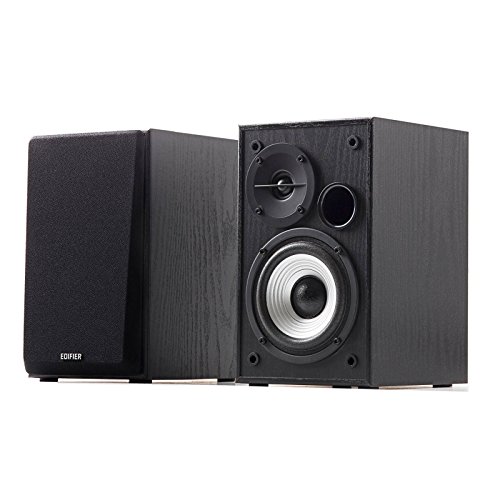
The R980T is the pick for buyers who read wireless feature lists as future failure points. Edifier’s listing describes a 4-inch active bookshelf pair, a 2.0 computer speaker system and a powered studio monitor set, and the absence of Bluetooth from that description is the design’s whole philosophy: plug in a computer or another line-level source, turn a knob, hear music. No pairing, no codecs, no firmware. For a desk in a school, a workshop office or a shared studio where equipment must simply work for whoever sits down, that philosophy has real value.
Four-inch drivers place the pair in the guide’s middle ground for footprint: larger than the A2+ and SW208, smaller than the Eris E4.5, and happy on the corners of a standard desk without crowding a widescreen monitor. The sound follows the monitor description in the listing — orderly, voice-forward, light on embellishment. Speech intelligibility is the pair’s quiet specialty, which matters more at a working desk than audiophile drama: lectures, training videos, podcasts and calls occupy more desk hours than reference recordings do for most owners.
Budget-conscious buyers should understand what the simplicity buys and what it declines. There is no headphone output to lean on for silent hours, no digital input to bypass a noisy computer output, and no wireless path for a phone. Each gap can be filled by the computer itself or a small interface, and many desks already have those answers in place. Judged as a wired pair that does one job without complaint, the R980T remains easy to recommend — the kind of equipment that disappears into a routine and is only noticed on the rare day it is absent.
A note on sources: a computer’s headphone output quality varies enormously between machines, and a wired pair reports that quality faithfully. If the R980T reveals hiss or thin sound from a particular laptop, the laptop’s output is the culprit, and a small USB interface or DAC between computer and speakers will transform the same pair. Diagnose the chain before blaming the last link in it.
Consider also the R980T for a second desk or a family computer, where its virtues compound: no wireless settings for children or guests to disturb, no app to update, no behaviour that changes after a software revision. Equipment that behaves identically for years is underrated in a category addicted to novelty, and a wired pair in a busy household often outlasts cleverer rivals simply by never giving anyone a reason to replace it.
- Driver size stated in the listing title: 4-inch
- Format stated in the listing title: active bookshelf pair, 2.0 system
- Roles named in the listing title: computer speaker and powered studio monitor
- Wireless: none claimed in the listing title — a wired design
- Amplification: built into the pair, no separate amplifier required
Strengths
- Wired simplicity works identically for every user who sits down
- Voice-forward balance serves calls, lectures and podcasts well
- Mid-sized footprint fits standard desks without crowding screens
Trade-offs
- No Bluetooth, so phones need a cable or the computer as intermediary
- No headphone output listed for silent-hours listening
- Reveals a poor computer output instead of masking it
Best for: a shared or school desk where equipment must work without instructions
Not suited for: a personal desk built around wireless streaming from a phone

Edifier M60 — The compact all-input multimedia pair
The M60 compresses the modern desk’s whole connection wishlist into one compact cabinet design. Edifier’s listing states 66W RMS of output, Bluetooth 5.3 with hi-res audio over LDAC, USB-C and AUX inputs, and a driver complement of a 3-inch mid-bass unit with a 1-inch tweeter, all in a speaker explicitly described as a compact desktop model in black. USB-C is the headline for computer users: a single digital cable from a modern laptop delivers a clean signal that bypasses the machine’s analogue output entirely, which is the simplest cure for the hiss and interference that plague headphone-jack connections.
LDAC support matters to a narrower audience — listeners with Android phones or players that transmit it — and for them it lifts Bluetooth from a convenience to a genuinely high-quality path. Everyone else still gets Bluetooth 5.3 for ordinary streaming, so the pair serves mixed households without argument. The stated 66W RMS is generous for the cabinet size, and at desk distance it translates less into loudness than into ease: the pair stays composed through film peaks and dense choruses at volumes a desk listener actually uses, with the strained edge that betrays small amplifiers kept well out of reach.
Physically, the M60 respects the desk’s geography. A 3-inch mid-bass driver keeps cabinets shallow enough for monitor-adjacent placement, and the black finish disappears beside screens and laptops. The design’s multimedia brief shows in its balance, which aims to please across games, films and music rather than to audit recordings; producers should look to the MR3 or the Eris pair for sterner honesty. For the majority of desks, where entertainment and work share the same chair, the M60’s combination of inputs, output and size is the most frictionless package in this guide.
One practical tip follows from the USB-C path: set the computer’s output to the M60 and then control volume at the speaker where possible, keeping the digital signal healthy and the analogue stage in its comfortable range. It is a small habit that costs nothing and keeps a digital connection sounding like the upgrade it is meant to be.
Movie nights at the desk reveal another side of the M60’s stated output. Dialogue anchored by a proper stereo pair stays intelligible at lower volumes than a laptop’s speakers can manage, because the drivers are larger, separated and aimed at the listener. Viewers in flats, watching late, can keep levels considerate without leaning on subtitles — a small domestic mercy that owners tend to mention more often than any specification.
- Output stated in the listing title: 66W RMS
- Drivers stated in the listing title: 3-inch mid-bass and 1-inch tweeter
- Wireless named in the listing title: Bluetooth 5.3 with hi-res LDAC
- Inputs named in the listing title: USB-C and AUX
- Form described in the listing title: compact desktop speaker, black
Strengths
- USB-C input gives laptops a clean digital path in one cable
- LDAC support rewards compatible phones with higher-quality Bluetooth
- Stated output is ample for composed listening at desk distance
Trade-offs
- Multimedia tuning flatters mixes instead of auditing them
- LDAC benefits only owners of transmitting devices that support it
- Compact cabinets still observe small-speaker bass limits
Best for: a modern laptop desk mixing work, films and games through one pair
Not suited for: a mixing desk where balance decisions must survive other systems

PreSonus Eris E4.5 (Pair) — The production-leaning monitor pair
PreSonus comes to the desk from the studio world, and the Eris E4.5 pair carries that accent. The listing describes a two-way 4.5-inch near-field studio monitor pair with a woven-composite woofer and a silk-dome tweeter, and then — tellingly — lists its habitats as music production, gaming, movies and hi-fi. That breadth suits the modern desk, where the same chair hosts a DAW session at noon and a film at night. The Eris tuning leans toward the monitor tradition of clarity first, with the silk dome keeping the top end civilised through long sessions.
The 4.5-inch woofer is the largest in this guide, and at a desk that extra cone area buys a fuller lower midrange — the region where voices, guitars and game dialogue live — rather than subterranean bass. Podcasts sound chesty in the right way, acoustic recordings gain body, and game worlds feel weightier without a subwoofer. The cost is footprint: these cabinets want a desk with real depth, ideally on small stands or pads that lift the tweeters toward ear height and decouple the boxes from the desktop’s resonance.
Buyers stepping from consumer speakers should expect the Eris pair to be honest about source quality in the usual monitor fashion. A noisy computer output will be reported; a good interface will be rewarded. The pair’s natural partner is a small USB audio interface, which also solves headphone monitoring and microphone input for calls or recording in one move. Bought together, speakers and interface form the classic home-studio core that has launched a great many podcasts, channels and bedroom productions.
Placement patience pays double with this pair. Because the cabinets are the guide’s largest, the temptation is to push them wide and back, which collapses the near-field triangle the design assumes. Keep them closer, angled in, with the listener’s head at the triangle’s point, and the stereo image snaps into the focus that makes near-field listening addictive — a centre vocalist apparently standing on the desk, in miniature, between the screens.
Creators should budget the Eris pair’s desk neighbours as carefully as the speakers themselves. A microphone on the same desk will hear cabinet vibration through a shared surface during loud playback, so a mic stand or boom arm completes the setup rather than decorating it. With that isolation in place, the record-listen-edit cycle becomes fluid, and the desk starts to resemble the small studios this pair’s maker usually supplies.
- Driver size stated in the listing title: 4.5-inch, two-way design
- Woofer material stated in the listing title: woven-composite
- Tweeter type stated in the listing title: silk-dome
- Role stated in the listing title: near-field studio monitor pair
- Uses listed in the title include production, gaming, movies and hi-fi
Strengths
- Largest drivers here give voices and guitars extra body
- Silk-dome tweeter stays comfortable across long sessions
- Studio heritage suits desks that record as well as listen
Trade-offs
- Biggest footprint in the guide needs a deep desk or stands
- Honest tuning exposes weak computer outputs
- Best results assume near-field placement discipline
Best for: a creator’s desk recording podcasts, videos or music between films and games
Not suited for: a narrow writing desk where cabinets must hug the wall
Sanyun SW208 — The small streamer’s pair
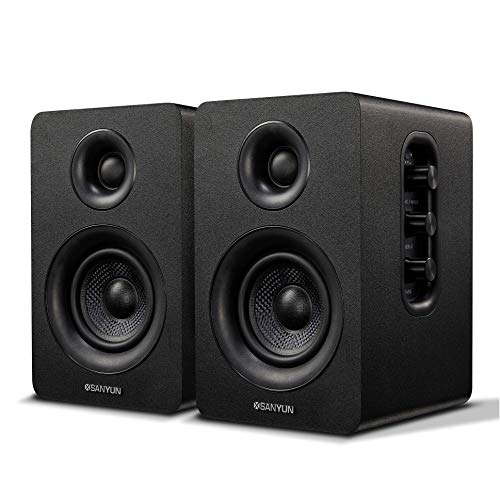
Sanyun’s SW208 packs a surprising amount of signal path into a 3-inch format. Its listing describes active Bluetooth 5.0 bookshelf speakers with a built-in 24-bit DAC, carbon fibre speaker units, a stated 60W, and both USB and 3.5mm AUX inputs, sold as a black pair for computers and gaming. The built-in DAC is the feature to notice: fed over USB, the pair converts the computer’s digital signal itself, sidestepping a mediocre laptop output in exactly the way the M60’s USB-C path does, but in a smaller and simpler package aimed squarely at PC desks.
The carbon fibre driver material is more than a cosmetic flourish — stiff, light cones resist the breakup that makes small speakers sound ragged when pushed — and the stated output gives the pair headroom at desk volumes. Sanyun also claims a dynamic 3D surround sound character in the listing, which readers should interpret as a spatial flavouring rather than literal surround: two cabinets cannot place sound behind a listener, but a widened stereo presentation can make games and films feel larger than the desk they sit on. Purists can favour the plain wired path; players may enjoy the effect.
Size remains the SW208’s defining virtue. Three-inch cabinets fit the desks this guide’s larger picks cannot: student desks, small flat workstations, secondary gaming setups in bedrooms. Within those spaces the pair covers the essential bases — Bluetooth for the phone, USB for the computer, AUX for everything else — without demanding a furniture rearrangement. It is the pick that asks the least of a room while still behaving like a proper stereo system rather than a single wireless puck.
Expectations should scale with the cabinets. Bass is tidy rather than deep, large-room listening is outside the brief, and critical production work belongs on the monitor picks above. What the SW208 delivers instead is completeness at small scale: a self-contained digital and wireless stereo system that turns a cramped desk into a respectable listening post for the price of a modest footprint.
The SW208 also suits a television perched in a bedroom or studio flat, where its AUX input takes the set’s headphone output and its Bluetooth covers phone listening after the screen goes dark. Two duties, one small pair, no soundbar required. In bedsits and spare rooms, that kind of double service is often the difference between a system that fits the life being lived and a system that waits for a bigger flat.
- Driver size stated in the listing title: 3-inch, carbon fibre units
- Conversion named in the listing title: built-in 24-bit DAC
- Output stated in the listing title: 60W
- Wireless named in the listing title: Bluetooth 5.0
- Inputs named in the listing title: USB and 3.5mm AUX
Strengths
- Built-in DAC cleans up the USB path from ordinary laptops
- Three input paths cover computer, phone and consoles
- Smallest full-featured cabinets for cramped desks
Trade-offs
- Three-inch drivers set the guide’s firmest bass ceiling
- Spatial processing flavour will not suit purist listeners
- Small scale rules out serving the wider room
Best for: a student or bedroom gaming desk short on space but long on sources
Not suited for: a main living-room system expected to entertain several seats
Comparison
| Pick | Power and connections | Drivers and cabinet | Where it fits best |
|---|---|---|---|
| Edifier MR3 | Powered monitor with Bluetooth V5.4 plus RCA, AUX and balanced TRS inputs | Compact black cabinets with a headphone output on the feature list | Desks that may grow an audio interface later |
| Audioengine A2+ Wireless (Gen 3) | Compact powered pair with adaptive 24-bit Bluetooth per its listing | Smallest cabinets in this guide, this listing in green | Laptop desks and monitor-shelf setups |
| Edifier R980T | Powered 4-inch pair, wired only, computer speaker and monitor roles | Mid-sized cabinets between the tiny and studio picks | Desks valuing reliability over feature lists |
| Edifier M60 | Powered compact pair stating 66W RMS, Bluetooth 5.3 with LDAC, USB-C input | 3-inch mid-bass driver and 1-inch tweeter in shallow black cabinets | Entertainment-and-work desks fed mainly by a laptop |
| PreSonus Eris E4.5 (Pair) | Active near-field monitor pair, 4.5-inch woven-composite woofer, silk dome | Largest cabinets in this guide, studio-bred tuning | Deep desks and home-studio corners |
| Sanyun SW208 | Active 3-inch pair stating 60W, Bluetooth 5.0, built-in 24-bit DAC | Carbon fibre drivers in the guide’s most compact full-featured cabinets | Small PC desks fed by USB, Bluetooth and AUX together |
How Much Desk Can You Honestly Give a Pair of Speakers?
Measure before shopping, and measure the desk as it is used rather than as it was photographed when new. The usable speaker territory is usually two patches at the back corners or beside the monitor, each perhaps twenty centimetres square once screens, lamps and docking stations claim their shares. A pair whose cabinets fit those patches with room to angle inward will sound better than a larger pair forced into asymmetric exile — one at the back, one at the side — because symmetry is the foundation the stereo image stands on. Lopsided placement defeats expensive speakers and flatters cheap ones placed properly.
Depth is the dimension buyers underestimate. A cabinet needs its own depth plus a margin behind it for cables and a margin in front so its sound is not firing straight into a raised monitor’s back panel. Shallow desks push buyers toward the compact picks in this guide — the A2+ pair, the M60, the SW208 — and that push should be welcomed rather than resisted. A small pair in free air outperforms a large pair wedged against a wall and a screen, at desk distance, almost every time.
Height completes the survey. Tweeters belong near ear level when seated, which on many desks means the cabinets need lifting by stands, pads or shelving. Budget for that lift when choosing a pair, because a tall cabinet that still fires at chest height wastes its tweeter’s work. The cheapest acoustic upgrade available to any desk owner is a stack of books under each speaker; the second cheapest is deciding, before purchase, exactly where each cabinet will live.
USB, Bluetooth or AUX: Which Desk Connection Should Lead?
Each input path answers a different desk habit, and the strongest setups use two of them deliberately. USB — including the USB-C path on the M60 and the DAC-equipped USB input on the SW208 — suits the computer that anchors the desk, because it carries a digital signal past the machine’s often-mediocre analogue output and arrives at the speakers clean. For work calls, editing and critical listening, that clean path is worth more than any tone control. Set the computer to the USB device, fix a healthy volume at the speaker, and the chain is settled.
Bluetooth suits the second device: the phone that brings podcasts and playlists the work computer should not host, the tablet propped for a video, the laptop borrowed for an evening. Modern versions in this guide — the MR3’s Bluetooth V5.4, the M60’s 5.3 with LDAC — keep connections stable across a room and sound quality respectable to genuinely good. Wireless also serves tidiness, removing the cable that otherwise drapes across the keyboard every time a phone joins the system.
AUX and RCA remain the universal donors. Consoles, older computers, portable players, a television perched on the desk — everything with a headphone socket can feed an analogue input, and the balanced TRS path on the MR3 extends that universality into studio territory. The practical rule is simple: give the always-on source the best digital path available, give the visiting sources Bluetooth, and keep an analogue cable in a drawer for the device nobody predicted. A desk wired on that logic stops generating connection puzzles entirely.
What Does Near-Field Listening Ask of Your Chair, Screen and Speakers?
Near-field listening is a contract among three objects: two speakers and a head, arranged as a triangle with sides of roughly equal length. The speakers angle inward toward the listening position, the tweeters sit near ear height, and the listener’s chair stays close enough that direct sound dominates reflected sound. Honour the contract and the reward is a stereo image of unusual precision — a vocalist centred with almost physical presence, instruments placed left to right like objects on the desk itself. Break it, by sitting far back or off to one side, and the image smears into ordinary background music.
The screen complicates the triangle on modern desks. A wide monitor between the speakers can reflect sound and block the direct path from a cabinet placed behind it, so speakers belong beside or above the screen’s edges, never hidden behind the panel. Ultrawide and dual-monitor setups push the cabinets wider, which lengthens the triangle’s sides and asks the listener to sit a little farther back to keep the geometry honest. None of this requires measurement tools — small adjustments while a familiar voice plays will announce the right position plainly.
Finally, the desk surface itself joins the system whether invited or not. Cabinets resting directly on a resonant desktop borrow its buzz, especially at bass frequencies, and the cure is decoupling: foam pads, small stands, or any stable layer that interrupts the vibration path. Owners often describe the result as the speakers sounding more expensive, when in fact the desk simply stopped singing along. In near-field listening, where nothing is far away, such small contaminations are magnified — and so are their cures.
How Do You Keep Desk Speakers Civilised for Calls and Shared Rooms?
A desk speaker leads a double life: entertainer in the evening, colleague during the working day. Calls expose qualities that music conceals. Hiss audible between sentences, a cabinet that buzzes under a particular voice frequency, or a volume control too coarse at low settings all become professional irritations within a week. The picks in this guide were chosen partly for their manners — powered designs with quiet electronics, and in the MR3’s case a headphone output that moves the whole conversation into private space when the household needs it.
Volume discipline is the shared-room skill that matters most. Near-field listening needs far less output than room listening, because the speakers are close; a level that feels modest at the chair may still carry through a flat at midnight if the cabinets face a thin wall. Angling the pair toward the chair rather than the room, keeping late sessions at genuinely low levels, and switching to headphones for bass-heavy films after hours are habits that keep both the peace and the lease. Good neighbours are an acoustic treatment no purchase can replicate.
Microphone users should mind one more interaction: speakers and microphones in the same small space invite feedback and echo on calls. The standard desk arrangement — speakers either side of the screen, microphone closer to the mouth than to either cabinet, call software set to its echo-cancelling mode — handles most cases. When recordings matter, headphones during capture and speakers for playback remain the professional division of labour, and a pair with a convenient headphone output makes that swap a two-second habit instead of a cable excavation.
How Should a Desk Pair Handle the Working Day’s Changing Volumes?
Desk listening is a study in small numbers. The volume that suits a focus playlist under a morning’s emails would be inaudible across a lounge, and the level for an evening film at the same desk might be three times that. A good desk pair must behave at the bottom of its range — no channel imbalance at whisper level, no hiss swelling as the knob falls, no sudden steps between too quiet and too loud. These low-level manners rarely appear on listings, which is why this guide favours established powered designs whose volume behaviour has been proven across many desks rather than anonymous boxes with longer feature lists.
There is also a fatigue dimension that only hours reveal. A pair can impress in a five-minute audition with sparkling treble and punchy bass, then exhaust its owner by lunch because the ear is working harder than the music requires. Silk-dome tweeters, monitor-leaning balance and freedom from cabinet buzz all push in the direction of endurance. When choosing between two finalists, ask which one you would rather hear at hour six of a working day, not which one wins a showroom minute. The desk rewards the marathon runner every single week.
What Should You Do When One Desk Must Serve Two Listeners?
Shared desks and side-by-side workstations bend the near-field rules, because a triangle built for one head leaves the second listener outside the image, hearing mostly the nearer cabinet. The pragmatic arrangement widens the pair’s spacing, reduces their inward angle, and accepts a broader, less forensic presentation in exchange for coverage both seats can enjoy. Volume may need a small lift to compensate, and content choices shift toward the communal — radio, shared playlists, a match commentary — rather than critical listening that only one seat can judge fairly.
Where sharing is occasional rather than constant, resist rebuilding the desk around it. Keep the main triangle tuned for the primary chair, and let the second listener pull a chair into the triangle’s wider end when it matters; the image softens but survives. Couples who both work from home sometimes solve the question with two desks and two modest pairs instead of one grand system, and the arithmetic often favours that peace treaty. Sound, like desk space itself, is easier to enjoy when its territory is agreed.
When Should a Desk Speaker Hand Over to Headphones?
Every desk day contains hours when speakers are the wrong tool: a call in a shared flat, a first listen to a recording a colleague should not overhear, a late session under a sleeping household. A mature desk setup treats the handover as a designed moment rather than a defeat. Pairs with a headphone output, like the MR3, make the swap instant; pairs without one rely on the computer’s own socket or an interface, which works nearly as well provided the cable reach has been planned before the furniture settled.
The deeper point is that speakers and headphones correct each other. Headphones expose editing errors and lyric details; speakers reveal whether a mix or a playlist holds together in real air and whether voices sound like people rather than recordings. Desks that create — podcasts, videos, music, even presentations with narration — produce better work when both tools are present and the owner alternates deliberately. Choosing a pair that welcomes headphones into the routine is choosing that alternation, and it is one of the quiet marks of a desk that knows what it is doing.
Why Does Symmetry Beat Spending on a Crowded Worktop?
Two cabinets at equal height, equal distance from the chair and equal inward angle will outperform a costlier pair scattered unevenly across a cluttered worktop, because the stereo image is built from symmetry and collapses without it. Before upgrading any desk system, spend an evening equalising the geometry: match the heights with books or pads, pace the distances, mirror the angles, and replay the recordings that prompted the upgrade itch. A surprising share of those itches turn out to be placement complaints wearing a shopping list as a disguise, and the cure costs an evening rather than a delivery.
Ear-level placement and a clean digital or balanced path belong to the same evening’s work. Together they form the desk listener’s foundation, and they will matter more to the final sound than the gap between several of the models in this guide. Headphone manners complete the picture: a front output or a painless computer handover keeps shared rooms peaceful through calls, edits and late sessions alike. Desks set up on those three principles — symmetry, a clean path, an easy headphone swap — tend to stay set up for years.
Which Desk Habits Quietly Ruin a Good Pair of Speakers?
Parking the cabinets behind the monitor is the desk-specific sin. The screen blocks and reflects the direct sound, the stereo image collapses into a muffled wash, and owners conclude the speakers are dull when they are merely imprisoned. Speakers belong where their drivers can see the listener’s ears — beside the screen, above it on a shelf, anywhere with a clear line — and the improvement from freeing a blocked pair is larger than most upgrades.
Feeding every source at maximum digital volume into a speaker turned nearly off is the second habit worth breaking. That arrangement throws away digital resolution and invites hiss, because the speaker’s own noise floor stays constant while the signal shrinks. The healthier pattern sets the source near its comfortable upper range and lets the speaker’s knob govern the actual level, keeping the signal strong and the background quiet.
The third mistake is judging a desk pair from across the room on its first day. These speakers are designed for a chair, not a corridor, and a verdict formed at the doorway condemns designs for failing a job they never claimed. Sit in the working position, at working distance, with the triangle arranged, and only then decide. A surprising number of returned desk speakers were innocent; the audition was guilty.
A fourth desk habit deserves naming: letting cable chaos choose the inputs. When the tidy cable happens to be a tired analogue lead and the digital path requires reaching behind the desk, owners drift into the worse connection permanently and judge the speakers by it. Spend one session routing the best path neatly — clips, a sleeve, labels — and the system’s best sound becomes its default sound, which is the only version of the system anyone actually lives with.
Final Recommendation
One recommendation covers the largest number of desks: the Edifier MR3. Its input list reads like a working week — Bluetooth for the phone, analogue for the odds and ends, balanced TRS for the interface that may arrive later — and its headphone output respects the household around the desk. It sounds honest at the distance desks impose and asks for no space a normal worktop cannot give.
Specialise where your desk demands it. The A2+ pair serves the shallowest desks, the M60 serves the laptop-and-entertainment desk with its USB-C path and stated output, the Eris E4.5 serves the desk that records, the SW208 serves the smallest gaming corner, and the R980T serves anyone who wants wires and certainty. My own desk would take the MR3, because a desk’s sources multiply over the years and the pair that welcomes all of them is the pair that stays.
Set the chosen pair up on a quiet morning rather than a busy evening, with the triangle arranged and the main source connected by its best path, and the desk will feel finished in a way that peripherals rarely achieve — one part of the workspace that simply works, every hour it is asked to.
Frequently Asked Questions
Can bookshelf speakers really work on a small desk?
Yes, provided the cabinets match the available patches of space and sit where their drivers face the listener. Compact pairs such as the A2+ and the SW208 were designed for exactly that territory, and near-field listening flatters small speakers because the listener sits close. Measure the desk’s free corners first, choose a pair that fits them symmetrically, and lift the cabinets so the tweeters aim near ear level.
Do desk speakers need a subwoofer?
Most desks answer no. At close range, the pairs in this guide deliver balanced sound for calls, music and games without help, and a subwoofer under a desk often adds boom and neighbour complaints rather than insight. Desks used for film-heavy evenings or bass-led music production are the exceptions; those owners should either choose a pair with expansion in mind or check low-end decisions on headphones, which many producers prefer anyway.
Is USB noticeably better than a headphone-jack connection?
It can be, because USB carries the signal digitally past the computer’s analogue output stage, which is where hiss, interference and thin sound usually enter. Pairs with their own conversion — the M60 over USB-C, the SW208 with its built-in DAC — make that benefit available without extra equipment. A computer with an unusually good analogue output narrows the gap, but the USB path is never the worse choice where it exists.
Why do my desk speakers hiss when nothing is playing?
Hiss at a desk usually comes from the chain rather than the speakers: a noisy computer output, a source volume set low while the speaker volume sits high, or interference along an analogue cable. Test the pair from a phone or over Bluetooth to isolate the cause, raise the source level while lowering the speaker’s, and prefer a digital path where one is offered. A monitor-style pair will report hiss more honestly than a forgiving one, which is information rather than a defect.
How far apart should desk speakers be?
Start with the triangle rule: the distance between the cabinets roughly equal to the distance from each cabinet to your ears, with both angled toward your head. On most desks that means cabinets somewhere around a metre apart with the chair pulled into working position. Wider screens push the cabinets wider and the chair slightly back; the test is whether a centred voice sounds like a single person rather than two speakers cooperating.
Should gaming desks choose different speakers from music desks?
The priorities overlap more than marketing suggests. Games reward clear positional stereo, comfortable long-session treble and a connection with no wireless delay for competitive play — wired or USB paths serve best there. Music rewards the same clarity with perhaps more weight on tonal balance. Every pick in this guide covers both duties credibly; the monitor-flavoured pairs lean toward accuracy, the multimedia pairs toward spectacle, and either lean suits a mixed desk.
Related Guides
From the desk, the natural next questions concern the wider shelf and the smaller room — and a guide to active pairs generally, for readers reconsidering the amplifier question altogether: small-room bookshelf pairs that stay composed bookshelf value measured against a pair budget high-end bookshelf speakers worth the step up