What's inside
- Where to Buy
- Key Takeaways
- Quick Picks
- How We Chose These Picks
- Comparison
- How to Choose a Frame TV
- Does a Frame TV Use Much Power While Showing Art?
- Can a Frame TV Replace a Real Painting?
- Where Do the Cables Go on an Art Wall?
- How High Should an Art Television Hang?
- Common Mistakes
- Final Recommendation
- Frequently Asked Questions
- Related Guides
As an Amazon Associate I earn from qualifying purchases. This post may contain affiliate links at no extra cost to you.
[SITE_DOMAIN] is reader-supported. When you buy through links on our site, we may earn an affiliate commission.
Where to Buy
Six art-first televisions are compared below, and each name opens its own Amazon listing. Start with the Samsung 65-Inch Class The Frame LS03F if a 65-inch canvas is the plan, since its page shows the current terms for the largest panel here. The Samsung 55-Inch Class The Frame Pro LS03HW hides its connections in a wireless box, and its listing explains that arrangement in full. Google TV households should open the Hisense 55-inch CanvasTV S7 next, because it bundles both a frame and an ultraslim mount. The LG 55 Inch Class Gallery TV LX7B arrives with an attachable frame of its own, worth confirming on its page. Fire TV loyalists will want the Amazon Ember Artline 55-inch listing, which is candid that no frame ships in its box. Finally, the Toshiba 55-inch G700 ArtVision pairs an included art frame with a native 165Hz panel, a combination its product page prices out.
The best frame tvs solve a problem ordinary televisions create: a large black rectangle dominating a room for the twenty hours a day nobody watches it. A frame TV answers by behaving like wall art when idle, sitting nearly flush against the wall inside a picture-style bezel, and showing paintings, photographs or prints on a matte, low-glare screen instead of a mirror. The six sets in this guide all commit to that idea, but they commit in different ways — different sizes, different platforms, different answers to the practical question of where the cables and electronics live. Choosing well means deciding which of those answers fits your wall, your light and your household’s streaming habits.
Size is the first fork. Five of the six are 55-inch sets; only Samsung’s standard Frame reaches 65 inches here, and that extra diagonal changes the room it suits. A 65-inch canvas anchors a large living room wall the way a framed print above a sofa does, while the 55-inch models fit the wall spans most homes actually have between windows, shelves and doorways. Platform is the second fork: Samsung’s Vision AI ecosystem, Google TV on the Hisense, LG’s Gallery+ environment, and Fire TV on both the Amazon Ember and the Toshiba. The platform decides your remote, your voice assistant and the art catalogue you browse, so it deserves as much thought as the panel.
The third fork is the one shoppers most often miss: what physically ships in the box. An art television is a system of screen, bezel and mount, and the six listings divide sharply on completeness. The Hisense CanvasTV includes a frame and an ultraslim wall mount. The LG Gallery TV includes an attachable frame. The Toshiba includes an art frame. Samsung’s Frame Pro includes its slim fit wall mount, while the standard Frame’s listing names a slim fit wall mount as part of its design. The Amazon Ember Artline is the outlier, stating plainly that no frame is included, with custom frames available as a separate decision. Read each review below with your own wall in mind, because the cheapest headline can grow once a frame and mount join the basket.
Key Takeaways
- Samsung’s 65-inch Frame LS03F is the only pick larger than 55 inches, and the natural anchor for a big living-room wall.
- The Frame Pro 55 moves its connections into a Wireless One Connect box and adds a glare free Neo QLED panel.
- Hisense’s CanvasTV bundles a frame and an ultraslim wall mount, runs Google TV and refreshes at 144Hz.
- LG’s Gallery TV pairs a matte Mini LED panel with an included attachable frame and the Gallery+ art environment.
- Amazon’s Ember Artline offers free art and photos on Fire TV but ships with no frame in the box.
- Toshiba’s ArtVision G700 combines an included art frame with a native 165Hz panel, the fastest refresh here.
Quick Picks
| Pick | Badge | Why it makes the cut |
|---|---|---|
| Samsung 65-Inch Class The Frame LS03F | The big canvas | 65-inch 4K QLED with Art Mode, a slim fit wall mount design and the NQ4 AI Gen2 Processor. |
| Samsung 55-Inch Class The Frame Pro LS03HW | Cable-free wall | Glare free Neo QLED plus a Wireless One Connect box, so nothing but the picture hangs on the wall. |
| Hisense 55-inch CanvasTV S7 | Complete Google TV kit | Frame and ultraslim mount included, anti-glare Hi-Matte panel, 144Hz and Dolby Vision HDR. |
| LG 55 Inch Class Gallery TV LX7B | Mini LED gallery | Matte Mini LED panel, attachable frame included and the LG Gallery+ collection built in. |
| Amazon Ember Artline 55-inch | Fire TV art wall | Free art and photos, anti-glare QLED and Alexa+ show-finding; the frame itself is a separate purchase. |
| Toshiba 55-inch G700 ArtVision | Fast art panel | Native 165Hz QLED, anti-glare screen, DTS Virtual:X sound and an art frame in the box. |
How We Chose These Picks
Every candidate had to be a genuine art television: a set designed from the start to hang like a picture, with a dedicated art mode, a frame-style presentation and a screen finish that suppresses reflections. Ordinary televisions with a slideshow screensaver were excluded, because the illusion depends on the whole package — the flush hang, the matte surface, the bezel that reads as wood or metal rather than plastic trim. Listings also had to be verifiable through the site’s own product pool, with the art features stated in the listing title itself rather than implied by marketing elsewhere.
Within that filter, the six were chosen to map the real decisions a buyer faces. Samsung appears twice because its standard Frame and its Frame Pro answer the cabling question differently, and that difference is the biggest practical divide in the category. Hisense and LG represent the challenger approach: bundle the frame and mount, run a mainstream platform, and compete on completeness. Amazon and Toshiba carry Fire TV into the art category from opposite ends, one selling the art library and voice experience, the other selling refresh speed nobody else in this guide attempts. Screen finish claims were recorded exactly as each title states them — glare free, anti-glare, matte, Hi-Matte — without converting one brand’s wording into another’s promise.
Refresh rate was treated as a secondary virtue and reported plainly. Art hangs still; films and sport move. A 144Hz or 165Hz panel matters when the same screen doubles as the household’s gaming or match-day display, and it matters not at all when the set spends its life showing landscapes and the evening news. The reviews below keep that proportion, praising speed where a household will use it and refusing to pretend a still painting benefits from it.

Samsung 65-Inch Class The Frame LS03F — The big canvas
Samsung invented this category, and the 65-inch LS03F is its mainstream statement: a 4K QLED panel in a modern frame design, hung by a slim fit wall mount so the screen sits close to the wall like a gallery piece. Art Mode is the centre of the proposition, turning the idle television into a rotating display of artwork with what Samsung calls artful picture quality, while the NQ4 AI Gen2 Processor handles the television side of the bargain — upscaling, picture tuning and the general responsiveness of a 2025 model. Samsung Vision AI and built-in Alexa round out a set that wants to be both the room’s picture and its smartest screen.
The 65-inch size is this pick’s defining argument. Art scales with wall space, and a 55-inch canvas that looks generous in a flat can look lost above a wide sofa in a large room. At 65 inches the Frame fills that span with the confidence of a commissioned print, and its still images hold up from across the room in a way smaller canvases cannot match. The trade is commitment: a 65-inch art television is a decorating decision first and an electronics purchase second, and it asks for a wall span, a viewing distance and a household budget that agree with it. Measure the wall before falling for the idea.
As a television, the QLED panel and Samsung’s processing give it the all-round competence the category’s founder should have. Films, sport and streamed drama all pass through the same AI-tuned picture pipeline, and the platform carries the mainstream services. What the listing title does not claim is an anti-glare or matte finish in so many words for this model — Samsung’s glare free wording appears on the Frame Pro below — so a buyer hanging this set opposite a bright window should verify the screen finish against the manufacturer documentation rather than assume the Pro’s coating travels down the range. If your room’s light is controlled, that caveat fades and the big canvas argues for itself. Check the current listing for the 65-inch Frame if the wall is wide and the sofa is far.
Installation deserves a paragraph of its own at this size. A 65-inch panel is a two-person hang, and the slim fit ambition means the wall, the mount and the cable route all need planning before the set arrives. Decide where the connections will live, confirm the wall can take the fixings, and leave the protective film decisions until the picture is level. Households that plan that afternoon properly get the gallery effect the category promises; households that improvise get a very large television that happens to show paintings.
Ownership of a category-defining set carries a quieter benefit: maturity. The Frame line has been refined across generations, so its art mode behaviour, its mount geometry and its platform manners are settled designs rather than first attempts, and the ecosystem of compatible frames and accessories around the Samsung line is the deepest in this guide. A shopper who expects to change the bezel finish when the room is redecorated, or to find answers to setup questions quickly, is buying into the largest installed base of art televisions there is. That maturity does not show in a specification table, but it shows in the second year of ownership, when the set is simply part of the room and its support world is a search away.
- Screen size: 65-inch class
- Panel and resolution: 4K QLED
- Art features: Art Mode, artful picture quality, modern frame design
- Mounting: Slim Fit Wall Mount design
- Processor: NQ4 AI Gen2 Processor, Samsung Vision AI
- Voice: Alexa built-in
- Model year: 2025 model
Strengths
- The only 65-inch canvas here, sized for large walls and long viewing distances.
- Art Mode and the modern frame design come from the brand that defined the category.
- NQ4 AI Gen2 processing gives the television side genuine all-round polish.
Trade-offs
- A 65-inch hang is a two-person installation that needs a wide, suitable wall span.
- The title states no glare free finish for this model, unlike the Frame Pro below.
- Its scale suits living rooms; in a small flat the same canvas can crowd the wall.
Best for: a living room with a wide wall above the sofa and seating far enough back for a 65-inch canvas to breathe.
Not suited for: walls narrower than the panel’s span, or rooms where a bright window faces the screen and the finish has not been verified first.
Samsung 55-Inch Class The Frame Pro LS03HW — Cable-free wall
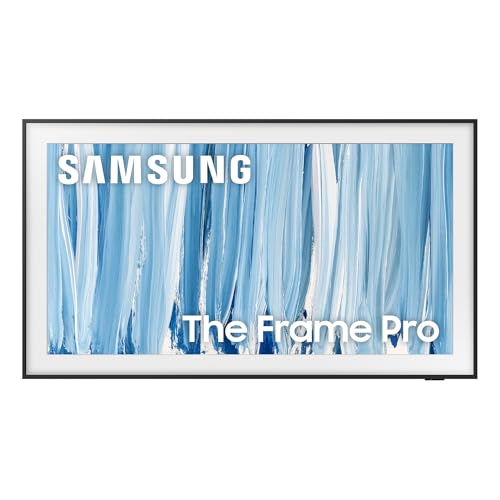
The Frame Pro answers the art television’s oldest embarrassment: the cables. However flush a set hangs, a bundle of wires descending to a media console betrays the illusion, and Samsung’s answer here is a Wireless One Connect box that takes the connections off the wall entirely, leaving the 55-inch Neo QLED panel to hang by its included slim fit wall mount with nothing visible but the picture. The panel itself is specified as glare free, which is the finish an art display most needs, since a painting that mirrors the window stops being a painting. Samsung Vision AI and built-in Alexa carry the smart side.
Think of the Pro as the purist’s version of the idea. The standard Frame asks you to manage one discreet cable route; the Pro removes the problem’s centre by relocating the inputs to a separate box that can live in a cabinet or sideboard. That freedom changes room planning: the television no longer needs furniture beneath it, so it can hang on a chimney breast, a hallway wall or a stretch of plaster that has no console under it and no intention of acquiring one. For design-led rooms, that is the difference between an art wall and a media wall with ambitions.
The 55-inch size keeps the Pro in the mainstream span, and the Neo QLED panel is the strongest picture technology Samsung fits to this line, a step the standard Frame’s QLED does not claim. As a 2026 model it is also the newest Samsung here. The considerations are practical rather than pictorial. The wireless box still needs a home within range and a power point of its own, so the cabling problem is relocated, not abolished, and a room with nowhere sensible to put the box gains less than a room with a waiting cabinet. Households comparing the two Samsungs should weigh exactly that: if a cabinet sits under the wall anyway, the standard Frame’s approach may serve; if the wall must stand alone, open the Frame Pro listing and study how its wireless arrangement would live in your room.
There is also a honesty point in the Pro’s favour worth naming: its listing states its glare free finish outright, where the standard model leaves the question open. Buyers hanging art opposite glass — the classic conservatory-adjacent living room, the flat with floor-to-ceiling windows — should weight stated finishes over assumed ones throughout this guide, and the Pro states its case in its title.
The Pro also reframes what a television wall can be in rooms that were never designed for one. A dining room, a wide hallway, the wall above a low sideboard in a study — these are hanging places for art that a conventional television could never occupy, because a conventional television drags a console, a stand and a thicket of inputs behind it. By moving the connections into a separate box, the Pro lets the screen go anywhere a picture could go, provided the box finds its powered corner within range. Households redecorating around that freedom should plan the box’s home with the same care as the hang itself: ventilation, reach of the remote’s ecosystem and a power point that does not create a new visible cable problem somewhere else in the room.
- Screen size: 55-inch class
- Panel and resolution: Neo QLED, 4K class per series listing
- Finish: Glare Free
- Connections: Wireless One Connect box
- Mounting: Slim Fit Wall Mount included
- Platform: Samsung Vision AI Smart TV, Alexa built-in
- Model year: 2026 model, 55LS03HW
Strengths
- Wireless One Connect removes visible cabling, the purest art-wall hang in this guide.
- Glare free Neo QLED panel states its anti-reflection finish outright.
- Slim fit wall mount is included rather than left as an extra decision.
Trade-offs
- The wireless box still needs a powered home within range of the panel.
- At 55 inches it concedes sheer canvas scale to the 65-inch standard Frame.
- Rooms with a console already under the wall gain least from its signature feature.
Best for: a design-led room where the art wall must stand alone, with a cabinet or sideboard nearby to house the wireless box.
Not suited for: rooms with no powered spot for the connection box, or walls wide enough that a 55-inch canvas looks under-scaled.

Hisense 55-inch CanvasTV S7 — Complete Google TV kit
Hisense approaches the art category as a completeness contest, and the CanvasTV S7’s listing reads like a checklist of everything a buyer otherwise assembles separately: a frame included, an ultraslim wall mount included, an anti-glare panel with a Hi-Matte display finish, Art Mode, and a Hi-QLED 4K UHD panel running Google TV. Nothing in that list is exotic; the virtue is that it is all in one box, from one purchase, designed to fit together. For a household that wants the art wall finished in a single weekend, that bundling is the argument.
The television credentials are stronger than the art framing might suggest. A 144Hz refresh rate is stated in the title, which places this set in genuine gaming and fast-sport territory when it is not displaying prints, and Dolby Vision HDR is on board for film nights. Google TV brings the platform’s content-first home screen and broad app catalogue, suiting households already invested in Google accounts and Android habits. The combination makes the CanvasTV the most double-duty set here: gallery piece by day, high-refresh screen by night, without the owner feeling the art brief taxed the television brief.
Consider how the pieces interact in a real room. The Hi-Matte, anti-glare finish protects the art illusion under daylight; the ultraslim mount keeps the panel’s shadow line thin; the included frame finishes the disguise without a second shopping trip or a compatibility gamble on third-party bezels. The questions a buyer should still ask are about the frame’s finish against their decor and the mount’s fit against their wall type, both checkable against the listing and documentation. If Google TV is your household’s platform and the idea of one complete box appeals, the CanvasTV listing is the one to read in full before deciding.
One more pattern suits this pick: the renter or first-time art-TV buyer who cannot remodel around a television. Because the kit is complete and self-contained, the installation is a mount, a frame and a sign-in, and the whole arrangement can come down and move house with its owner. Permanence is low, effect is high, and the 144Hz panel means the set will not feel like a compromise when it becomes a main screen in the next home either.
Google TV deserves its own sentence in the CanvasTV’s favour, because platform reach decides how an art television ages. The catalogue of mainstream services on Google TV is comprehensive, the home screen organises content across those services rather than herding viewers toward one storefront, and households with Google accounts, Android phones or Google smart-home gear will find the sign-in and casting habits already familiar. An art television is a decade-scale wall fixture in a way a bedside gadget is not, and a platform with that breadth and that installed base is a reasonable thing to hang a decade on. The CanvasTV’s completeness, in other words, extends beyond its box contents into the ecosystem it joins.
- Screen size: 55-inch
- Panel and resolution: Hi-QLED, 4K UHD
- Refresh rate: 144Hz
- Finish: Anti-glare panel, Hi-Matte display
- Included: Frame and UltraSlim Wall Mount
- Platform: Google Smart TV
- HDR: Dolby Vision HDR
- Model: 55S7SG, 2026 new
Strengths
- Frame and ultraslim mount included, so the art wall is complete from one box.
- 144Hz refresh and Dolby Vision give it real gaming and film credentials.
- Anti-glare Hi-Matte finish protects the painting illusion in daylight.
Trade-offs
- Google TV suits Google households; Fire TV or Samsung homes face a platform switch.
- The included frame’s finish is a fixed choice, so decor matching is take-it-or-leave-it.
- At 55 inches it shares the class size rather than offering a larger canvas.
Best for: a Google TV household wanting the frame, mount and panel settled in a single purchase, with gaming refresh in reserve.
Not suited for: rooms needing a canvas larger than 55 inches, or households committed to a different smart platform.

LG 55 Inch Class Gallery TV LX7B — Mini LED gallery
LG’s entry takes the gallery idea literally, building the set around LG Gallery+, its art environment, and pairing it with hardware the other challengers do not combine: a Mini LED panel with a matte display and an attachable frame included in the box. Mini LED backlighting gives a picture more local control over brightness than a conventional LED array, which matters twice in this category — once for film contrast in the evening, and once for the even, print-like illumination an artwork needs in the day. The matte finish keeps reflections from breaking the spell.
Dynamic QNED Color is LG’s colour system for this set, and the title adds AI Sound Pro, HDR10 and 4K Super Upscaling to the television side of the ledger. Upscaling deserves a word in an art context as well as a film one: family photographs and lower-resolution artwork are exactly the content an art television displays for hours, and a set that handles them gracefully earns its wall. The attachable frame concept differs subtly from a fixed bezel — the frame is a designed accessory of the set itself, made to attach, which keeps the finished look coherent without third-party guesswork.
Position the Gallery TV against its rivals and its identity sharpens. Against the Hisense, it trades the stated 144Hz refresh for Mini LED backlighting and LG’s gallery environment; households that game hard on the same screen may prefer the Hisense’s number, while households that watch films in mixed light may prefer this panel’s control. Against the Samsungs, it offers the included frame that Samsung’s listings frame as design rather than bundle, on a 55-inch canvas. The listing does not state a refresh rate in its title, so a buyer for whom that number is decisive should verify it in the manufacturer documentation rather than infer it. Film-first households curious about Mini LED in an art frame should open the Gallery TV listing and weigh its panel story carefully.
The Gallery TV also suits a particular decorating habit: the rotating household exhibition. Gallery+ exists for owners who intend to change what hangs — seasonal prints, a child’s artwork photographed and displayed, a travel album after a trip. If the art on your wall will change monthly and the television beneath it must handle films properly in between, the combination of a curated gallery environment and a Mini LED panel is aimed precisely at that rhythm.
Consider also how the Gallery TV treats photographs, because for many households the family archive displaces the art catalogue within a month of hanging any of these sets. A matte Mini LED panel is a kind surface for photographs: the finish suppresses the mirror effect that turns a glossy screen into a dark glass reflection of the room, and the backlight’s local control keeps bright skies and dark interiors in the same image without either end collapsing. Owners who intend the wall to cycle through weddings, holidays and grandchildren — which is to say, most owners — should weight that photographic behaviour as heavily as the curated art, and on the evidence of its stated hardware the LG is built for exactly that duty.
- Screen size: 55-inch class
- Panel and resolution: Mini LED, 4K
- Colour: Dynamic QNED Color
- Finish: Matte display
- Included: Attachable frame
- Art environment: LG Gallery+
- Sound and picture extras: AI Sound Pro, HDR10, 4K Super Upscaling
- Model year: 2026
Strengths
- Mini LED backlighting gives both film contrast and even art illumination.
- Attachable frame is included and designed for the set, not improvised.
- Gallery+ environment suits owners who rotate artwork frequently.
Trade-offs
- No refresh rate is stated in the listing title for gaming comparisons.
- Matte Mini LED at 55 inches still shares the class’s standard canvas size.
- LG’s platform and gallery ecosystem is a new household commitment for some.
Best for: film-first households that rotate displayed artwork often and value Mini LED control in mixed light.
Not suited for: gamers who need a stated high refresh figure before buying, since the title does not print one.

Amazon Ember Artline 55-inch — Fire TV art wall
Amazon’s Ember Artline sells the library and the voice first. The listing promises free art and photos for its art display, an anti-glare QLED panel at 4K Ultra HD, Dolby Vision, and Alexa+ to find shows faster — the Fire TV ecosystem’s answer to the gallery wall, from the company whose platform half this guide’s challengers also use. For an Alexa household, the appeal is integration: the same assistant, the same content accounts, the same remote language as the rest of the home, now hanging in a frame-style presentation.
The listing is also the most candid in this guide about what is not in the box: no frame. Custom frames are part of the Artline concept, but they are a separate purchase and a separate decision, and a buyer comparing headline numbers against the Hisense or Toshiba — both of which include a frame — should compare finished walls, not bare panels. Read generously, the separation is a feature: the frame becomes a decor choice made deliberately, in a finish chosen for the room, rather than a bundled default. Read strictly, it is a cost and a delay between delivery and the finished effect, and honesty requires naming both readings.
As a television, the specification is the Fire TV mainstream at its most polished: QLED colour, Dolby Vision for film, and Amazon’s newest-model platform polish. The anti-glare display protects the art mode in daylight, which is the finish this category lives or dies by. What the title does not state is a refresh rate or a mount bundle, so wall planning and gaming expectations should be set from the listing details and documentation rather than assumed from rivals. An Alexa household that wants its art wall inside the Fire TV world, and is happy choosing its frame as a separate act of decorating, will find the Artline listing rewards a close read — particularly its art library terms, since free art and photos are the headline promise.
There is a household pattern the Artline fits better than any rival: the home that already speaks to its rooms. Where Alexa handles lights, routines and the living-room television, an art display that joins that conversation — showing the family’s photos, answering from the wall, finding the evening’s film by voice — integrates in a way a standalone gallery box cannot. The frame errand is real, but for that household it is a small toll on a familiar road.
The Artline’s art library promise deserves scrutiny of the useful kind. Free art and photos are the headline, and the value of that promise depends on the breadth of what is actually included and how the catalogue grows, both of which a buyer can inspect on the listing and in Amazon’s platform materials before committing. What can be said from the title alone is that Amazon has chosen to compete on content rather than hardware completeness, which suits the way art televisions are actually lived with: the panel is bought once, but the wall’s content is refreshed for years, and a library that arrives free and keeps the wall feeling new is a genuine ownership benefit rather than a launch-week novelty.
- Screen size: 55-inch
- Panel and resolution: QLED, 4K Ultra HD
- Finish: Anti-glare display
- Art: Free art and photos included per listing
- Frame: No frame included; custom frames are a separate choice
- Platform: Fire TV with Alexa+
- HDR: Dolby Vision
- Model: Newest model
Strengths
- Free art and photos make the gallery library part of the purchase, not a subscription hunt.
- Anti-glare QLED panel and Dolby Vision cover art by day and film by night.
- Deepest Alexa integration here, suiting voice-run households.
Trade-offs
- No frame in the box, so the finished art wall costs a second purchase.
- No refresh rate or mount bundle is stated in the listing title.
- Fire TV’s Amazon-centred platform will not suit Google or Samsung households.
Best for: an Alexa and Fire TV household content to choose its frame separately as a decor decision.
Not suited for: buyers wanting the frame and mount settled in the same box, who should take the Hisense or Toshiba instead.
Toshiba 55-inch G700 ArtVision — Fast art panel
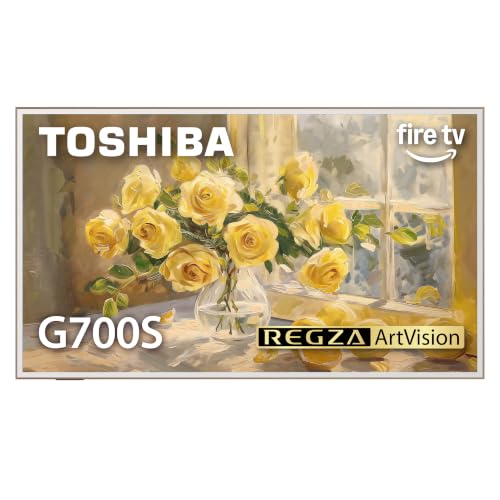
Toshiba’s ArtVision G700 is the guide’s delightful contradiction: an art television with the refresh rate of a gaming set. Its listing states a native 165Hz panel — native, not a processing figure — alongside QLED colour, an anti-glare screen, an Art Gallery Mode and an included art frame, all running on Fire TV with the REGZA Engine ZRi doing the picture work and DTS Virtual:X handling sound. No other pick here combines the frame-in-the-box completeness with anything close to that panel speed.
Who needs 165Hz on a picture frame? The household whose art wall is also its only serious screen. A set that displays prints all afternoon and then has to render a fast console game or a rapid passage of sport in the evening usually compromises somewhere; the G700’s specification refuses the compromise on the panel line. The REGZA engine is Toshiba’s long-running picture lineage, and DTS Virtual:X aims the sound at the room-filling end of television audio rather than the thin end, which matters in the open-plan spaces where art televisions tend to hang.
The Fire TV platform places it in direct conversation with the Ember Artline, and the comparison is instructive. Amazon sells the library and the assistant; Toshiba sells panel speed, included framing and its own picture engine. Both state anti-glare finishes. A buyer choosing between them is really choosing what the wall does at 8 p.m. — answer questions and surface photos within Amazon’s world, or run fast content on the quickest panel in the guide. Neither answer is wrong, and the G700 makes the second answer unusually easy to defend. If panel speed on an art wall sounds like your household’s exact overlap, read the G700 listing closely, since its combination has no substitute among the six.
One caution keeps the review honest: a native 165Hz panel only shows its worth with sources that feed it fast frames, so a household that watches broadcast television and streamed film exclusively will own capability it rarely touches. That is a pleasant kind of surplus rather than a flaw, but it should be bought knowingly — the art frame, the anti-glare screen and the Fire TV platform are what such a household will actually use daily, and those are present and stated.
Toshiba’s presence here also widens the category in a healthy direction. The art television market spent years as a one-brand idea with challengers orbiting it, and a set like the G700 — complete with frame, anti-glare screen, a named picture engine and the fastest panel in the guide — shows the idea has become a real segment with real engineering competition inside it. Buyers benefit from that contest in specification and in choice of platform, and the G700 is its clearest evidence: nobody builds a native 165Hz art television unless the category has matured enough to contain households that want gallery manners and gaming pace on the same wall.
- Screen size: 55-inch
- Panel and resolution: QLED, 4K UHD
- Refresh rate: Native 165Hz
- Finish: Anti-glare screen
- Art features: Art Gallery Mode, included art frame
- Picture engine: REGZA Engine ZRi
- Sound: DTS Virtual:X
- Platform: Smart Fire TV
- Model: 55G700SU, 2026 new
Strengths
- Native 165Hz is the fastest panel here, giving the art wall genuine gaming pace.
- Art frame included, completing the gallery effect from the box.
- DTS Virtual:X and the REGZA engine give sound and picture their own pedigrees.
Trade-offs
- Fast-panel value only materialises with fast sources; film-only homes buy surplus speed.
- Fire TV platform, so Google and Samsung households face the usual switch.
- No mount is named in the listing title, so wall hardware needs confirming.
Best for: a household whose art wall doubles as its gaming and sport screen, on Fire TV.
Not suited for: film-and-news-only rooms, where the 165Hz panel’s headroom would sit permanently unused.
Comparison
| Pick | Size | Panel | Finish as stated | Frame and mount | Platform |
|---|---|---|---|---|---|
| Samsung The Frame LS03F | 65-inch | 4K QLED | Not stated in the listing title | Modern frame design, slim fit wall mount design | Samsung Vision AI |
| Samsung The Frame Pro | 55-inch | Neo QLED | Glare Free | Slim Fit Wall Mount included, Wireless One Connect | Samsung Vision AI |
| Hisense CanvasTV S7 | 55-inch | Hi-QLED 4K | Anti-glare, Hi-Matte | Frame and UltraSlim Wall Mount included | Google TV |
| LG Gallery TV LX7B | 55-inch | Mini LED 4K | Matte display | Attachable frame included | LG Gallery+ |
| Amazon Ember Artline | 55-inch | QLED 4K | Anti-glare display | No frame included; custom frames separate | Fire TV |
| Toshiba ArtVision G700 | 55-inch | QLED 4K, native 165Hz | Anti-glare screen | Art frame included | Fire TV |
How to Choose a Frame TV
Start with the wall, not the screen. Measure the span, note what faces it, and decide the canvas size the room can carry: 65 inches needs a genuinely wide wall and seating to match, while 55 inches fits most living rooms and nearly all bedrooms and studies. Then study the light. A screen facing windows needs a stated anti-glare, matte or glare free finish — all three wordings appear among these picks — because the art illusion is the first casualty of a reflected room. If the wall sits in controlled light, finish matters less and panel and platform can lead.
Next, settle the completeness question. Price the finished wall: panel, frame, mount and any connection box, in the configuration you will actually hang. The Hisense, LG and Toshiba include their frames; the Ember Artline deliberately does not; the Samsungs divide between a design-led standard model and a Pro whose wireless box changes the installation plan. Finally, choose the platform your household already speaks — Samsung, Google, LG or Fire TV — because the art catalogue, the remote and the voice assistant are daily touchpoints long after the panel specifications blur together.
Budget for the whole wall while you are at it. Beyond the set itself, an installation can involve a frame where one is not included, a mount where one is not bundled, an electrician if a new power point would clean up the cable route, and the art content itself where a platform’s fuller catalogue is a paid extra. None of those items is large beside the television, but together they decide whether the finished wall matches the photograph in your head. The picks that bundle their frames and mounts — Hisense, LG and Toshiba — make that arithmetic simplest, while the Samsungs and the Ember reward buyers who itemise the extras before comparing headline numbers.
Finally, think about who else uses the room. A household with children will value a flush hang and a finish that shrugs off fingerprints; a household that hosts often will value art that can be changed for an occasion in a minute from the remote; a household that works from the same room will value a screen that can pull up a document or a video call without ceremony. Art televisions are unusually social appliances, seen by everyone who enters, and the right choice is the one whose two lives — gallery and television — both fit the household that will actually live with them.
Does a Frame TV Use Much Power While Showing Art?
An art display is a screen running for long hours at modest brightness, and its running cost sits between a television in full film mode and a television in standby. The matte, picture-like presentation does not need the punch a bright film scene demands, which keeps art-mode draw moderate, but it is not the near-zero figure of a powered-down set either. Households that leave art up all day should treat the schedule as part of the installation: most art platforms let the display sleep overnight or wake with the room, and using those habits keeps the gallery effect without paying to illuminate an empty room at 3 a.m. Motion or presence features, where a platform offers them, serve exactly this purpose.
Can a Frame TV Replace a Real Painting?
It replaces the wall’s decoration, not the painting’s nature, and confusing the two sets buyers up for disappointment. What these six do well is scale, rotation and light discipline: a canvas that changes with the season, fits the wall exactly and never needs reframing. What none of them does is reproduce the surface, texture and presence of a physical artwork at close range, and a collector hanging a screen beside originals will notice the difference every day. The happiest owners treat the frame TV as a new medium — photography especially, which was born on screens’ terms — rather than as a forgery of an old one. Buy it as a rotating gallery and it delights; buy it as a counterfeit oil painting and it will argue with you.
Where Do the Cables Go on an Art Wall?
Every installation in this guide answers that question, and the answers divide into three philosophies. The Frame Pro relocates connections to a wireless box, leaving the wall cleanest at the cost of housing the box. The slim-mount sets — Samsung’s standard Frame, the Hisense with its ultraslim mount — assume a discreet, planned route to nearby furniture. The included-frame sets from LG and Toshiba still need a power and signal plan that their titles do not detail, so their buyers should design the route before the hang, using the listing and documentation to confirm what ships. Decide the philosophy before choosing the set, because retrofitting cable discretion onto a finished wall is the one job nobody enjoys twice.
How High Should an Art Television Hang?
Hang it where a picture would hang, which is lower than most televisions end up. The convention for artwork — centre of the piece near the eye level of a standing viewer, adjusted for the room’s furniture — serves an art television better than the high, tilted placement of a media-room screen, because the set spends most of its hours being looked at as decoration from across the room and from doorways. Above a sideboard or fireplace, leave the breathing room a framed print would get rather than crowding the mantel. Then check the film-night angle from the sofa: a gallery hang that forces a raised chin for two hours is a decorating success and a viewing failure, and the right height is the one both lives of the set can share.
Lighting placement finishes the job. A wall washed by a picture light or a well-angled ceiling spot flatters an art display exactly as it flatters a canvas, while a bare bulb reflected in the screen defeats even the best matte finish. Walk the room at the times of day the art will be seen, note where reflections land, and let that survey — not the delivery schedule — settle the final position.
Common Mistakes
Comparing bare panels instead of finished walls catches more buyers than any panel flaw. A set that includes its frame and mount can be the cheaper finished wall even when its headline figure looks higher, and the Ember Artline’s separate frame is a deliberate decor choice that should be priced as one. Sketch the complete installation — panel, frame, mount, cable route, any connection box — and compare those totals, not the televisions alone.
Ignoring the facing window is the second classic error. An art television opposite glass lives or dies by its finish, and the wordings differ for a reason: glare free, anti-glare, matte and Hi-Matte are each manufacturer’s own claim, recorded in this guide exactly as stated. A shopper who assumes every art TV handles reflections equally will learn otherwise on the first sunny morning. Match the stated finish to the room’s actual light, and where a title is silent on finish, verify before the hang rather than after.
The third error is buying the art and forgetting the television. These sets will show films, sport and games for years, and platform, refresh rate and HDR support shape those evenings long after the novelty of the gallery fades. The reverse error exists too — buying a fast panel for a wall that only ever shows prints. Both mistakes come from shopping for one of the set’s two lives and ignoring the other; the reviews above score both lives for every pick precisely so neither is an afterthought.
Final Recommendation
For the classic art wall in a mainstream room, the Hisense CanvasTV is the easiest recommendation in the guide: frame and mount included, an anti-glare matte finish, Google TV and a 144Hz panel that keeps the television side honest. Design purists with a wall that must stand alone should take the Frame Pro and its wireless connections, while a genuinely large room earns the 65-inch standard Frame its place. LG’s Gallery TV suits the film-first household that rotates its art, the Ember Artline suits the Alexa home happy to choose its frame separately, and the Toshiba G700 is the pick when the art wall must also be the fastest screen in the house.
Whichever of the six you hang, plan the installation as a decorating project with an electrical component, not the reverse. Measure the wall twice, settle the cable philosophy before the delivery date, choose the frame finish in the room’s actual light rather than on a screen, and leave yourself one unhurried afternoon for the hang itself rather than an hour squeezed between other jobs.
Plan the installation as a decorating project with an electrical component, not the reverse. The sets that disappoint are rarely the ones with the wrong panel; they are the ones hung at the wrong height, facing the wrong window, with a cable route improvised on the day. Get the wall right and any of these six will do the quiet magic the category exists for — a room that looks furnished even when nothing is on.
One more ownership habit separates satisfied art-wall owners from the rest: they curate. A frame television left on its default slideshow becomes wallpaper in the dismissive sense within a month, while a wall whose contents change with the seasons, the household’s travels and the children’s school terms stays a living part of the room. Every platform here makes changing the display a remote-control task rather than a project, so the habit costs minutes. Set a reminder with the seasons if that helps; the wall will repay the attention by never quite becoming invisible, which is the whole point of hanging art instead of a blank screen.
Frequently Asked Questions
Do frame TVs need a special wall mount?
They need a mount that holds the panel close to the wall, and several picks include one: the Frame Pro and Hisense name slim mounts in their listings, while the LG and Toshiba include their frames. Confirm what ships with your chosen set before ordering hardware separately.
Is the art on these TVs free?
The Ember Artline’s listing promises free art and photos outright. Other platforms mix included pieces with their own catalogues and terms, so check the listing and platform details for the set you choose rather than assuming the whole gallery is bundled.
Which frame TV is best for a bright room?
Look for a stated finish: the Frame Pro says glare free, the Hisense anti-glare with a Hi-Matte display, the LG a matte display, and the Ember and Toshiba anti-glare. Match the manufacturer’s own wording to your room’s light.
Can I game on a frame TV?
Yes, and two picks state serious refresh rates: the Hisense at 144Hz and the Toshiba at a native 165Hz. The art brief does not prevent a fast panel; it just means the same screen earns its wall space between sessions.
Why does the Ember Artline ship without a frame?
Its concept treats the frame as a separate decor choice, with custom frames offered apart from the television. Price the finished wall — panel plus chosen frame — when comparing it with sets that bundle a frame in the box.
What size should I choose?
Let the wall decide. The 65-inch Samsung suits wide walls and longer seating distances; the five 55-inch sets fit most living rooms and smaller rooms comfortably. Measure the span and the viewing distance before ordering either way.
Related Guides
Brightness is the other half of the art-wall problem, and our guide to TVs for bright daylight viewing covers the sets built to fight glare and sunlight head-on. If the wall is settled and the evening is the priority, the smart TVs for movies round-up turns to the panels chosen purely for film nights.


