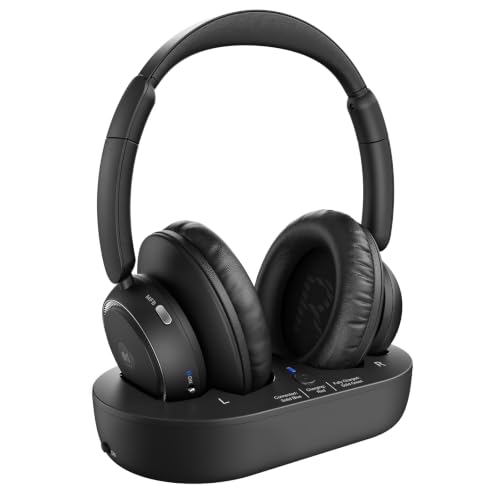
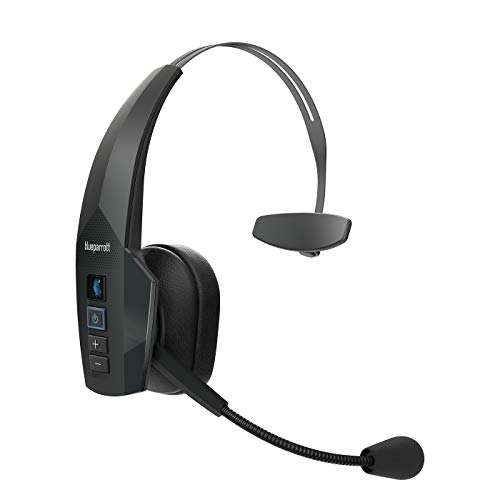
Our Top Picks
 SteelSeries Arctis Nova 5 Wireless Multi-System Gaming HeadsetOne Size7.32 x 6.87 x 3.52 inches0.6 poundsCheck on Amazon
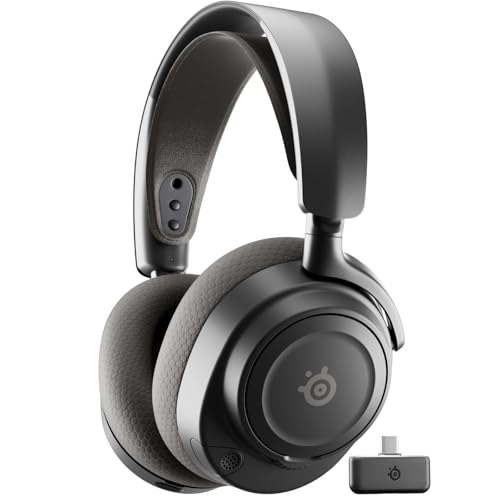 SteelSeries Arctis Nova 7P Wireless Gen 2 GamingInformation Not Available3.41 x 6.6 x 7.58 inches0.72 poundsCheck on Amazon
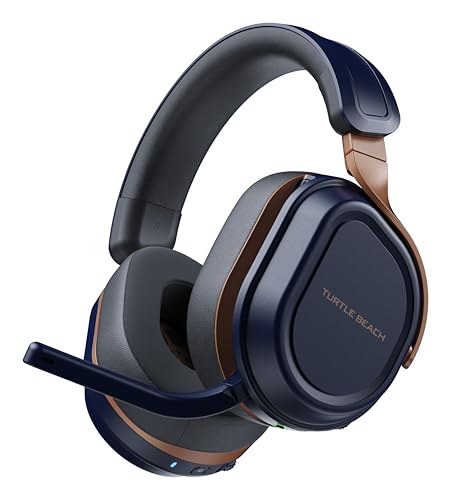 Turtle Beach Stealth 700 Wireless Gaming Headset forStandard7.87 x 6.81 x 3.7 inches0.9 poundsCheck on Amazon
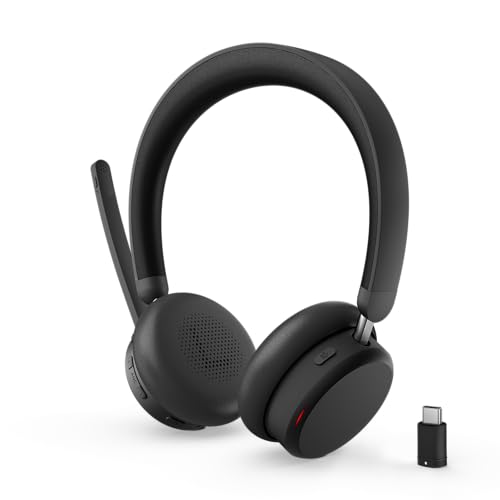 Lenovo Dual Mode Wireless ANC Headset 6550 withHeadset 6550 w/USB-C Receiver7.7 x 6.4 x 2.1 inches0.4 poundsCheck on Amazon

What's inside
- What dual connectivity really means
- The profiles doing the work underneath
- Bluetooth versions, and what they change for two-device use
- The dongle question: USB receiver plus Bluetooth
- Pairing order and the first-week setup that prevents pain
- Switching behaviour: what happens when both devices want you
- Codecs: the music path and the call path are different roads
- Microphones: where office headsets earn their keep
- Comfort and form factor across a two-device day
- Battery behaviour with two hosts attached
- Range, interference, and the geography of a real home
- Platform quirks: Windows, macOS, phones, and desk phones
- Controls, apps, and firmware: the unglamorous deciding layer
- Choosing well: a criteria framework
- Troubleshooting the failures everyone meets eventually
- Who should skip dual connectivity
- Three hybrid days, three different demands
- Reading a specification sheet without being fooled by it
- Security and pairing hygiene for two-device setups
- The wired fallback, and why keeping one matters
- Care, spares, and buying for a small team
- A note on expectations for the first fortnight
- Check prices on Amazon
- Frequently asked questions
As an Amazon Associate I earn from qualifying purchases. This post may contain affiliate links at no extra cost to you.
A headset that stays married to your laptop while still answering your phone changes the rhythm of a hybrid workday more than most people expect. As an Amazon Associate we earn from qualifying purchases. That single arrangement, two live connections held at once, removes the small daily friction of re-pairing, cable swapping, and missing a call because your audio was pointed at the wrong screen. This guide explains how dual connectivity actually behaves, where it disappoints, and which details separate a headset that handles two devices gracefully from one that technically lists the feature and fumbles it in practice.
What dual connectivity really means
Dual connectivity, usually labelled multipoint in specification sheets, means a headset maintains active Bluetooth links with two host devices at the same time. Both links stay alive. The headset listens on both, and when audio starts on either side, it routes that audio to your ears according to a set of priority rules. You might be watching a training video on a laptop when your phone rings; the headset pauses or ducks the laptop stream and presents the ringtone, and when the call ends, the laptop audio typically resumes without you touching a setting.
That sounds simple, and the underlying choreography is not. Classic Bluetooth was designed around one active audio relationship at a time, so multipoint is a layer of negotiation built on top of older profiles. The headset has to juggle two sets of profile connections, decide which stream wins when both compete, remember volume levels per device, and keep microphone routing attached to whichever host is running a call. Brands implement those decisions differently, which is why two headsets with identical multipoint claims can feel completely different across a working week.
It also helps to separate multipoint from mere multi-pairing. Many headsets remember eight or more devices in a pairing list, yet only connect to one at a time; switching means disconnecting and reconnecting manually. That is a phone book, not a live second line. Genuine dual connectivity holds two simultaneous connections, and a smaller group of premium office models can even hold a USB dongle link plus two Bluetooth links, giving you three potential sources with two active at once depending on the model. When you shop, look for language about simultaneous connections rather than a long remembered-device list.
The profiles doing the work underneath
Two Bluetooth profiles carry almost everything a hybrid worker does. A2DP carries high-quality stereo audio in one direction, from host to headset, and it is the profile your music, podcasts, and video soundtracks travel on. HFP, the hands-free profile, handles calls: it carries your voice from the microphone and the other party back to you, historically in narrowband mono and, on modern gear, in wideband form often called HD Voice. A headset in a call is using HFP; a headset playing music is using A2DP. Multipoint has to manage both profiles across two hosts at once.
The practical consequence is that a headset can be connected to your laptop over A2DP for media and your phone over HFP for calls simultaneously, and many office headsets are happiest arranged exactly that way. Trouble starts when both hosts want the same profile at the same moment. Two competing calls, or a laptop softphone and a phone call arriving together, force the headset to pick a winner and park the loser, and the parked caller may hear silence rather than a hold tone. Understanding that profiles, not just devices, are what get switched explains most multipoint weirdness people report.
Control signals ride alongside. AVRCP lets headset buttons pause, skip, and adjust volume on the host that is currently active, and HFP carries answer, reject, and mute signalling for calls. When you press play on the earcup and nothing happens, the headset usually sent that command to the host it considers active, which may not be the screen you are looking at. Models with a companion app often show which host currently owns control, and glancing there is faster than re-pairing in frustration. Small clarity features like that separate mature multipoint implementations from checkbox versions.
Bluetooth versions, and what they change for two-device use
Bluetooth 5.0 brought longer range and better coexistence with crowded radio environments than the 4.x generation, and for multipoint it mainly improved stability when the two hosts sit in different rooms. Bluetooth 5.1 and 5.2 refined connection management and introduced the groundwork for LE Audio. Bluetooth 5.3, now common in current headsets, tightened how devices negotiate connection intervals, which translates into fewer dropouts when a headset is polling two hosts in a busy office full of other radios.
LE Audio and its LC3 codec deserve a separate note because they change the long-term picture. LC3 delivers comparable speech quality at lower bitrates than the older SBC codec, and LE Audio was designed with multiple independent streams in mind, including broadcast audio through Auracast. In principle, a fully LE Audio multipoint world handles two hosts more elegantly than the classic profile juggling described above. In practice, host support is still uneven: many laptops and phones expose LE Audio partially or not at all, so most headsets sold for office use today still do their dual-connectivity work over classic Bluetooth and fall back gracefully.
For a buyer in the present, the version number matters less than the chipset generation and firmware maturity behind it. A well-supported Bluetooth 5.1 headset from a maker that ships regular firmware updates will usually outbehave a bargain 5.3 model whose maker never touches the software again. Check when the last firmware update shipped for any model you shortlist. Multipoint bugs are overwhelmingly software bugs, and a living update channel is the difference between an annoyance that gets fixed in a month and one you live with for the life of the product.
The dongle question: USB receiver plus Bluetooth
The most reliable dual-connectivity arrangement for desk work pairs a USB dongle in your computer with a direct Bluetooth link to your phone. The dongle, sometimes called a UC or link receiver, presents itself to the computer as a standard USB audio device. The operating system needs no Bluetooth pairing dance, the softphone sees a stable microphone and speaker endpoint, and the headset treats the dongle as a pre-paired, always-known partner. When you unplug the laptop and walk away, the phone connection simply carries on.
Dongles also solve problems that native laptop Bluetooth still creates. Corporate laptops may lock down Bluetooth settings, ship with older radios, or route audio through drivers that add delay and swallow the first syllable of calls. A matched dongle bypasses all of that, and it is why the same headset can feel flaky at work and flawless at home. Dongles come in USB-A and USB-C forms; some headsets include one, others sell it separately, and a few receivers carry platform-specific optimisation for a particular softphone, including a dedicated button behaviour for answering calls inside that application.
There are trade-offs. A dongle occupies a port, which matters on thin laptops with two USB-C sockets and a dock already competing for them. It is also one more small object to lose in a bag, and a lost proprietary dongle can be more expensive to replace than expected because it is paired at the factory level to a product family. Some headsets let you re-pair a replacement receiver through their desktop app, a feature worth confirming before you buy if your travel bag eats small electronics. Finally, remember that the dongle counts as one of your connections: dongle plus phone is the classic pairing, and adding a tablet as a third live source is usually beyond what the headset will hold.
If your shortlist includes headsets built mainly for entertainment rather than calls, it is worth reading how surround-focused models handle their connections in our guide to best 7 1 wireless headsets, because gaming-oriented receivers prioritise low delay over call handling and behave quite differently from office dongles.
Pairing order and the first-week setup that prevents pain
Multipoint headsets care about the order in which you introduce devices, even though manuals rarely say so plainly. A dependable sequence is to pair the phone first, confirm calls and media both work, then pair the computer or plug in the dongle, and finally return to the phone and confirm it is still connected. Some headsets demote the first device when the second is added if the first was mid-stream, so do the whole setup with nothing playing. When both links show as connected and idle, place a short test call from each side before your first real meeting.
Give each host the right job. On the phone, leave both media and call audio enabled. On the computer, decide whether it should ever take phone-style calls; if you use a softphone there, it needs the hands-free profile, but if the computer is only for video and music, some users deliberately disable its call profile so the phone always wins ringing priority. That single toggle prevents the maddening situation where a personal call rings through the laptop speakers of a shared screen because the laptop grabbed HFP first.
A short daily-driver checklist
- Pair the phone first, the computer second, with no audio playing on either.
- Confirm both devices show as connected at the same time, not merely remembered.
- Place one test call through each host and check the microphone, not just the speakers.
- Set the phone as the ringing priority device if your headset app offers that choice.
- Update the headset firmware before judging any switching behaviour.
- Save the dongle pairing procedure in a note; you will want it after any laptop replacement.
Keep the headset’s app installed on the phone even if you dislike companion apps generally. For dual-connectivity models the app is where connection status, per-device toggles, sidetone level, and firmware live, and it is usually the only place you can see which host the headset currently treats as primary. When something misbehaves mid-day, the app answers in ten seconds what guesswork takes ten minutes to untangle.
Switching behaviour: what happens when both devices want you
Incoming calls almost always win. Whether you are listening to a podcast from the laptop or a voice note from the phone itself, a ringing phone call takes the headset over, because call priority is the scenario every maker optimises first. What varies is the handover texture: good implementations pause the media, play a discreet ring or spoken caller name, and resume the media a second or two after the call ends. Weaker ones stop the media permanently, leave the laptop app paused in a state it cannot recover from, or resume at a different volume than before.
Media-versus-media contention is where personalities diverge. If the laptop is playing a video and you press play on the phone, most headsets follow a last-active-wins rule and hand the stream to the phone, pausing the laptop. Some hold the first stream stubbornly until it stops, which suits people who hate interruptions and frustrates people who expect the headset to follow their hands. A few models expose this as a setting, sometimes called media priority or audio focus, and it is one of the first things to look for in the app after unboxing.
Notifications are the quiet saboteurs. A phone that chimes for every message will keep stealing brief moments of focus from laptop audio on headsets that treat any phone sound as a stream worth switching to. The fix is on the phone side: trim notification sounds for chatty apps, or use the phone’s focus modes during deep work. Similarly, a laptop that plays a soft ding for each calendar reminder can chop a phone call’s opening seconds. Dual connectivity rewards a little notification hygiene on both hosts, and the reward is a headset that seems psychic instead of twitchy.
Walking between rooms exposes another behaviour: reconnection order. When you return to your desk after making tea, the headset reconnects to whichever host it finds first, not necessarily the one you were using. If the phone reconnects first and starts a queued podcast while your laptop meeting is about to begin, you get a scramble. Mature headsets remember the most recent active source and prefer it during reconnection. If yours does not, a useful habit is muting media apps before you walk away, so whatever reconnects first has nothing to shout about.
Codecs: the music path and the call path are different roads
When a headset plays music, it can use richer codecs: SBC everywhere, AAC favoured by one major phone ecosystem, aptX variants on many Android phones and some laptops, and LDAC for high-resolution streaming on supported Android hardware. When a call starts, the headset leaves that road entirely and switches to the call profile, where the codec choices narrow to CVSD for legacy narrowband and mSBC for wideband speech. This is why music can sound lush at 10 a.m. and a call at 10:05 sounds like a phone call: it is, running on a different and older transport.
The practical buying lesson is to weight codec support by what each host can actually send. A headset with an exotic high-resolution codec gains nothing from a laptop whose Bluetooth stack only offers SBC, and a dongle connection usually runs the maker’s chosen codec between receiver and headset regardless of the computer. For hybrid work, call-path quality matters more than music-path bragging rights. Wideband speech support on both the headset and the phone doubles the audio bandwidth of a traditional call, and voices gain the consonant detail that makes names and numbers intelligible the first time.
LC3, arriving with LE Audio, eventually unifies these roads, carrying music and voice with one efficient codec and adding proper support for separate left and right streams. Until hosts catch up, treat LC3 support as future-proofing rather than a present-day feature, and do not pay a premium for it if the classic-Bluetooth behaviour of the same headset is mediocre. The reverse also holds: a headset with plain SBC and AAC but excellent microphones and switching logic is the better office tool than a codec showcase with clumsy multipoint.
Latency deserves a sentence here because video meetings punish delay differently from films. Video apps compensate for audio delay automatically, so ordinary multipoint latency is invisible in meetings. It shows up in games and in live monitoring, such as hearing your own voice while recording. If your second device is a gaming machine rather than a phone, the priorities flip, and the comparison in our look at best 200 gaming headsets explains why gaming models chase dedicated low-delay receivers instead of juggling two Bluetooth hosts.
Microphones: where office headsets earn their keep
Your callers judge the headset by its microphone, and dual connectivity does not change that hierarchy. A physical boom that places the capsule near the corner of your mouth remains the most dependable way to capture voice with a strong signal and little room sound. Boomless headsets and earbuds rely on beamforming arrays in the earcups, using several microphones and processing to isolate a voice-shaped target. The best beamforming systems are genuinely good in quiet rooms and noticeably worse than a boom the moment a dishwasher, kettle, or open window enters the picture.
Environmental noise cancellation for the microphone, often shortened to ENC, uses that array to suppress steady sounds like fan hum and traffic wash before your voice is transmitted. It helps callers, not you; it does nothing for what you hear. Its quality varies enormously and marketing samples are recorded in conditions chosen to flatter it. A useful self-check with any new headset is recording a voice memo while a kettle boils two metres away, then listening on another device. That thirty-second experiment tells you more than a page of microphone specifications.
Sidetone, the controlled amount of your own voice fed back into your ears during calls, matters more than most buyers expect. Without it, people shout, especially on noise-cancelling headsets that seal the room away. With too much, every breath sounds theatrical. Adjustable sidetone in the app is the mark of a call-focused product. Mute behaviour matters too: a boom that mutes when raised, or a dedicated button with a spoken or tonal confirmation, prevents the classic disaster of making an aside while live. Check whether muting on the headset reflects inside your meeting app; dongle-connected certified models usually synchronise mute state both ways, while plain Bluetooth connections often mute only the headset and leave the app showing you as audible.
Wind is the microphone’s oldest enemy and the one hybrid workers meet on every walk-and-talk. Boom capsules with proper windscreens cope; exposed earbud microphones suffer. If your second device exists partly so you can take calls away from the desk, weight wind handling heavily, and consider whether a model with a detachable boom for desk hours and a respectable boomless mode for the street suits your pattern better than a fixed design that compromises both.
Comfort and form factor across a two-device day
A headset worn from the first stand-up meeting to the last call of the day lives or dies on clamp force, weight distribution, and ear cushion material. Over-ear designs spread pressure and isolate better, which helps focus in shared homes, but they run warm in summer and press on glasses arms over long sessions. On-ear office headsets are cooler and lighter, and their smaller cushions leak more sound both ways. Neither is universally better; the deciding factor is your room, your climate, and whether you wear spectacles for eight hours or eight minutes.
Mono headsets, covering one ear, remain a legitimate choice for people whose work is mostly calls and who need to hear doorbells, children, and colleagues in the same room. They are also the form factor least likely to cause the sealed-off fatigue that stereo noise-cancelling models produce by late afternoon. The compromise is media: podcasts are fine in one ear, films are not. Dual connectivity on a mono headset is common in call-centre-derived product lines, and those models often have the most polished switching behaviour of all, because their makers design for people who take calls for a living.
Earbuds with multipoint have improved quickly and now suit workers who move between home, train, and office and refuse to carry a headset case. Their microphones sit far from the mouth, their batteries are split between buds and case, and their controls are small, yet for many hybrid patterns those compromises are worth the pocketability. Where earbuds still trail is marathon comfort and call consistency in noisy places. A sensible pattern many people land on is earbuds as the travelling second device and a proper headset at the desk, each paired to the same phone, though that is a two-product answer to a one-product question.
Readers comparing noise-cancelling models specifically for focus should also see our guide to best anc bluetooth wireless headsets, which covers cancellation depth and transparency modes in more detail than this connectivity-focused guide can.
Battery behaviour with two hosts attached
Holding two connections costs energy. A headset polling two hosts wakes its radio more often than a single-connection model, and published battery figures are almost always measured with one host attached. Expect a real-world reduction, commonly in the region of a tenth to a fifth of the headline figure, when both links stay live all day. That still leaves modern office headsets with comfortable multi-day endurance, but it turns earbuds with modest reserves into products you charge during lunch rather than weekly.
Standby drain follows the same logic. A headset left switched on overnight, connected to a phone that receives messages at 3 a.m., will sip power greeting each event even if it never makes a sound. Turning the headset off at night, or using an auto-sleep setting that powers down after a period without audio, keeps the weekly charging rhythm predictable. Models with a proper power switch beat models that rely on folding flat or returning to a case, because the switch is a decision you control rather than a sensor that can be fooled by a cluttered desk.
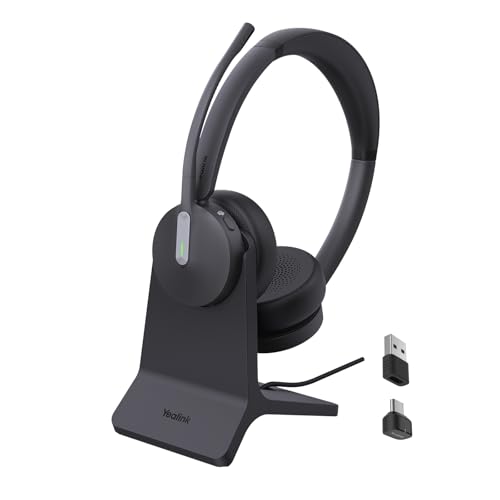
Charging arrangements deserve a glance before purchase. A charging stand at the desk keeps a headset topped up and visible, and for hybrid workers the stand doubles as a parking place that prevents the headset from vanishing under papers. USB-C charging is now standard enough that anything else feels dated, and quick-charge claims, such as a short plug-in yielding hours of talk time, are genuinely useful on the morning you forgot. Wireless charging appears on some earbuds and a few headsets; it is pleasant and entirely optional.
Range, interference, and the geography of a real home
Headline range figures assume an empty field. Indoors, walls, floors, metal filing cabinets, and human bodies all absorb the 2.4 GHz signals Bluetooth uses, and the two hosts in a dual setup rarely sit at equal distances. The classic failure is asymmetric: the phone in your pocket stays connected through two walls while the laptop link drops at the kitchen door, or the reverse. When you return, the headset may reattach to the surviving host only, leaving the dropped one forgotten until you toggle Bluetooth. Knowing this pattern stops you diagnosing a fault that is really just physics plus a floor slab.
Interference adds a second layer. The same band carries Wi-Fi, microwave oven leakage, and every neighbour’s wireless gadgets. Dense apartment blocks and open-plan offices are hostile territory, and a dongle helps here in an underappreciated way: it sits in the laptop, often on a short extension or hub near you, and its link to the headset is managed by the maker rather than by a general-purpose radio juggling a mouse, keyboard, and three other peripherals. If your home desk sits within a metre or two of a busy router, moving the router or the desk slightly can cure crackle that no headset setting touches.
Practical range habits are simple. Keep the phone on your person rather than in a metal drawer. Put the dongle in a port with line of sight to where you sit, using the laptop’s side rather than a dock hidden behind monitors. During important calls, stay within one room of both hosts where you can. None of this is glamorous, and all of it outperforms buying a new headset to solve a placement problem.
Platform quirks: Windows, macOS, phones, and desk phones
Windows offers two audio endpoints for many Bluetooth headsets, a stereo one for media and a hands-free one for calls, and it has historically been clumsy about switching between them. The symptom is music that sounds underwater because the computer is using the call endpoint, or a meeting where you hear everyone and nobody hears you. Newer Windows versions handle this more gracefully, and a dongle sidesteps the issue entirely by presenting a single, unambiguous device. If you use native Bluetooth on Windows, learning where its output and input selectors live is an hour-one skill.
macOS is tidier but has its own habits, including enthusiastic codec preferences and occasional insistence on treating a returning headset as a new device after major system updates. iPhones and Android phones differ in codec support and in how aggressively they reclaim audio focus; Android’s variety means behaviour can change between phone brands with the same headset. None of these platforms is broken. They are simply four different stage managers directing the same actor, and dual connectivity works best when you accept each platform’s habits rather than expecting uniformity.
Desk phones and softphone clients add a fifth actor in some offices. A headset connected by dongle to a computer running a softphone behaves like a computer headset. A Bluetooth desk phone can occupy the phone slot in your multipoint arrangement instead of your mobile, which suits reception-style roles. What you generally cannot do is keep a mobile, a desk phone, and a computer all live; something must give, and deciding in advance which two devices form your working pair prevents daily re-pairing rituals.
Controls, apps, and firmware: the unglamorous deciding layer
Physical controls that can be found by touch, a volume rocker with ends you can distinguish, a call button with a definite click, a mute control that announces itself, matter more across a year than any single audio specification. Touch panels look clean and misbehave with wet fingers, gloves, and long hair. For a headset whose entire purpose is answering things quickly, a button you can hit without looking is a feature, not a compromise.
The companion app is the second control surface. Beyond sidetone and equaliser settings, look for per-device connection management, the ability to rename the headset so two similar models in one household stop confusing every phone in the building, and a firmware update path that does not require a specific operating system. Some makers gate updates behind a desktop application tied to the dongle, which is one more reason the dongle ecosystem, once bought into, tends to keep you.
Firmware is where multipoint goes to be fixed. Release notes for office headsets routinely mention improved switching, corrected reconnection order, and fixes for specific phones. Buying a model whose maker publishes such notes, and installing updates a few times a year, is the closest thing to a guarantee that dual connectivity will still suit your next phone. A headset abandoned by its maker at launch firmware is a snapshot of 2024’s bugs, kept forever.
Shoppers working to a tighter allowance do not have to give up multipoint entirely, and our roundup of best affordable wireless headsets separates the genuinely capable budget models from those whose second connection exists only on the box.
Choosing well: a criteria framework
Start with your two devices, not with a product list. Write down the pair you will actually connect, laptop and phone for most people, and check each candidate against that exact pair: dongle availability for the laptop’s ports, codec and wideband support with your phone, and certification or at least documented compatibility with your meeting platform. A headset that is superb with a different pair of devices is the wrong headset, however many awards decorate its page.
Then rank the call experience. Microphone style for your noisiest regular environment, mute synchronisation with your meeting app, sidetone adjustment, and a boom or array that handles your voice at conversational level without shouting. After that, switching behaviour: call priority, media focus rules, and reconnection preference, insofar as reviews and manuals reveal them. Comfort follows, because a theoretically perfect headset left on its stand helps nobody. Battery, range, and codec exotica come last; they are the easiest specs to sell and the least likely to decide your satisfaction.
Questions to answer before ordering
- Which two devices will be connected every day, and which port does the dongle need?
- Does the headset mute in sync with your meeting application, or only inside its own hardware?
- Is sidetone adjustable, and can you hear yourself at a natural level?
- What wins when a call arrives during laptop media, and does playback resume afterwards?
- When was the most recent firmware update, and what did it fix?
- Can a lost dongle be replaced and re-paired without replacing the headset?
Finally, plan the return window as part of the purchase. Multipoint behaviour only reveals itself across several real days with your actual phone, laptop, and meeting load. Buy from somewhere with a workable returns policy, run the headset hard for a week, and judge it on the worst switching moment of that week rather than the best first impression. A model that survives a rainy Tuesday of back-to-back calls has told you the truth about itself.
Troubleshooting the failures everyone meets eventually
When one device silently drops off, the cause is usually a third device. Tablets, old laptops, and a partner’s phone that once paired with your headset can reclaim it opportunistically, because many headsets connect to the two most recent or most insistent hosts. The cure is housekeeping: open the pairing lists on every nearby device once a quarter and remove the headset from anything that should not own it. What feels like a multipoint bug is often a queue of forgotten hosts politely taking turns.
When callers say you sound distant while the music sounds fine, the computer has probably selected the wrong microphone, choosing a laptop’s built-in array across the room instead of the headset. Meeting apps keep their own input settings separate from the operating system’s, so there are two places to check. Making the headset the default in both, once, and then leaving those settings alone is more effective than adjusting them in a panic at the start of every call.
When switching works all week and breaks on Monday, suspect an update: a phone system update, a meeting app update, or a headset firmware update that reset a preference. Re-check the priority and focus settings before assuming hardware failure. And when nothing makes sense, the factory reset that manuals describe, followed by pairing phone first and computer second, resolves a surprising share of haunted behaviour, because it clears the stale host records that accumulate like sediment in the pairing memory.
Who should skip dual connectivity
If you work at one desk, on one computer, and your phone lives face-down in another room by deliberate policy, multipoint solves a problem you do not have, and a single-connection headset will be simpler and often cheaper for the same audio quality. If your second screen is a games console or a gaming PC where reaction time matters, a dedicated low-delay connection beats a juggling act. If you are an audio editor monitoring your own recordings, the call-profile compromises and wireless delay of any Bluetooth arrangement argue for a cable, full stop.
There is also a privacy angle worth naming. A headset connected to a personal phone and a work laptop will happily play a personal call through a work meeting’s silence if you answer carelessly, and notification chimes cross the boundary in both directions. People in regulated roles, or anyone who simply likes a hard wall between work and home, sometimes choose two separate headsets on purpose. Dual connectivity is a convenience technology, and like most conveniences it trades a little separation for a lot of ease. Choose it with your eyes open.
Three hybrid days, three different demands
Consider the home-based day first, because it is the pattern multipoint was born for. The laptop sits on a desk, the phone charges nearby, and the day alternates between scheduled video meetings, focused work with music, and unscheduled phone calls from people who still prefer ringing to messaging. Here the dongle-plus-phone arrangement shines: meetings start with the right microphone every time, music fills the gaps, and a phone call at noon interrupts cleanly and hands the afternoon back. The feature you will value most by Friday is not range or codecs; it is the absence of the small, repeated decision about where your ears are connected.
The split-location day is harder. Morning at home, midday on a train, afternoon in an office or a client’s meeting room. Now the headset must survive reconnections in three radio environments, a phone that becomes the primary device for hours, and a laptop that sleeps and wakes repeatedly. Earbuds or a light on-ear model earn their place here, and so does a case, because a headset riding loose in a bag arrives with its boom bent and its battery spent greeting the phone through fabric. Workers with this pattern should weight reconnection manners and standby behaviour above almost everything else, and should test a candidate headset on the actual commute before trusting it with a client day.
The shared-home day adds other people’s noise and other people’s schedules. A partner on calls in the next room, children home from school at half past three, a delivery driver at the door mid-presentation. Noise cancellation for your ears and noise suppression for your microphone both matter more here, and so does the ability to hear the doorbell, which argues for transparency modes you can summon with one press rather than burying in an app. Dual connectivity still helps, chiefly by keeping the phone reachable for the school call that must never be missed while the laptop owns your attention, but it is supporting cast on this day rather than the headline act.
Reading a specification sheet without being fooled by it
Specifications for headsets mix the meaningful, the measurable-but-misleading, and the purely decorative on a single page. Bluetooth version and supported profiles are meaningful: look for the hands-free profile in its wideband form and for a multipoint statement that uses the word simultaneous. Driver size, by contrast, predicts almost nothing about how a sealed office headset will sound, and frequency response ranges extending beyond human hearing are decorative ink. Battery figures are measurable but assume one connection and moderate volume; treat them as a ceiling, not a promise.
Microphone specifications need translating. A list of microphone counts tells you an array exists, not that its processing is good. Sensitivity figures in decibels help professionals compare capsules and tell ordinary buyers little. The honest signals are behavioural and usually live outside the spec table: whether the maker publishes firmware notes, whether mute synchronises with major meeting platforms, whether sidetone is adjustable, and whether the manual explains priority rules in plain language. A maker who documents switching behaviour is a maker who has thought about it, and that correlation holds up well in practice.
Weight is the most underrated number on the page. A difference of thirty grams sounds trivial at breakfast and feels significant at four in the afternoon, especially with glasses. Clamp force is rarely published at all, which is a pity, because it decides comfort more than weight does. Since neither can be judged from a listing, the trial week matters, and headsets bought for teams should be trialled by the person with the longest call days and the strongest opinions about comfort, not by whoever volunteers first.
Security and pairing hygiene for two-device setups
Every live connection is a door, and a headset holding two of them deserves the same basic hygiene as any other connected device. Pair at home or at your desk, not in an airport, because pairing mode is the moment a headset is most trusting. Remove headsets from the Bluetooth lists of laptops you return, sell, or send for repair; a forgotten pairing lets an old machine reclaim your audio months later in a new owner’s hands, which is embarrassing in both directions. Keep firmware current for the security fixes that release notes describe vaguely, not only for the switching improvements they advertise.
Workplaces with formal device policies may require that headsets appear on an approved list, and dongle-based models usually clear such processes more easily than arbitrary Bluetooth pairings because the dongle is a known, single-purpose peripheral. If your employer manages your laptop, confirm before buying that a USB audio device will be permitted; a small number of locked-down environments block unapproved USB endpoints, and discovering that on delivery day wastes everyone’s time. None of this is a reason to avoid dual connectivity. It is a reason to set it up deliberately once, rather than casually and repeatedly.
The wired fallback, and why keeping one matters
Many wireless headsets can also work over a cable, through USB or a 3.5 mm lead, and that option deserves respect rather than dismissal as a legacy extra. A wired connection rescues the day the battery dies before the biggest meeting of the quarter, bypasses every radio problem in a hostile building, and provides the zero-delay monitoring that recording work demands. Some models keep their microphone alive over USB but not over the analogue lead, a detail buried in manuals and worth checking if the cable is your planned backup for calls.
Travellers should pack the cable even when they never expect to use it. Aircraft entertainment systems, older conference-room hardware, and the occasional hotel television all speak analogue audio and nothing else. The cable weighs almost nothing, and the first time it saves an eight-hour flight from silence it earns its permanent place in the bag. Dual connectivity is the headline feature, but resilience is a system property, and the humble cable is part of the system.
Care, spares, and buying for a small team
Ear cushions are consumables. Foam compresses, coverings crack, and a headset that sounded sealed and quiet in its first spring lets the room in by its second winter. Makers of serious office headsets sell replacement cushions and boom windscreens, and the availability of those small parts is a reliable proxy for whether a model is built for a three-year working life or a single product cycle. Replace windscreens after any illness that involved coughing into them for a week, and wipe cushions with a barely damp cloth rather than soaking them, because the foam inside dislikes water and remembers the insult by crumbling early.
Battery care follows the usual lithium pattern with one headset-specific twist. Avoid leaving the headset fully discharged in a drawer for months between contracts, and avoid cooking it on a sunny windowsill above the desk. The twist is the charging stand: a headset that lives on its stand is always ready and always near full, which modern battery management handles gracefully, so convenience wins over elaborate charge-limit rituals for most owners. If a model offers a charge limit in its app, enabling it costs nothing and may help; if it does not, do not organise your life around the omission.
Buying for a team multiplies every small decision. Standardising on one model with a shared pool of spare dongles, cushions, and cables reduces support friction to a known set of answers, and it lets new starters be handed a setup whose pairing order and mute behaviour someone can explain from experience. Mixed fleets look democratic and behave like a helpdesk generator, because every switching question has a different answer per desk. If budgets force mixing, at least standardise within each role, and document the pairing sequence and the two or three quirks of each approved model in the team’s own words, taped, unglamorously and usefully, to the inside of the equipment cupboard.
Keep one wired headset in that cupboard as the universal spare. It needs no charging, no pairing, and no firmware, and it will rescue the morning when a wireless unit fails ten minutes before a client call and there is no time for diagnosis. Spares thinking is unfashionable in an era of next-day delivery, yet the cost of one idle headset is trivial beside the cost of one senior person spending a meeting sounding like they are calling from inside a wardrobe.
One last habit separates satisfied owners from frustrated ones: they name their connections deliberately. Rename the headset on each host so the laptop list and the phone list describe the same object in the same words, label the dongle with a dot of tape so it stops emigrating into other people’s laptops at shared desks, and keep a thirty-second note of which device is primary and why. These are clerical acts, not technical ones, and they prevent the most common multipoint confusion of all, which is not the headset misunderstanding the devices but the owner misunderstanding which of three similar entries on a settings screen is which.
A note on expectations for the first fortnight
Almost every multipoint headset has one behaviour its owner finds eccentric: a resume delay of two seconds that feels like twenty, a spoken battery announcement that interrupts the first bar of music after every call, a preference for the phone that must be negotiated with rather than obeyed. Judge the pattern, not the quirk. A consistent quirk becomes invisible within a fortnight because you adapt to anything predictable. An inconsistent headset, brilliant on Monday and moody on Thursday, never earns that adaptation, and inconsistency, not any single missing feature, is the true reason dual-connectivity headsets get returned. Give a new model ten working days, keep brief notes on each failure rather than trusting memory, and let that small honest record decide whether it stays on your desk.
Check prices on Amazon
Live listings for the shortlist in this guide are pulled from Amazon below, so prices and availability are always current at the moment you look.


Frequently asked questions
Can both devices play sound at the same time?
No. A multipoint headset plays one stream at a time and switches between them. The two connections are live for signalling, ringing, and readiness, but audio itself is a single lane. If both devices produce sound simultaneously, the headset follows its priority rules, almost always favouring a call, and the other stream is paused or silenced until the lane frees up.
Does using a dongle count as one of the two connections?
Yes. The dongle is the computer’s presence as far as the headset is concerned, so dongle plus phone fills a typical two-connection allowance completely. A tablet or second phone would need one of those links to be dropped first. A handful of office models stretch to a dongle plus two Bluetooth pairings with two active at once, but that is the exception rather than the rule.
Why does my music sound worse the moment a call starts?
Because the headset changes transport, not just volume. Music travels on the stereo media profile with modern codecs; calls travel on the hands-free profile with speech codecs designed for intelligibility at low bitrates. The drop in richness is the sound of that switch, and it happens on every Bluetooth headset, including expensive ones. Wideband speech support narrows the gap but does not close it.
Will multipoint drain the battery noticeably faster?
Somewhat. Maintaining two links means more radio activity, and a realistic expectation is a modest reduction from the single-connection figure printed on the box rather than a dramatic one. Talk-heavy days dominate battery use far more than the second idle link does. Charging stands and quick top-ups make the difference a non-issue for desk-based workers.
Can I connect two phones instead of a phone and a computer?
Usually, yes. Most multipoint headsets are indifferent to what the two hosts are, so a work phone and a personal phone can share one headset with calls from either side taking priority. Media focus rules still apply, so decide which phone should win when both want to play, and expect the same notification discipline to matter twice as much.
What should I do first when switching becomes unreliable?
Update everything, then simplify. Install the headset’s latest firmware, restart both hosts, remove the headset from any third device that might be claiming it, and re-pair in the order of phone first, computer second. Most haunted multipoint behaviour traces back to a stale pairing record or an old firmware build, and this sequence clears both in about five minutes.
Choose the headset whose switching manners match your working pair, keep its firmware alive, tame the notifications on both hosts, and dual connectivity quietly becomes the feature you stop noticing, which is precisely what good infrastructure is supposed to feel like by the third week of a hybrid job.